Creating the official Django Polls app Part 3
Social Share:
Thursday, January 9, 2025 at 6:32 PM | 10 min read
Last modified on Saturday, July 4, 2026 at 4:22 PM
#fullstack development, #macOS, #django, #python3, #404, #model manager, #render shortcut, #series, #templates, #template namespacing, #tutorial, #urlpatterns, #views

Photo by David Clode on unsplash.com
Table of Contents
- Writing my first Django app
- Writing more views in polls/views.py
- Creating a templates directory in the polls directory
- The render() shortcut
- Raising a 404 error in the detail view
- get_object_or_404()
- Using the templating engine system
- Removing the hardcoded URL in the template in polls/index.html
- Namespacing URL names
- A note about polls/urls.py
- Code associated with this section
- Conclusion
- Related Resources
- Related Posts
Update (July 2026): This walkthrough was written against Django 5.1, which reached full end-of-life in December 2025 and is no longer receiving security patches. Run python -m django --version to check which version you have.
Writing my first Django app
Now I will focus on my Django Polls views.
A view is a web page in my Django application that serves a specific function and is associated with a specific template.
In my Django Polls application, I will have the following four views:
- The Question index view (page) which will contain the latest questions.
- The Question detail view (page) which will contain Question text and a form for voting.
- The Question results view (page) which displays the results for a particular question.
- The Vote action view (page) which will handle voting for a particular choice in a particular question.
In Django, web pages and other content need views in order for their templates to be rendered in the browser.
Each view is represented by a Python function, or method in the case of class-based views.
Django selects a view by checking the URL that is requested. More specifically, the part of the URL that follows the domain name.
Django URL patterns
A Django URL pattern is the general form of a URL. For example:
/media/<profile_images>/<image>/
or:
/newsarchive/<year>/<month>/
To get from a URL to a view, Django uses URLconfs, short for "URL configurations". A URLconf maps URL patterns to views. To learn more, please visit URL dispatcher in the Django documentation.
Writing more views in polls/views.py
# polls/views.py

from django.shortcuts import render
from django.http import HttpResponse

# Create your views here.

def index(request):
    return HttpResponse('Hello there! You have landed on the polls index page!')

def detail(request, question_id): # new
    return HttpResponse("You're on question %s." % question_id)

def results(request, question_id): # new
    response = "You're on the results of question %s."
    return HttpResponse(response % question_id)

def vote(request, question_id): # new
    return HttpResponse("You're voting on question %s." % question_id)
Next, I can tie these views into the polls.urls module by adding the following path() calls:
from django.urls import path
from . import views

urlpatterns = [
    path('', views.index, name='index'),
    path('polls/<int:question_id>/', views.detail, name='detail'), # new
    path('polls/<int:question_id>/results/', views.results, name='results'), # new
    path('polls/<int:question_id>/vote/', views.vote, name='vote') # new
]
However, if I add something like http://127.0.0.1:8000/polls/34/ at this point, the following is returned:
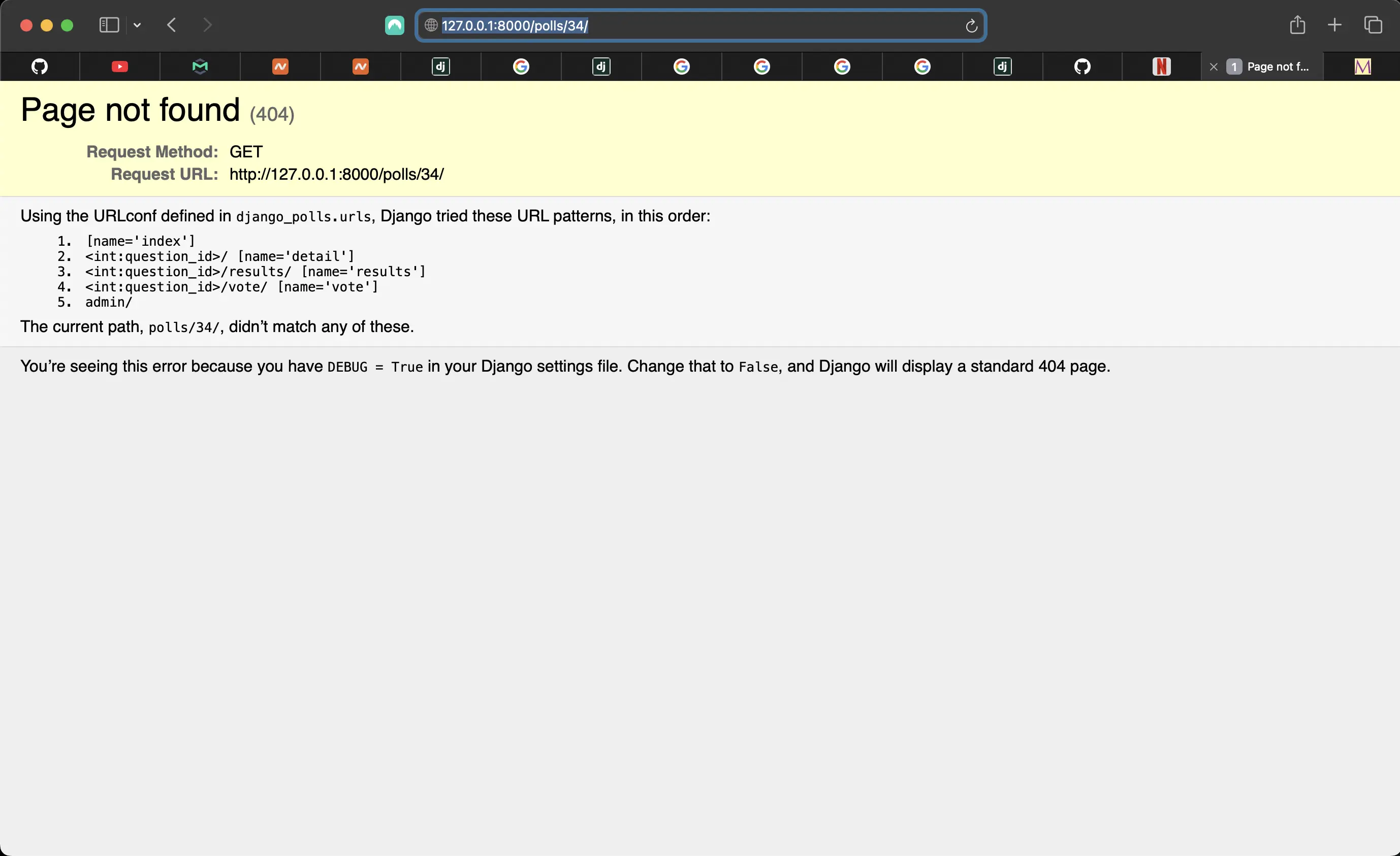
Question id does not exist
And the following is returned in Terminal:
[06/Jan/2025 16:52:43] "GET / HTTP/1.1" 200 53
[06/Jan/2025 16:52:46] "GET / HTTP/1.1" 200 53
Not Found: /[polls/34/
[06/Jan/2025 16:52:53] "GET /[polls/34/ HTTP/1.1" 404 3288
Not Found: /[polls/1/
[06/Jan/2025 16:53:00] "GET /[polls/1/ HTTP/1.1" 404 3285
Getting the index view is easy. There are no associated ids. But with the other URL patterns, they are expecting ids, which would be wired into the associated templates, which are visual representations of the views.
Let's say that question_id 34 does exist. When a request is made to /polls/34/, Django loads polls.urls Python module because it's pointed to by the ROOT_URLCONF setting, which is the following in my django_polls/settings.py:
# django_polls/settings.py
ROOT_URLCONF = "django_polls.urls"
Django finds the variable called urlpatterns and traverses the patterns in order. After finding the match at polls/, it strips off the matching polls/ text and sends the remaining 34/ text to the polls.urls URLconf for further processing. There it matches '<int:question_id>/' resulting in a call to the detail view:
detail(request=<HttpRequest object>, question_id=34)
question_id=34 comes from <int:question_id>. The use of angle brackets "captures" the part of the URL representing the question_id and sends it as a keyword argument to the view function.
The question_id part of the string defines the name that will be used to identify the matched pattern, and the int part is a converter that determines what patterns should match the part of the URL path. The : separates the converter from the pattern name.
Writing views that actually work
Each view is responsible for doing one of two things: returning an HttpResponse object containing the content for the requested page, or raising an exception such as Http404.
My view can read records from a database or not. It can use a template engine such as the Django template engine, or a third party Python template engine or not. It can generate a PDF file, output XML, create a ZIP file on the fly, anything I want, using whatever Python libraries I want.
All Django wants is that HttpResponse or an exception.
Re-writing the index view
# polls/views.py

def index(request):
    latest_question_list = Question.objects.order_by("-pub_date")[:5]
    output = ", ".join([q.question_text for q in latest_question_list])
    return HttpResponse(output)
However, there is a problem here. The page's design is hard-coded in the view. If I want to change the way the page looks, I would have to edit the Python code. That is because I haven't created a template for the index view yet. By creating a template for this index view, I will be able to separate the page design (template) from the Python code in views.py.
Creating a templates directory in the polls directory
According to the tutorial, I am creating a templates directory in the polls directory. I have always created the templates directory in the root of the project. Let's see what the difference or advantage may be in creating it inside the polls directory. Apparently, by default, settings.py configures a DjangoTemplates backend whose APP_DIRS option is set to True, and DjangoTemplates looks for a templates subdirectory in each of the INSTALLED_APPS.
Next, I create a subdirectory inside templates called polls. Within polls, I create a file called index.html. However, even though index.html resides in polls/templates/polls/index.html, because of how the app_directories template loader works, I can refer to this template within Django as polls/index.html.
Template namespacing
The reason I place my polls templates inside templates/polls/ is because Django will choose the first template it finds whose name matches, and if I had a template in another app with the same name, Django would be unable to distinguish between them. I need to be able to point Django to the right one, and the best way to do this is by namespacing. In other words, putting the templates inside another directory with the name of the app itself.
Adding Django code to index.html
<!-- polls/templates/polls/index.html -->
<!DOCTYPE html>
<html lang="en">
<head>
    <meta charset="UTF-8">
    <meta name="description" content="This is the Django Polls Home Page.">
    <meta name="keywords" content="Django, Python, polls, questions, choices, votes">
    <title>{% block title %}Django Polls Home Page{% endblock title %}</title>
</head>
<body>
{% block body %}
{% if latest_question_list %}
  <ul>
    {% for question in latest_question_list %}
      <li>
        <a href="/polls/{{ question.id }}/">{{ question.question_text }}</a>
      </li>
    {% endfor %}
  </ul>
{% else %}
  <p>No polls available.</p>
{% endif %}
{% endblock body %}
</body>
</html>
Updating the index view to use the new index.html template
# polls/views.py
from django.shortcuts import render
from django.http import HttpResponse
from django.template import loader # new
from .models import Question

def index(request):
    latest_question_list = Question.objects.order_by("-pub_date")[:5]
    template = loader.get_template("polls/index.html")
    context = {
        "latest_question_list": latest_question_list,
    }
    return HttpResponse(template.render(context, request))
...
The code above loads the template polls/index.html and passes it a context. The context is a dictionary mapping template variable names to Python objects.
Now, when I go to the browser and reload http://127.0.0.1:8000, the following appears:
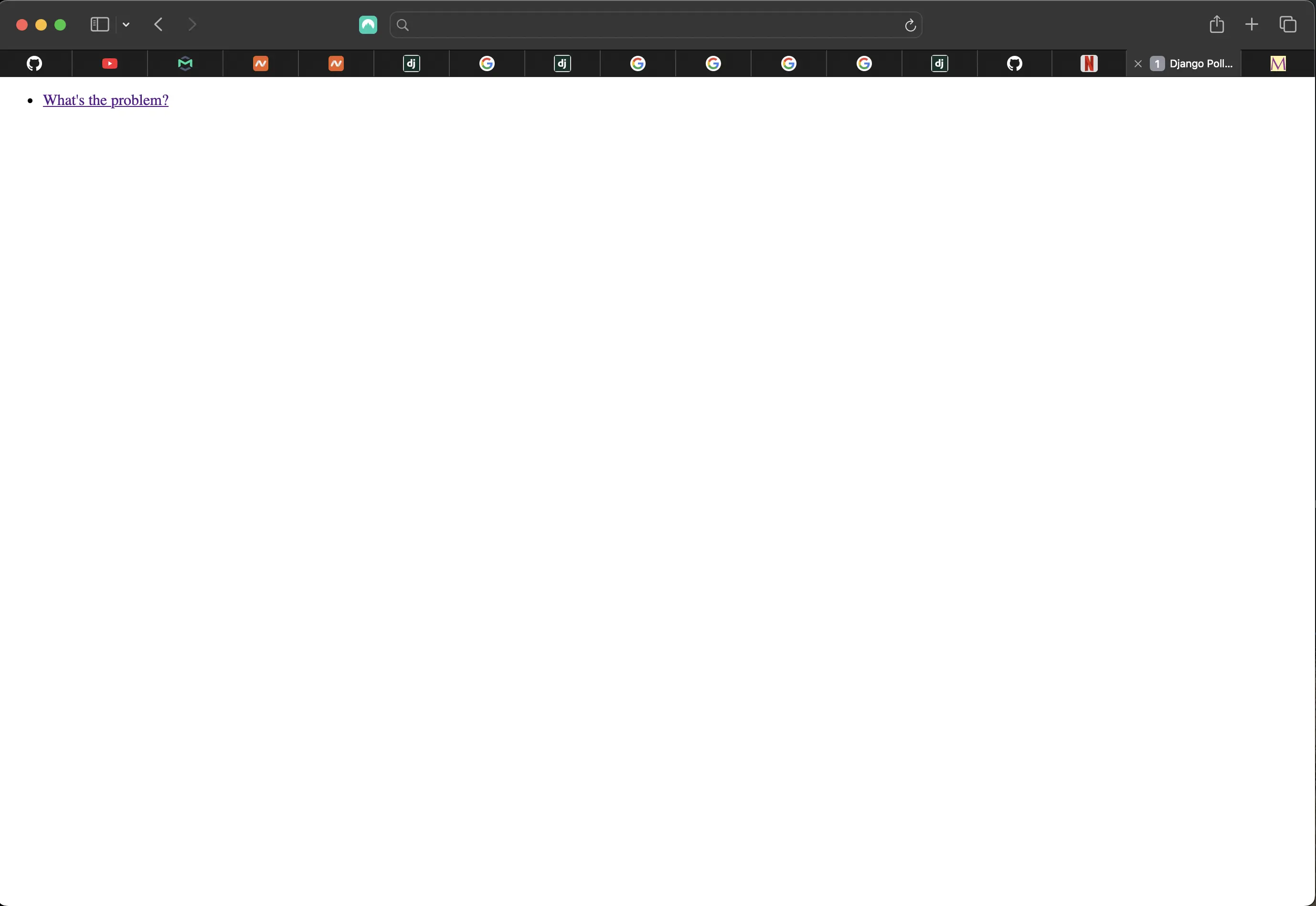
Question 1 rendered to the page
The render() shortcut
The render() shortcut function simplifies the process of rendering a template with context data and returning an HttpResponse object.
I can refactor the index view to use this render() function:
from django.shortcuts import render
from .models import Question

# Create your views here.

def index(request):
    latest_question_list = Question.objects.order_by("-pub_date")[:5]
    context = {
        "latest_question_list": latest_question_list,
    }
    return render(request, "polls/index.html", context)
When I use render(), I no longer need to use HttpResponse or loader.
render() takes the request object as its first argument, a template name as its second argument, and a dictionary (context) as its optional third argument. It returns an HttpResponse object of the given template rendered with the given context.
Arguments:
- request: HttpRequest object representing the current request.
- template_name: The path to the template file I want to render (e.g., 'polls/index.html').
- context (optional): A dictionary containing the data I want to pass to the template.
How it works:
- Django's template engine searches for the specified template file.
- The template engine processes the template, replacing variables with their values from the context dictionary.
- The render() function creates an HttpResponse object containing the rendered HTML content.
- The HttpResponse object is returned, ready to be sent to the user's browser.
Benefits:
- I chose to use render() because it combines several steps into one, making my view functions more concise.
- I separated the logic of my view from the presentation of my template, which resulted in improved readability and maintenance of the code.
Raising a 404 error in the detail view
Next, I'll work on the detail view. The detail view displays the question text for a given poll:
# polls/views.py
from django.shortcuts import render

def detail(request, question_id):
    try:
        question = Question.objects.get(pk=question_id)
    except Question.DoesNotExist:
        raise Http404("Question does not exist.")
    return render(request, "polls/detail.html", {"question": question})
Here, the detail view raises the Http404 exception if question with the requested ID does not exist.
For now, according to the tutorial, I won't proceed yet with the detail view. But if I want to see something of it, I can add the following to a new polls/templates/polls/detail.html file:
<!-- polls/templates/polls/detail.html -->
<!DOCTYPE html>
<html lang="en">
<head>
    <meta charset="UTF-8">
    <meta name="description" content="This is the Django Polls Home Page.">
    <title>{% block title %}Django Polls Detail Page{% endblock title %}</title>
</head>
<body>
{% block body %}
{{ question }}
{% endblock body %}
</body>
</html>
It resulted in the following on the detail page:
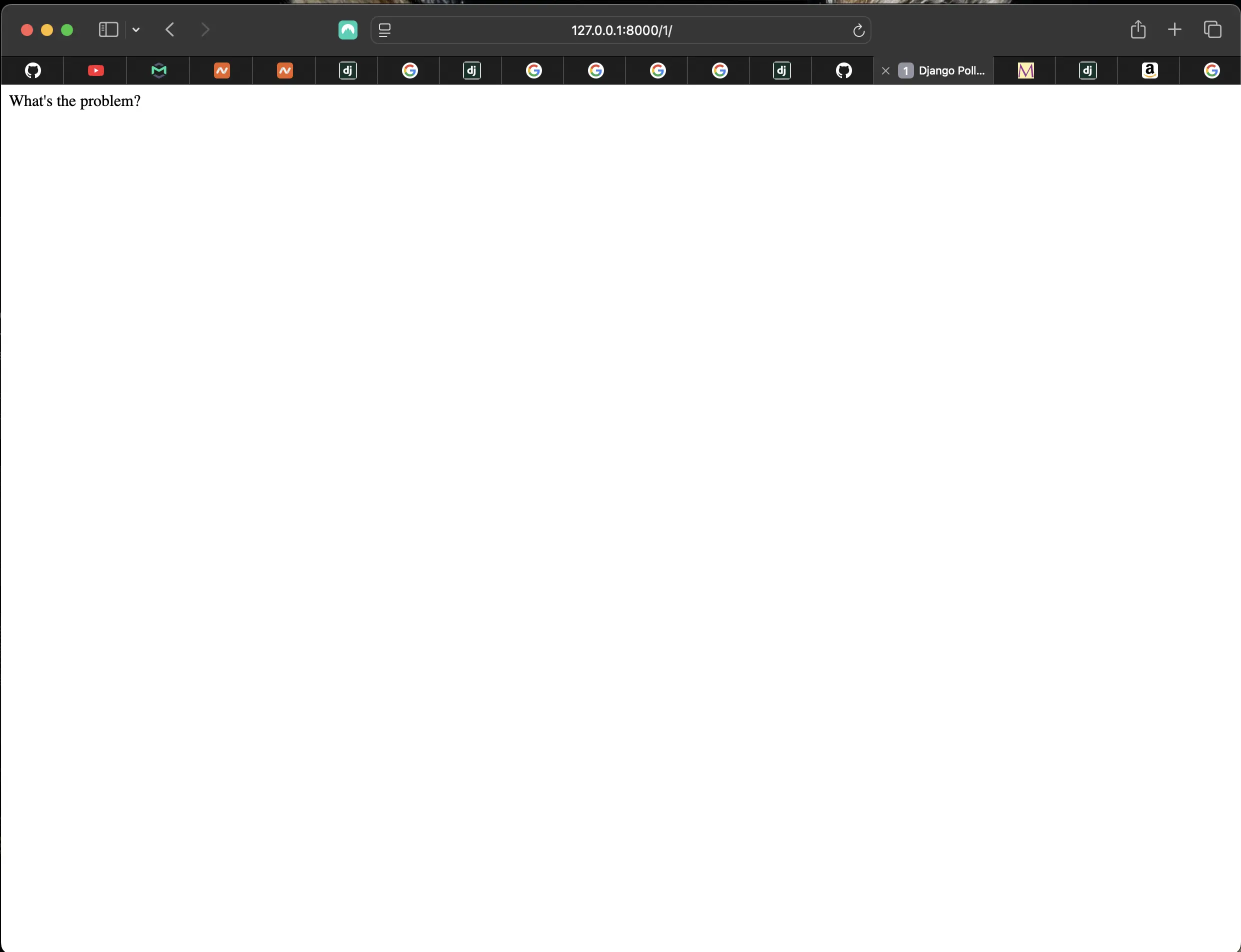
Result of the detail view
get_object_or_404()
There is a shortcut for using get() and raising an Http404 if an object does not exist called get_object_or_404(). I can use it in the detail view:
from django.shortcuts import get_object_or_404, render

def detail(request, question_id):
    question = get_object_or_404(Question, pk=question_id)
    return render(request, "polls/detail.html", {"question": question})
get_object_or_404() takes a Django model as its first argument, followed by an arbitrary number of keyword args, which it passes to the get() function of the model's manager. It raises Http404 if the object doesn’t exist.
Model's manager in Django
In Django, a model's manager is an object that provides an interface for interacting with the database and retrieving model instances. It acts as a bridge between my model and the database, allowing me to perform queries and other operations.
The default model manager:
Every Django model has at least one manager, called objects by default. I use it to perform database operations like:
- Model.objects.all() to retrieve all instances of a model.
- Model.objects.filter(condition) to retrieve instances that meet specific conditions.
- Model.objects.create(data) to create a new instance of the model.
- Model.objects.get(condition) to retrieve a single instance that meets a specific condition.
Custom managers:
I can define custom managers to add specialized behavior to my models. For example:
- Filtering to create a manager that returns only a subset of objects based on specific criteria.
- Calculations that add methods to perform calculations on model data.
- Data modification, defining methods to perform complex updates or deletions on model instances.
Benefits of using managers:
- Clean code. Managers bundle database logic including the methods (functions) that operate on that database within a single unit, making my model code more readable and maintainable.
- Reusability. I can write common queries and operations once in a (custom) manager and reuse them throughout my application.
- Flexibility. Managers provide a powerful way to customize how I access and manipulate my data.
Manager names
As already mentioned, by default, Django adds a Manager with the name objects to every Django model class. But if I want to use objects as a field name or to use a name other than objects for the Manager, I can rename it on a per model basis. To rename the Manager for a given class, I can define a class attribute of type models.Manager() on that model. For example:
from django.db import models

class Question(models.Model):
    # ...
    questions = models.Manager()
In the above example model, Question.objects will throw an AttributeError exception, but Question.questions.all() will provide a list of all Question objects. To learn more about manager names, please visit Managers in the Django documentation.
Using the templating engine system
Next, I can add the following to polls/templates/polls/detail.html:
<!-- polls/templates/polls/detail.html -->
<!DOCTYPE html>
<html lang="en">
	<head>
		<meta charset="UTF-8" />
		<meta
			name="description"
			content="This is the Django Polls Home Page."
		/>
		<meta
			name="keywords"
			content="Django, Python, polls, questions, choices, votes"
		/>
		<title>
			{% block title %} Django Polls Detail Page {% endblock title %}
		</title>
	</head>
	<body>
		{% block body %}
		<h1>{{ question.question_text }}</h1>
		<ul>
			{% for choice in question.choice_set.all %}
			<li>{{ choice.choice_text }}</li>
			{% endfor %}
		</ul>
		{% endblock body %}
	</body>
</html>
Instead of simply:
<!-- polls/templates/polls/detail.html -->
<!DOCTYPE html>
<html lang="en">
	<head>
		<meta charset="UTF-8" />
		<meta
			name="description"
			content="This is the Django Polls Home Page."
		/>
		<title>
			{% block title %}Django Polls Detail Page{% endblock title %}
		</title>
	</head>
	<body>
		{% block body %} {{ question }} {% endblock body %}
	</body>
</html>
The templating engine uses dot lookup syntax to access variable attributes.
With {{ question.question_text }}, Django first does a dictionary lookup on the object question. When that fails, it tries an attribute lookup. This works here. If attribute lookup had also failed, it would’ve tried a list-index lookup.
Examples of dictionary lookup, attribute lookup and list-index lookup using dot notation:
{{ my_dict.key }}
{{ my_object.attribute }}
{{ my_list.0 }}
As for the detail.html template, methods are called in the {% for %} loop. question.choice_set.all actually represents question.choice_set.all(), which returns an iterable of Choice objects and can be used in the {% for %} tag.
Removing the hardcoded URL in the template in polls/index.html
Using hardcoded URLs in templates makes it difficult to change URLs on projects with a lot of templates. However, since I defined the name argument in the path() functions in the polls.urls module, I can remove specific URL paths defined in my url configurations by using the {% url %} template tag:
<!-- polls/index.html -->
<!DOCTYPE html>
<html lang="en">
<head>
    <meta charset="UTF-8">
    <meta name="description" content="This is the Django Polls Home Page.">
    <meta name="keywords" content="Django, Python, polls, questions, choices, votes">
    <title>{% block title %}Django Polls Home Page{% endblock title %}</title>
</head>
<body>
{% block body %}
{% if latest_question_list %}
  <ul>
    {% for question in latest_question_list %}
      <li>
        <a href="{% url 'detail' question.id %}">{{ question.question_text }}</a>
      </li>
    {% endfor %}
  </ul>
{% else %}
  <p>No polls available.</p>
{% endif %}
{% endblock body %}
</body>
</html>
'detail' refers to the URL name defined in polls/urls.py. question.id refers to the id of the given question "detail".
If I wanted to change the URL of the polls detail view, I would do it in polls/urls.py.
Namespacing URL names
In real Django projects, there might be five, 10, 20 apps or more. How does Django differentiate the URL names between them? For example, the polls app has a detail view, and so might an app on the same project that is for a blog. How does one make it so that Django knows which app view to create for a URL when using the {% url %} template tag?
I add namespaces to my URLconf. In the polls/urls.py file, I can add an app_name to set the application namespace:
# polls/urls.py
from django.urls import path
from . import views

app_name = "polls"

urlpatterns = [
    path('', views.index, name='index'),
    path('polls/<int:question_id>/', views.detail, name='detail'),
    path('polls/<int:question_id>/results/', views.results, name='results'),
    path('polls/<int:question_id>/vote/', views.vote, name='vote')
]
Then I update polls/detail.html to the following:
<!-- polls/detail.html -->
{% for question in latest_question_list %}
    <li>
    <a href="{% url 'polls:detail' question.id %}">{{ question.question_text }}</a>
    </li>
{% endfor %}
A note about polls/urls.py
According to what I had understood from the official Django tutorial, I should have the following in polls/urls.py:
# polls/urls.py
from django.urls import path
from . import views

app_name = "polls"

urlpatterns = [
    path('', views.index, name='index'),
    path('<int:question_id>/', views.detail, name='detail'),
    path('<int:question_id>/results/', views.results, name='results'),
    path('<int:question_id>/vote/', views.vote, name='vote')
]
The following is what I had inside django_polls/urls.py:
urlpatterns = [
    path('', include('polls.urls')),
    path('admin/', admin.site.urls),
]
Then I should have been able to access http://127.0.0.1:8000/polls/1/, for example. However, it did not work for me. I am on Django 5.1.4, and when I omitted polls/ from polls/urls.py, an error was thrown. I had to do the following:
# polls/urls.py
from django.urls import path
from . import views

app_name = "polls"

urlpatterns = [
    path('', views.index, name='index'),
    path('polls/<int:question_id>/', views.detail, name='detail'),
    path('polls/<int:question_id>/results/', views.results, name='results'),
    path('polls/<int:question_id>/vote/', views.vote, name='vote')
]
My mistake was that I did not add polls/ inside django_polls/urls.py;
urlpatterns = [
    path('', include('polls.urls')),
    path('admin/', admin.site.urls),
]
It should be:
urlpatterns = [
    path('polls/', include('polls.urls')),
    path('admin/', admin.site.urls),
]
Sorry for this error! It will be included in the commit associated with part 4.
Code associated with this section
To view the code associated with this section, please visit a8c6675.
I also subsequently made a change to polls/urls.py. To view this change, please visit c0dcc1f. Note that this includes the error mentioned.
Conclusion
In this section, I wrote my first Django app, discussed URL patterns, wrote more views in polls/views.py, wrote views that actually worked, re-wrote the index view, created a templates directory in the polls directory, implemented template namespacing, added Django code to index.html, updated the index view to use the new index.html template, implemented the render() shortcut, implemented raising a 404 error in the detail view, used get_object_or_404() in the detail view, discussed Model's manager in Django, discussed Manager names, used template tags in the templating engine system, removed the hardcoded URL in the template in polls/index.html, and namespaced my URL names.
Related Resources
- Writing your first Django app, part 3: Django documentation
- Managers: Django documentation
- Templates: Django documentation
Related Posts
- Creating the official Django Polls app table of contents: mariadcampbell.com