How to create a fullstack application using Django and Python Part 13
Social Share:
Wednesday, September 11, 2024 at 7:54 PM | 4 min read
Last modified on Thursday, July 16, 2026 at 11:59 AM
#fullstack development, #css, #django, #macOS, #python3, #reusable templates, #series, #template extending, #template tags
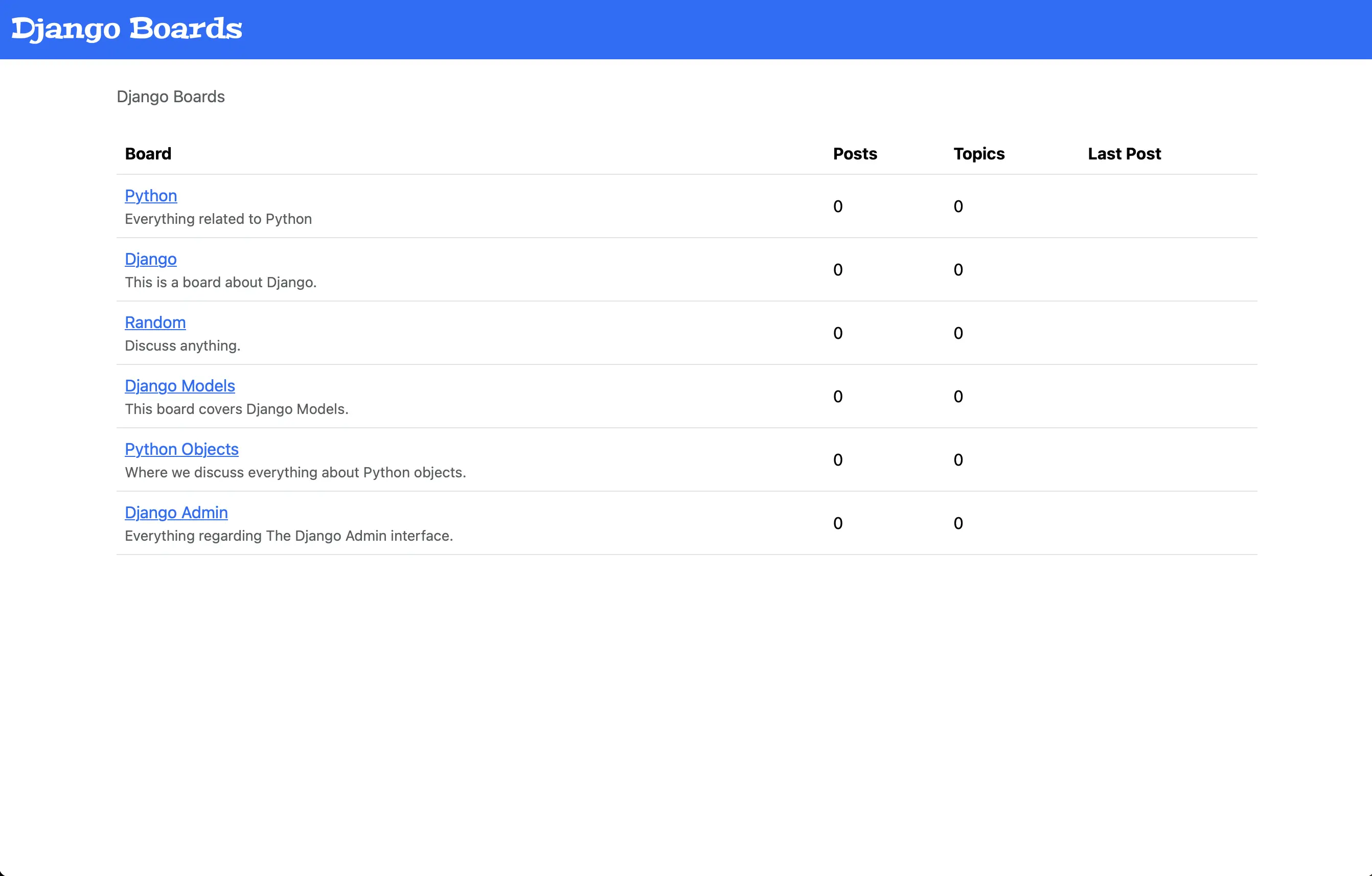
The updated index/home page
Important Note: Before committing anything to Git or pushing anything to remote, please visit How to create a fullstack application using Django and Python Part 4 where I discuss how to add the python-dotenv package to the Django site and why it is crucial to do it. This article assumes you have a working knowledge of Git.
Table of Contents
- Adding reusable templates
- templates/base.html
- Integrating base.html into index.html
- Integrating base.html into topics.html
- Testing Django Boards to make sure there are no errors
- Adding a navigation menu to templates/base.html
- Changing the logo font
- Code associated with this post
- Conclusion
- Related Resources
- Related Posts
Update (July 2026): This walkthrough was written against Django 5.1, which reached full end-of-life in December 2025 and is no longer receiving security patches. Run python -m django --version to check which version you have.
I wrote this series as a live process, so sometimes it might seem confusing, but it all works out in the end.
Adding reusable templates
My HTML has not been very "dry" ("Don't Repeat Yourself"). I definitely have been repeating myself. That's where "reusable templates" come in.
templates/base.html
Now I am going to create a reusable template called base.html. This base template is what its name sounds like. It will provide the common base for all other pages of the site. Its markup will be common to other templates so that I don't have to repeat myself, thereby potentially bloating my frontend code:
<!-- templates/base.html -->
{% load static %}<!DOCTYPE html>
<html lang="en">
	<head>
		<meta charset="utf-8" />
		<title>{% block title %}Django Boards{% endblock title %}</title>
		<link rel="stylesheet" href="{% static 'css/bootstrap.min.css' %}" />
	</head>
	<body>
		<div class="container">
			<ol class="breadcrumb my-4">
				{% block breadcrumb %} {% endblock %}
			</ol>
			{% block content %} {% endblock %}
		</div>
	</body>
</html>
The {% block %} tag
In a master template such as base.html, the {% block %} tag is a placeholder that is replaced by a block in a child template (aka partial) with the same name.
In child templates, the {% block %} tag is content that will replace the placeholder in the master template with the same name.
The {% block %} tag syntax
{% block name %} ... {% endblock %}
The {% block %} tag parameters
name: specifies the name of the block, i.e., `block body` or `block title`.
The {% block title %} tag
The {% block title %} tag is used to set the title of an HTML page (template). If I just do something like:
<title>{% block title %}Django Boards{% endblock title %}</title>
The title of all the site pages will be "Django Boards", so "Django Boards" would be my default title for all my pages.
Integrating base.html into index.html
<!-- index.html -->
{% extends 'base.html' %}
{% block breadcrumb %}
<li class="breadcrumb-item active">Boards</li>
{% endblock %} {% block content %}
<table class="table">
	<thead class="thead-inverse">
		<tr>
			<th>Board</th>
			<th>Posts</th>
			<th>Topics</th>
			<th>Last Post</th>
		</tr>
	</thead>
	<tbody>
		{% for board in boards %}
		<tr>
			<td>
				<a href="{% url 'board_topics' board.id %}">{{ board.name }}</a>
				<small class="text-muted d-block"
					>{{ board.description }}</small
				>
			</td>
			<td class="align-middle">0</td>
			<td class="align-middle">0</td>
			<td></td>
		</tr>
		{% endfor %}
	</tbody>
</table>
{% endblock %}
The {% extends 'base.html' %} tag means that I have my base.html file at the project root template directory to handle core markup.
Integrating base.html into topics.html
<!-- templates/topics.html -->
{% extends "base.html" %} {% block title %} {{ board.name }} - {{ block.super }}
{% endblock title %} {% block breadcrumb %}
<li class="breadcrumb-item"><a href="{% url 'index' %}">Django Boards</a></li>
<li class="breadcrumb-item active">{{ board.name }}</li>
{% endblock breadcrumb %} {% block content %}
<!-- just leaving it empty for now. I will add core here soon. -->
{% endblock content %}
In topics.html, I am changing the default value of {% block title %}. If I need to get the content of a block from the parent template, {{ block.super }} variable will do it for me. For example, in my case, the title content on the index page is "Django Boards". If I did not include {{ block.super }} along with {{ board.name }}, then the {{ board.name }} would be the title content, completely overriding "Django Boards". But because I am using {{ block.super }}, the title includes both the topics.html dynamic content and the default title content in base.html.
Testing Django Boards to make sure there are no errors
python3 manage.py test
Which should return:
Found 7 test(s).
Creating test database for alias 'default'...
System check identified no issues (0 silenced).
.......
----------------------------------------------------------------------
Ran 7 tests in 0.014s

OK
Destroying test database for alias 'default'...
Looking good!
Adding a navigation menu to templates/base.html
<!-- templates/base.html -->
{% load static %}
<!DOCTYPE html>
<html lang="en">
	<head>
		<meta charset="utf-8" />
		<meta
			name="description"
			content="A forum dedicated to all things Django"
		/>
		<meta name="keywords" content="django, python3" />
		<title>{% block title %}Django Boards{% endblock title %}</title>
		<link rel="stylesheet" href="{% static 'css/bootstrap.min.css' %}" />
	</head>

	<body>
		<!-- As a heading -->
		<nav class="navbar bg-primary" data-bs-theme="dark">
			<div class="container-fluid">
				<a class="navbar-brand mb-0 h1" href="{% url 'index' %}"
					>Django Boards</a
				>
			</div>
		</nav>
		<div class="container">
			<ol class="breadcrumb my-4">
				{% block breadcrumb %} {% endblock breadcrumb %}
			</ol>
			{% block content %} {% endblock content %}
		</div>
	</body>
</html>
I grabbed the navbar HTML markup from the Bootstrap navbar component. The current version of Bootstrap is 5.3.3 (at the time of the original publication of this post).
Changing the logo font
I grabbed a Google font from Google Fonts. I didn't add the link to base.html. It did not work for me. I imported it into the app.css file which I added to the static/css directory:
/* static/css/app.css */
@import url('https://fonts.googleapis.com/css2?family=Peralta&display=swap');
Then I added the following below:
/* static/css/app.css */
.navbar-brand {
	font-family: 'Peralta', serif;
	font-weight: 400;
	font-style: normal;
	font-size: 1.75rem;
}
With these changes, the index.html page looks like the following:
The updated index/home page
The topics.html page looks like the following:
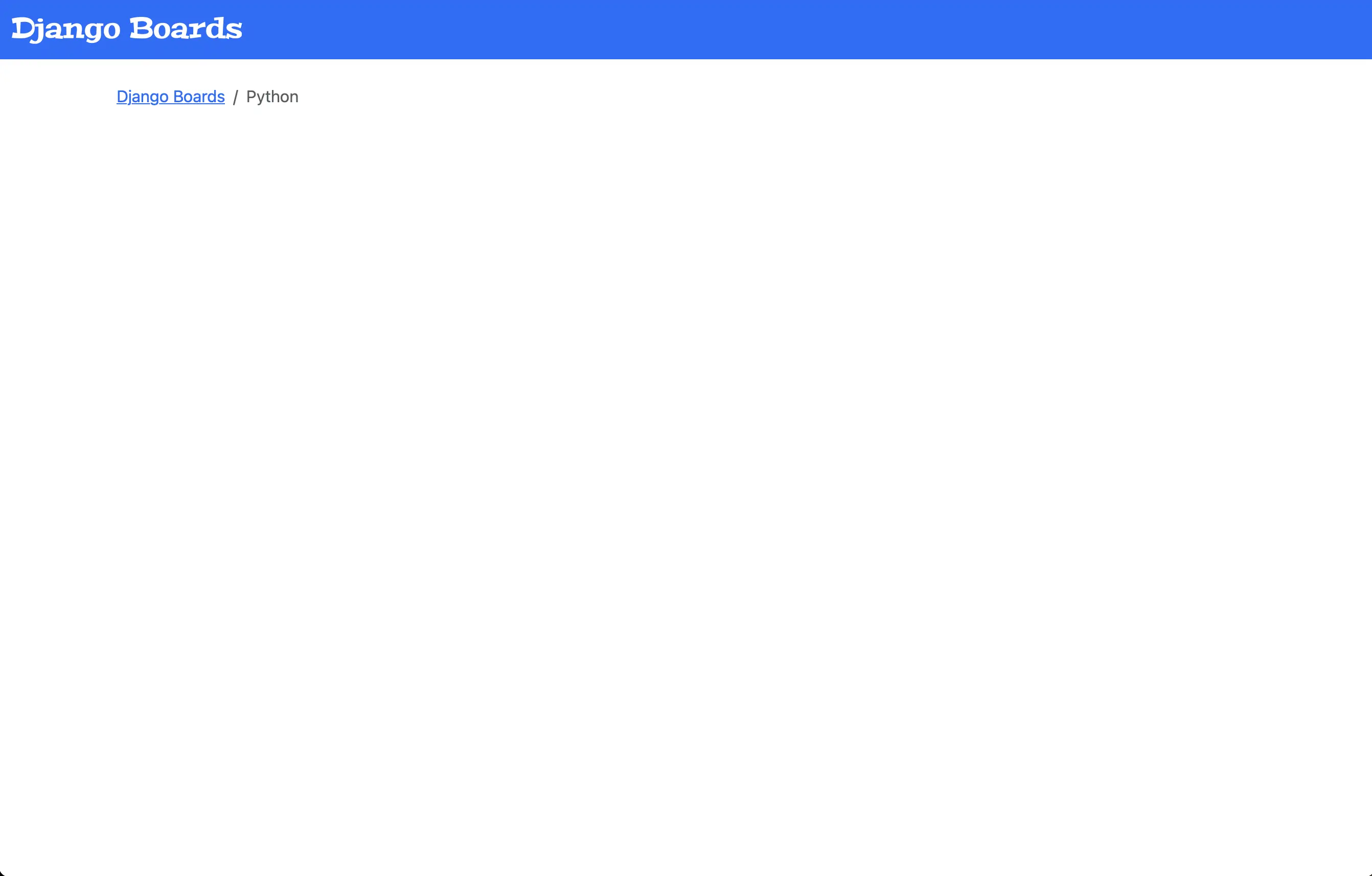
The updated topics.html page
Code associated with this post
To view the code associated with this post, please visit 0b48bdd.
Conclusion
In this section, I create a reusable, base template called base.html, integrate it into index.html, integrate it into topics.html, test django_boards after making those changes, add a navigation menu to base.html, create an app.css file in the static/css directory, change the logo font with a Google font which I import into app.css, and tweak the logo styling with CSS.