How to create a fullstack application using Django and Python Part 22
Social Share:
Tuesday, October 1, 2024 at 3:17 PM | 22 min read
Last modified on Thursday, July 16, 2026 at 12:16 PM
#fullstack development, #macOS, #django, #bootstrap pagination, #code refactoring, #clipboard api, #generic class based views, #python3, #scroll behavior, #series, #tests, #unittest

Photo by Arkhod on pexels.com
Important Note: Before committing anything to Git or pushing anything to remote, please visit How to create a fullstack application using Django and Python Part 4 where I discuss how to add the python-dotenv package to the Django site and why it is crucial to do it. This article assumes you have a working knowledge of Git.
Table of Contents
- Using a Class Based View (CBV) on the index/home page
- Refactoring the index/home page to include a Generic Class Based View (GCBV)
- Pagination
- Function Based View (FBV) Pagination
- Adding pagination to templates/topics.html
- Replacing board_topics FBV pagination with GCBV pagination
- Creating a reusable pagination template
- Refactoring the topic_posts view
- Updating the topic_posts URL
- Creating the templates/includes/pagination.html reusable template
- Adding templates/includes/pagination.html to templates/topic_posts.html
- Adding pagination to templates/topics.html
- Adding more topics to templates/topics.html
- Adding topic replies to templates/topic_posts.html
- Adding topic replies to a specific board with a specific topic id and specific user (templates/topic_posts.html)
- Running python3 manage.py test boards.tests.test_view_topic_posts_tests
- Improving upon the initial Bootstrap 5 pagination implementation in the templates
- Adding JavaScript to make scrollbar return to bottom of page when pagination item is clicked
- Adding a scroll top button to templates/base.html
- Adding material icons to templates/base.html
- Making the scroll top button appear and disappear based on scrollY position
- Adding a scroll bottom button to templates/base.html
- Making the scroll bottom button appear and disappear based on scrollY position
- The CSS for the scroll top and scroll bottom buttons in static/css/app.css
- Adding a copy link button to the topic_posts and post_detail views
- The copy link button styling in static/css/app.css
- Fixing the copy link button and reply button styling
- Refactoring the copy link button html in templates/topic_posts.html and templates/post_detail.html
- Improving on the templates/post_detail.html styling
- Fixing the logout button styling
- Making the names of the boards tests files consistent
- Code associated with this post
- Conclusion
- Related Resources
- Related Posts
- Footnotes
Update (July 2026): This walkthrough was written against Django 5.1, which reached full end-of-life in December 2025 and is no longer receiving security patches. Run python -m django --version to check which version you have.
I wrote this series as a live process, so sometimes it might seem confusing, but it all works out in the end.
Using a Class Based View (CBV) on the index/home page
Now I am going to use a Class Based View (CBV) on my home page.
What is a Class Based View?
A view in Django is a callable which takes a request and returns a response. This can be more than just a function, and Django provides some classes which can be used as views. They allow me to structure my views and reuse code by making use of inheritance and mixins1.
Django provides base view classes (CBVs) which can apply to a wide range of applications. All views inherit from the View class, which handles linking the view into the URLs, HTTP method dispatching and other common features. RedirectView provides an HTTP redirect, and TemplateView extends the base class to enable it also render a template.
Class-based views provide an alternative way to implement views as Python objects instead of functions. They do not replace function-based views, but have some differences and advantages when compared to function-based views:
- Organization of code related to specific HTTP methods (GET, POST, etc.) can be addressed by separate methods instead of conditional branching (if statements).
- Object oriented techniques such as mixins (multiple inheritance)1 can be used to factor code into reusable components.
Class Based View (CBV) example
from django.http import HttpResponse
from django.views import View


class MyView(View):
    def get(self, request):
        # <view logic>
        return HttpResponse("result")
Refactoring the index/home page to include a Generic Class Based View (GCBV)
Now I am going to refactor the index view to use a Generic Class Based View instead of my current Function Based View . This will permit me to take advantage of some Class Based View capabilities.
class BoardListView(ListView):
    model = Board
    context_object_name = 'boards'
    template_name = 'index.html'
Since I am just getting all the boards from the database and displaying (listing) them on the home page, the above is all I have to do to make the BoardListView work.
Refactoring the index url in urls.py
# django_boards/urls.py
path("", views.BoardListView.as_view(), name="index"),
Because Django’s URL resolver expects to send a request and associated arguments to a callable function, not a class, class-based views have an as_view() class method which returns a function that can be called when a request arrives for a URL matching the associated pattern.
Refactoring boards/tests/test_view_index_tests.py
Right now, when I run python3 manage.py test boards.tests.test_view_index_tests, it returns the following:
Found 1 test(s).
System check identified no issues (0 silenced).
E
======================================================================
ERROR: test_view_index_tests (unittest.loader._FailedTest.test_view_index_tests)
----------------------------------------------------------------------
ImportError: Failed to import test module: test_view_index_tests
Traceback (most recent call last):
  File "/Users/mariacam/.pyenv/versions/3.12.5/lib/python3.12/unittest/loader.py", line 137, in loadTestsFromName
    module = __import__(module_name)
             ^^^^^^^^^^^^^^^^^^^^^^^
  File "/Users/mariacam/Python-Development/django-boards/django_boards/boards/tests/test_view_index_tests.py", line 5, in <module>
    from ..views import index
ImportError: cannot import name 'index' from 'boards.views' (/Users/mariacam/Python-Development/django-boards/django_boards/boards/views.py)


----------------------------------------------------------------------
Ran 1 test in 0.000s

FAILED (errors=1)
I no longer can import name index from boards.views (from ..views import index) into my IndexTests, because the (function based) index view is now class BoardListView (Class Based View) in boards/views.py. So I make the following changes in boards/tests/test_view_index_tests.py:
# boards/tests/test_view_index_tests.py
def test_home_url_resolves_home_view(self):
    view = resolve('/')
    self.assertEqual(view.func.view_class, BoardListView)
Then I run python3 manage.py test boards.tests.test_view_index_tests again, and this time it returns:
Found 3 test(s).
Creating test database for alias 'default'...
System check identified no issues (0 silenced).
...
----------------------------------------------------------------------
Ran 3 tests in 0.032s

OK
Destroying test database for alias 'default'...
Now the tests pass!
Pagination
It's easy to implement pagination with class-based views. But before I do that, I am going to implement it manually so that I can understand how it works under the hood.
I won't paginate the boards listing for now, because there probably won't be too many boards (I however, might change my mind). But I will paginate the topics listing view (board_topics) and the post listing view (topic_posts).
Adding dummy posts to board_topics to enable the display of pagination
I can create a bunch of board topics using the Python shell:
python3 manage.py shell
# which returns:
Python 3.12.5 (main, Aug 26 2024, 07:35:37) [Clang 15.0.0 (clang-1500.3.9.4)] on darwin
Type "help", "copyright", "credits" or "license" for more information.
(InteractiveConsole)
>>> from django.contrib.auth.models import User
>>> from boards.models import Board, Topic, Post
>>> user = User.objects.first()
>>> board = Board.objects.get(name='Django')
>>> for i in range(100):
...     subject = 'Topic test #{}'.format(i)
...     topic = Topic.objects.create(subject=subject, board=board, starter=user)
...     Post.objects.create(message='Lorem ipsum...', topic=topic, created_by=user)
...
<Post: Lorem ipsum...>
<Post: Lorem ipsum...>
<Post: Lorem ipsum...>
<Post: Lorem ipsum...>
<Post: Lorem ipsum...>
<Post: Lorem ipsum...>
<Post: Lorem ipsum...>
<Post: Lorem ipsum...>
<Post: Lorem ipsum...>
<Post: Lorem ipsum...>
<Post: Lorem ipsum...>
<Post: Lorem ipsum...>
<Post: Lorem ipsum...>
<Post: Lorem ipsum...>
<Post: Lorem ipsum...>
<Post: Lorem ipsum...>
<Post: Lorem ipsum...>
<Post: Lorem ipsum...>
<Post: Lorem ipsum...>
<Post: Lorem ipsum...>
<Post: Lorem ipsum...>
<Post: Lorem ipsum...>
<Post: Lorem ipsum...>
<Post: Lorem ipsum...>
<Post: Lorem ipsum...>
<Post: Lorem ipsum...>
<Post: Lorem ipsum...>
<Post: Lorem ipsum...>
<Post: Lorem ipsum...>
<Post: Lorem ipsum...>
<Post: Lorem ipsum...>
<Post: Lorem ipsum...>
<Post: Lorem ipsum...>
<Post: Lorem ipsum...>
<Post: Lorem ipsum...>
<Post: Lorem ipsum...>
<Post: Lorem ipsum...>
<Post: Lorem ipsum...>
<Post: Lorem ipsum...>
<Post: Lorem ipsum...>
<Post: Lorem ipsum...>
<Post: Lorem ipsum...>
<Post: Lorem ipsum...>
<Post: Lorem ipsum...>
<Post: Lorem ipsum...>
<Post: Lorem ipsum...>
<Post: Lorem ipsum...>
<Post: Lorem ipsum...>
<Post: Lorem ipsum...>
<Post: Lorem ipsum...>
<Post: Lorem ipsum...>
<Post: Lorem ipsum...>
<Post: Lorem ipsum...>
<Post: Lorem ipsum...>
<Post: Lorem ipsum...>
<Post: Lorem ipsum...>
<Post: Lorem ipsum...>
<Post: Lorem ipsum...>
<Post: Lorem ipsum...>
<Post: Lorem ipsum...>
<Post: Lorem ipsum...>
<Post: Lorem ipsum...>
<Post: Lorem ipsum...>
<Post: Lorem ipsum...>
<Post: Lorem ipsum...>
<Post: Lorem ipsum...>
<Post: Lorem ipsum...>
<Post: Lorem ipsum...>
<Post: Lorem ipsum...>
<Post: Lorem ipsum...>
<Post: Lorem ipsum...>
<Post: Lorem ipsum...>
<Post: Lorem ipsum...>
<Post: Lorem ipsum...>
<Post: Lorem ipsum...>
<Post: Lorem ipsum...>
<Post: Lorem ipsum...>
<Post: Lorem ipsum...>
<Post: Lorem ipsum...>
<Post: Lorem ipsum...>
<Post: Lorem ipsum...>
<Post: Lorem ipsum...>
<Post: Lorem ipsum...>
<Post: Lorem ipsum...>
<Post: Lorem ipsum...>
<Post: Lorem ipsum...>
<Post: Lorem ipsum...>
<Post: Lorem ipsum...>
<Post: Lorem ipsum...>
<Post: Lorem ipsum...>
<Post: Lorem ipsum...>
<Post: Lorem ipsum...>
<Post: Lorem ipsum...>
<Post: Lorem ipsum...>
<Post: Lorem ipsum...>
<Post: Lorem ipsum...>
<Post: Lorem ipsum...>
<Post: Lorem ipsum...>
<Post: Lorem ipsum...>
<Post: Lorem ipsum...>
>>>
On macOS, in order to enable multi-lines in the Python shell (here, the for in loop), when you have completed a line, don't hit return! It will cause an error. Press the shift key and THEN the return key. Do this with each line of the for in loop. When you have completed the last line of the for in loop, then you can hit the return key.
Now let's see how my topic_posts view looks like in the browser:
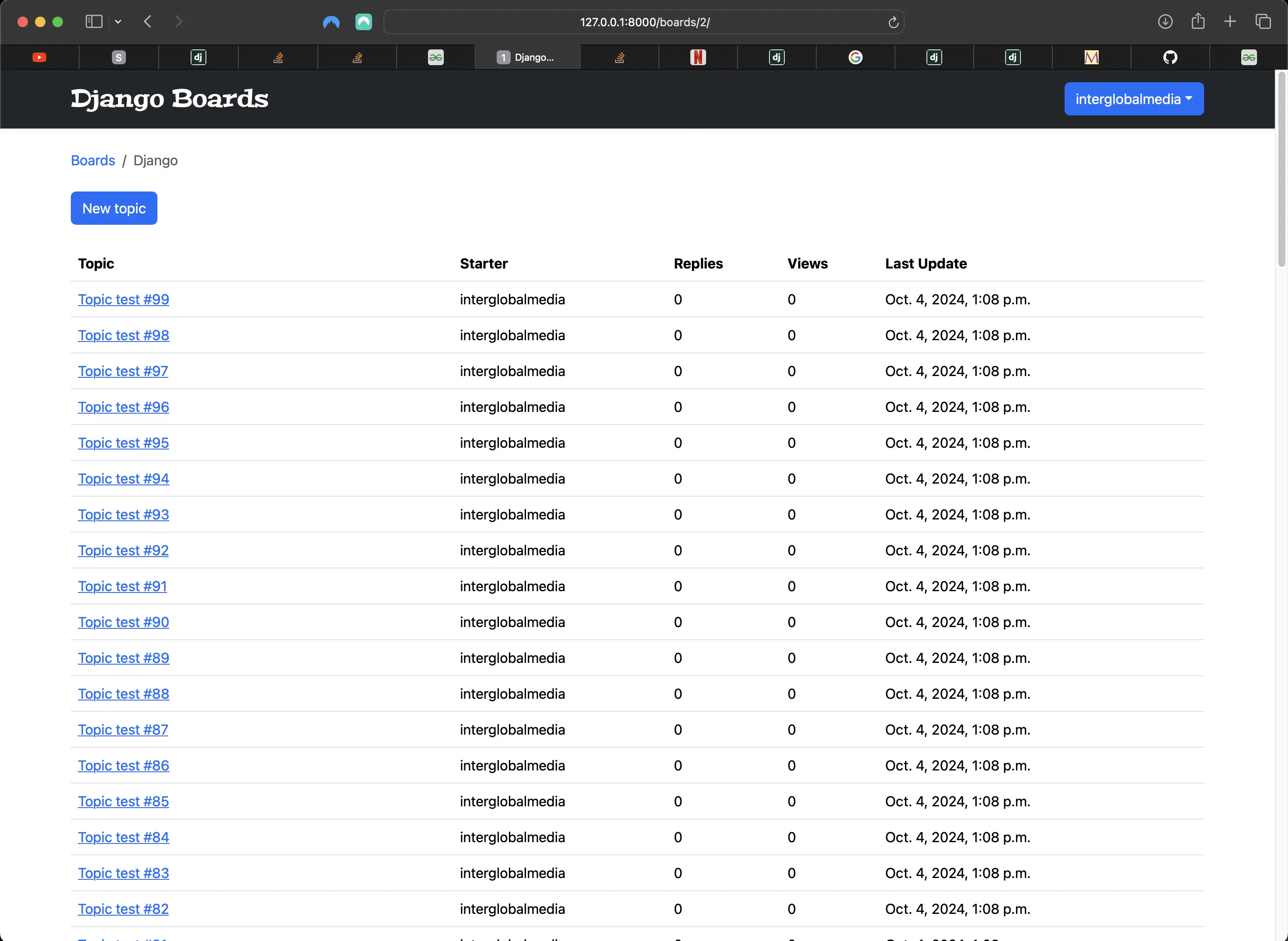
Newly populated Django board topics view
Experimenting with the Python shell
# first restart the Python shell
python3 manage.py shell
# which returns:
Python 3.12.5 (main, Aug 26 2024, 07:35:37) [Clang 15.0.0 (clang-1500.3.9.4)] on darwin
Type "help", "copyright", "credits" or "license" for more information.
(InteractiveConsole)

# then run the code:
from boards.models import Topic
# All the topics in the app
Topic.objects.count()
102
# Just the topics in the Django board
Topic.objects.filter(board__name='Django').count()
101
# Let's save this queryset into a variable to paginate it
queryset = Topic.objects.filter(board__name='Django').order_by('-last_updated')
I should always define an ordering (.order_by()) to a QuerySet I am going to paginate. Otherwise, it might give inconsistent or unexpected results.
Importing the Paginator utility
# importing the Paginator utility
>>> from django.core.paginator import Paginator
# telling Django to paginate my QuerySet to pages of 20 topics
>>> paginator = Paginator(queryset, 20)
# count the number of elements in the paginator
>>> paginator.count
101
# total number of pages
# 101 elements, paginating 20 per page gives you 6 pages
# where the last page will have only 1 element
>>> paginator.num_pages
6
>>> type(paginator.page_range)
<class 'range'>
# range of pages that can be used to iterate and create the
# links to the pages in the template
>>> paginator.page_range
range(1, 7)

>>> page1 = paginator.page(1)
>>> page1
<Page 1 of 6>
# gets the topic list in Django board board_topics on page 1
>>> page1.object_list
<QuerySet [<Topic: Topic test #99>, <Topic: Topic test #98>, <Topic: Topic test #97>, <Topic: Topic test #96>, <Topic: Topic test #95>, <Topic: Topic test #94>, <Topic: Topic test #93>, <Topic: Topic test #92>, <Topic: Topic test #91>, <Topic: Topic test #90>, <Topic: Topic test #89>, <Topic: Topic test #88>, <Topic: Topic test #87>, <Topic: Topic test #86>, <Topic: Topic test #85>, <Topic: Topic test #84>, <Topic: Topic test #83>, <Topic: Topic test #82>, <Topic: Topic test #81>, <Topic: Topic test #80>]>
# gets the topic list in Django board board_topics on page 2
>>> page2 = paginator.page(2)
>>> page2.object_list
<QuerySet [<Topic: Topic test #79>, <Topic: Topic test #78>, <Topic: Topic test #77>, <Topic: Topic test #76>, <Topic: Topic test #75>, <Topic: Topic test #74>, <Topic: Topic test #73>, <Topic: Topic test #72>, <Topic: Topic test #71>, <Topic: Topic test #70>, <Topic: Topic test #69>, <Topic: Topic test #68>, <Topic: Topic test #67>, <Topic: Topic test #66>, <Topic: Topic test #65>, <Topic: Topic test #64>, <Topic: Topic test #63>, <Topic: Topic test #62>, <Topic: Topic test #61>, <Topic: Topic test #60>]>
>>> page2.has_next()
True
>>> page2.has_previous()
True
>>> page2.has_other_pages()
True
>>> page2.next_page_number()
3
>>> page2.previous_page_number()
1
# The 1-based index of the first item on this page
>>> page2.start_index()
21
# The 1-based index of the last item on this page
>>> page2.end_index()
40
>>> paginator.page(0)
Traceback (most recent call last):
  File "/Users/mariacam/.pyenv/versions/3.12.5/lib/python3.12/code.py", line 90, in runcode
    exec(code, self.locals)
  File "<console>", line 1, in <module>
  File "/Users/mariacam/.pyenv/versions/3.12.5/lib/python3.12/site-packages/django/core/paginator.py", line 89, in page
    number = self.validate_number(number)
             ^^^^^^^^^^^^^^^^^^^^^^^^^^^^
  File "/Users/mariacam/.pyenv/versions/3.12.5/lib/python3.12/site-packages/django/core/paginator.py", line 69, in validate_number
    raise EmptyPage(self.error_messages["min_page"])
django.core.paginator.EmptyPage: That page number is less than 1
>>> paginator.page(7)
Traceback (most recent call last):
  File "/Users/mariacam/.pyenv/versions/3.12.5/lib/python3.12/code.py", line 90, in runcode
    exec(code, self.locals)
  File "<console>", line 1, in <module>
  File "/Users/mariacam/.pyenv/versions/3.12.5/lib/python3.12/site-packages/django/core/paginator.py", line 89, in page
    number = self.validate_number(number)
             ^^^^^^^^^^^^^^^^^^^^^^^^^^^^
  File "/Users/mariacam/.pyenv/versions/3.12.5/lib/python3.12/site-packages/django/core/paginator.py", line 71, in validate_number
    raise EmptyPage(self.error_messages["no_results"])
django.core.paginator.EmptyPage: That page contains no results
>>> page = paginator.page(3)
>>> type(page)
<class 'django.core.paginator.Page'>
>>> type(paginator)
<class 'django.core.paginator.Paginator'>
# passing an arbitrary parameter which is not a page number
>>> paginator.page('xyz')
Traceback (most recent call last):
  File "/Users/mariacam/.pyenv/versions/3.12.5/lib/python3.12/site-packages/django/core/paginator.py", line 65, in validate_number
    number = int(number)
             ^^^^^^^^^^^
ValueError: invalid literal for int() with base 10: 'xyz'

During handling of the above exception, another exception occurred:

Traceback (most recent call last):
  File "/Users/mariacam/.pyenv/versions/3.12.5/lib/python3.12/code.py", line 90, in runcode
    exec(code, self.locals)
  File "<console>", line 1, in <module>
  File "/Users/mariacam/.pyenv/versions/3.12.5/lib/python3.12/site-packages/django/core/paginator.py", line 89, in page
    number = self.validate_number(number)
             ^^^^^^^^^^^^^^^^^^^^^^^^^^^^
  File "/Users/mariacam/.pyenv/versions/3.12.5/lib/python3.12/site-packages/django/core/paginator.py", line 67, in validate_number
    raise PageNotAnInteger(self.error_messages["invalid_page"])
django.core.paginator.PageNotAnInteger: That page number is not an integer
Function Based View (FBV) Pagination
board_topics in boards/views.py
# boards/views.py
from django.core.paginator import Paginator, EmptyPage, PageNotAnInteger

def board_topics(request, pk):
    board = get_object_or_404(Board, pk=pk)
    queryset = board.topics.order_by('-last_updated').annotate(replies=Count('posts') - 1)
    page = request.GET.get('page', 1)

    paginator = Paginator(queryset, 20)

    try:
        topics = paginator.page(page)
    except PageNotAnInteger:
        # fallback to the first page
        topics = paginator.page(1)
    except EmptyPage:
        # probably the user tried to add a page number
        # in the url, so I fallback to the last page
        topics = paginator.page(paginator.num_pages)

    return render(request, "topics.html", {"board": board, 'topics': topics})
Now I have to make sure that I render the pages correctly using the Bootstrap 5 pagination component.
Here I am using all the methods I dealt with previously. In addition, topics is no longer a QuerySet but a paginator.Page instance.
Adding pagination to templates/topics.html
<!-- templates/topics.html -->
{% extends "base.html" %}
{% block title %}
  {{ board.name }} - {{ block.super }}
{% endblock title %}
{% block breadcrumb %}
  <li class="breadcrumb-item">
    <a href="{% url 'index' %}">Boards</a>
  </li>
  <li class="breadcrumb-item active">{{ board.name }}</li>
{% endblock breadcrumb %}
{% block content %}
  <div class="mb-4">
    <a href="{% url 'new_topic' board.id %}" class="btn btn-primary">New topic</a>
  </div>
  <table class="table">
    <thead class="thead-inverse">
      <tr>
        <th>Topic</th>
        <th>Starter</th>
        <th>Replies</th>
        <th>Views</th>
        <th>Last Update</th>
      </tr>
    </thead>
    <tbody>
      {% for topic in topics %}
        <tr>
          <td>
            <a href="{% url 'topic_posts' board.pk topic.pk %}">{{ topic.subject }}</a>
          </td>
          <td>{{ topic.starter.username }}</td>
          <td>{{ topic.replies }}</td>
          <!-- here -->
          <td>{{ topic.views }}</td>
          <td>{{ topic.last_updated }}</td>
        </tr>
      {% endfor %}
    </tbody>
  </table>
  {% if topics.has_other_pages %}
    <nav aria-label="Topics pagination" class="mb-4">
      <ul class="pagination">
        {% if topics.has_previous %}
          <li class="page-item">
            <a class="page-link" href="?page={{ topics.previous_page_number }}">Previous</a>
          </li>
        {% else %}
          <li class="page-item disabled">
            <span class="page-link">Previous</span>
          </li>
        {% endif %}
        {% for page_num in topics.paginator.page_range %}
          {% if topics.number == page_num %}
            <li class="page-item active">
              <span class="page-link">
                {{ page_num }}
                <span class="sr-only">(current)</span>
              </span>
            </li>
          {% else %}
            <li class="page-item">
              <a class="page-link" href="?page={{ page_num }}">{{ page_num }}</a>
            </li>
          {% endif %}
        {% endfor %}
        {% if topics.has_next %}
          <li class="page-item">
            <a class="page-link" href="?page={{ topics.next_page_number }}">Next</a>
          </li>
        {% else %}
          <li class="page-item disabled">
            <span class="page-link">Next</span>
          </li>
        {% endif %}
      </ul>
    </nav>
  {% endif %}
{% endblock content %}
And it looks like the following in the browser:

Board topics view pagination
Replacing board_topics FBV pagination with GCBV pagination
#boards/views.py
class TopicListView(ListView):
    model = Topic
    context_object_name = 'topics'
    template_name = 'topics.html'
    paginate_by = 20

    def get_context_data(self, **kwargs):
        kwargs['board'] = self.board
        return super().get_context_data(**kwargs)

    def get_queryset(self):
        self.board = get_object_or_404(Board, pk=self.kwargs.get('pk'))
        queryset = self.board.topics.order_by('-last_updated').annotate(replies=Count('posts') - 1)
        return queryset
When using pagination with class-based views, interaction with the paginator in the template differs a bit. Pagination makes the following variables available in the template: paginator, page_obj, is_paginated, object_list, and the topics variable assigned to context_object_name. topics is equivalent to the default variable object_list.
get_context_data
get_context_data gets additional data to a template when using GCBVs. I subclass my GCBV and provide my own implementation of get_context_data.
Refactoring the board_topics url in urls.py
path("boards/<pk>/", views.TopicListView.as_view(), name="board_topics"),
paginate_by
With generic class based views, all pagination logic is pre-defined. To implement pagination, I only need to modify the paginate_by attribute. I can set the paginate_by attribute to a specific number and the rest will be taken care of by the view itself.
Refactoring boards/tests/test_view_board_topics.py
# boards/tests/test_view_board_topics.py
from django.test import TestCase
from django.urls import resolve, reverse

from ..models import Board
from ..views import TopicListView

class BoardTopicsTests(TestCase):
    def setUp(self):
        Board.objects.create(name='Django', description='Django board.')

    def test_board_topics_view_success_status_code(self):
        url = reverse('board_topics', kwargs={'pk': 1})
        response = self.client.get(url)
        self.assertEqual(response.status_code, 200)

    def test_board_topics_view_not_found_status_code(self):
        url = reverse('board_topics', kwargs={'pk': 99})
        response = self.client.get(url)
        self.assertEqual(response.status_code, 404)

    def test_board_topics_url_resolves_board_topics_view(self): # changed
        view = resolve('/boards/1/')
        self.assertEqual(view.func.view_class, TopicListView)

    def test_board_topics_view_contains_navigation_links(self):
        board_topics_url = reverse('board_topics', kwargs={'pk': 1})
        index_page_url = reverse('index')
        new_topic_url = reverse('new_topic', kwargs={'pk': 1})
        response = self.client.get(board_topics_url)
        self.assertContains(response, 'href="{0}"'.format(index_page_url))
        self.assertContains(response, 'href="{0}"'.format(new_topic_url))
Creating a reusable pagination template
Refactoring the topic_posts view
class PostListView(ListView):
    model = Post
    context_object_name = 'posts'
    template_name = 'topic_posts.html'
    paginate_by = 2

    def get_context_data(self, **kwargs):
        self.topic.views += 1
        self.topic.save()
        kwargs['topic'] = self.topic
        return super().get_context_data(**kwargs)

    def get_queryset(self):
        self.topic = get_object_or_404(Topic, board__pk=self.kwargs.get('pk'), pk=self.kwargs.get('topic_pk'))
        queryset = self.topic.posts.order_by('created_at')
        return queryset
Updating the topic_posts URL
path("boards/<pk>/topics/<topic_pk>/", views.PostListView.as_view(), name="topic_posts"),
Creating the templates/includes/pagination.html reusable template
<!-- templates/includes/pagination.html -->
{% if is_paginated %}
  <nav aria-label="Topics pagination" class="mb-4">
    <ul class="pagination">
      {% if page_obj.has_previous %}
        <li class="page-item">
          <a class="page-link" href="?page={{ page_obj.previous_page_number }}">Previous</a>
        </li>
      {% else %}
        <li class="page-item disabled">
          <span class="page-link">Previous</span>
        </li>
      {% endif %}

      {% for page_num in paginator.page_range %}
        {% if page_obj.number == page_num %}
          <li class="page-item active">
            <span class="page-link">
              {{ page_num }}
              <span class="sr-only">(current)</span>
            </span>
          </li>
        {% else %}
          <li class="page-item">
            <a class="page-link" href="?page={{ page_num }}">{{ page_num }}</a>
          </li>
        {% endif %}
      {% endfor %}

      {% if page_obj.has_next %}
        <li class="page-item">
          <a class="page-link" href="?page={{ page_obj.next_page_number }}">Next</a>
        </li>
      {% else %}
        <li class="page-item disabled">
          <span class="page-link">Next</span>
        </li>
      {% endif %}
    </ul>
  </nav>
{% endif %}
Adding templates/includes/pagination.html to templates/topic_posts.html
<!-- templates/topic_posts.html -->
{% extends "base.html" %}
{% load static %}
{% block title %}
  {{ topic.subject }}
{% endblock title %}
{% block breadcrumb %}
  <li class="breadcrumb-item">
    <a href="{% url 'index' %}">Boards</a>
  </li>
  <li class="breadcrumb-item">
    <a href="{% url 'board_topics' topic.board.pk %}">{{ topic.board.name }}</a>
  </li>
  <li class="breadcrumb-item active">{{ topic.subject }}</li>
{% endblock breadcrumb %}
{% block content %}
  <div class="d-inline-flex flex-row">
    <div class="w-25 mb-4 mt-3" id="copy-header">
      <a id="copy-button"
         class="btn btn-primary"
         role="button"
         title="Copy link to this topic to Clipboard">
        <i class="link-icon fa fa-link" aria-hidden="true"></i>
      </a>
      <div id="feedback"></div>
    </div>
    <div class="reply-button w-50 mt-3">
      <a href="{% url 'reply_topic' topic.board.pk topic.pk %}"
         class="btn btn-primary"
         role="button"><i class="reply-icon fa-solid fa-reply"></i> Reply</a>
    </div>
  </div>
  {% for post in posts %} <!-- changed -->
    <div class="card mb-3 {% if forloop.first %}border-light{% endif %}">
      {% if forloop.first %}
        <div class="card-header bg-info text-white align-items-center py-2 px-3">
          <h5>{{ topic.subject }}</h5>
        </div>
      {% endif %}
      <div class="row no-gutters">
        <div class="col-md-8">
          <div class="card-body col-md-8">
            <div class="col">
              <h5 class="card-title text-muted">{{ post.created_by.username }}</h5>
              <p class="card-text">
                <small class="text-muted">{{ post.created_at }}</small>
              </p>
            </div>
            <p class="mt-4">
              <small>Posts: {{ post.created_by.posts.count }}</small>
            </p>
            <div class="post-message">{{ post.message }}</div>
            {% if post.created_by == user %}
              <div class="d-inline-flex flex-row">
                <div class="topic-posts-btn-edit mt-3">
                  <a href="{% url 'edit_post' post.topic.board.pk post.topic.pk post.pk %}"
                     class="btn btn-primary btn-sm"
                     role="button">Edit</a>
                </div>
                <div class="topic-posts-btn-delete mt-3">
                  <a href="{% url 'delete_post' post.topic.board.pk post.topic.pk post.pk %}"
                     class="btn btn-primary btn-sm"
                     role="button">Delete</a>
                </div>
              </div>
            {% else %}
              <div class="mt-3">
                <a href="{% url 'post_detail' post.topic.board.pk post.topic.pk post.pk %}"
                   class="btn btn-primary btn-sm"
                   role="button">Post detail</a>
              </div>
            {% endif %}
          </div>
        </div>
      </div>
    </div>
  {% endfor %}
  {% include "includes/pagination.html" %} <!-- added -->
{% endblock content %}
Adding pagination to templates/topics.html
<!-- templates/topics.html -->
{% extends "base.html" %}
{% block title %}
  {{ board.name }} - {{ block.super }}
{% endblock title %}
{% block breadcrumb %}
  <li class="breadcrumb-item">
    <a href="{% url 'index' %}">Boards</a>
  </li>
  <li class="breadcrumb-item active">{{ board.name }}</li>
{% endblock breadcrumb %}
{% block content %}
  <div class="mb-4">
    <a href="{% url 'new_topic' board.id %}" class="btn btn-primary">New topic</a>
  </div>
  <table class="table">
    <thead class="thead-inverse">
      <tr>
        <th>Topic</th>
        <th>Starter</th>
        <th>Replies</th>
        <th>Views</th>
        <th>Last Update</th>
      </tr>
    </thead>
    <tbody>
      {% for topic in topics %}
        <tr>
          <td>
            <a href="{% url 'topic_posts' board.pk topic.pk %}">{{ topic.subject }}</a>
          </td>
          <td>{{ topic.starter.username }}</td>
          <td>{{ topic.replies }}</td>
          <!-- here -->
          <td>{{ topic.views }}</td>
          <td>{{ topic.last_updated }}</td>
        </tr>
      {% endfor %}
    </tbody>
  </table>
  {% if topics.has_other_pages %}
    <nav aria-label="Topics pagination" class="mb-4">
      <ul class="pagination">
        {% if topics.has_previous %}
          <li class="page-item">
            <a class="page-link" href="?page={{ topics.previous_page_number }}">Previous</a>
          </li>
        {% else %}
          <li class="page-item disabled">
            <span class="page-link">Previous</span>
          </li>
        {% endif %}
        {% for page_num in topics.paginator.page_range %}
          {% if topics.number == page_num %}
            <li class="page-item active">
              <span class="page-link">
                {{ page_num }}
                <span class="sr-only">(current)</span>
              </span>
            </li>
          {% else %}
            <li class="page-item">
              <a class="page-link" href="?page={{ page_num }}">{{ page_num }}</a>
            </li>
          {% endif %}
        {% endfor %}
        {% if topics.has_next %}
          <li class="page-item">
            <a class="page-link" href="?page={{ topics.next_page_number }}">Next</a>
          </li>
        {% else %}
          <li class="page-item disabled">
            <span class="page-link">Next</span>
          </li>
        {% endif %}
      </ul>
    </nav>
  {% endif %}
  {% include "includes/pagination.html" %}
{% endblock content %}
Adding more topics to templates/topics.html
python3 manage.py shell
Python 3.12.5 (main, Aug 26 2024, 07:35:37) [Clang 15.0.0 (clang-1500.3.9.4)] on darwin
Type "help", "copyright", "credits" or "license" for more information.
(InteractiveConsole)
>>> from django.contrib.auth.models import User
>>> from boards.models import Board, Topic, Post
>>> user = User.objects.first()
>>> board = Board.objects.get(name='Python')
>>> for i in range(100):
...     subject = 'Topic test #{}'.format(i)
...     topic = Topic.objects.create(subject=subject, board=board, starter=user)
...     Post.objects.create(message='Lorem ipsum...', topic=topic, created_by=user)
...
<Post: Lorem ipsum...>
<Post: Lorem ipsum...>
<Post: Lorem ipsum...>
<Post: Lorem ipsum...>
<Post: Lorem ipsum...>
<Post: Lorem ipsum...>
<Post: Lorem ipsum...>
<Post: Lorem ipsum...>
<Post: Lorem ipsum...>
<Post: Lorem ipsum...>
<Post: Lorem ipsum...>
<Post: Lorem ipsum...>
<Post: Lorem ipsum...>
<Post: Lorem ipsum...>
<Post: Lorem ipsum...>
<Post: Lorem ipsum...>
<Post: Lorem ipsum...>
<Post: Lorem ipsum...>
<Post: Lorem ipsum...>
<Post: Lorem ipsum...>
<Post: Lorem ipsum...>
<Post: Lorem ipsum...>
<Post: Lorem ipsum...>
<Post: Lorem ipsum...>
<Post: Lorem ipsum...>
<Post: Lorem ipsum...>
<Post: Lorem ipsum...>
<Post: Lorem ipsum...>
<Post: Lorem ipsum...>
<Post: Lorem ipsum...>
<Post: Lorem ipsum...>
<Post: Lorem ipsum...>
<Post: Lorem ipsum...>
<Post: Lorem ipsum...>
<Post: Lorem ipsum...>
<Post: Lorem ipsum...>
<Post: Lorem ipsum...>
<Post: Lorem ipsum...>
<Post: Lorem ipsum...>
<Post: Lorem ipsum...>
<Post: Lorem ipsum...>
<Post: Lorem ipsum...>
<Post: Lorem ipsum...>
<Post: Lorem ipsum...>
<Post: Lorem ipsum...>
<Post: Lorem ipsum...>
<Post: Lorem ipsum...>
<Post: Lorem ipsum...>
<Post: Lorem ipsum...>
<Post: Lorem ipsum...>
<Post: Lorem ipsum...>
<Post: Lorem ipsum...>
<Post: Lorem ipsum...>
<Post: Lorem ipsum...>
<Post: Lorem ipsum...>
<Post: Lorem ipsum...>
<Post: Lorem ipsum...>
<Post: Lorem ipsum...>
<Post: Lorem ipsum...>
<Post: Lorem ipsum...>
<Post: Lorem ipsum...>
<Post: Lorem ipsum...>
<Post: Lorem ipsum...>
<Post: Lorem ipsum...>
<Post: Lorem ipsum...>
<Post: Lorem ipsum...>
<Post: Lorem ipsum...>
<Post: Lorem ipsum...>
<Post: Lorem ipsum...>
<Post: Lorem ipsum...>
<Post: Lorem ipsum...>
<Post: Lorem ipsum...>
<Post: Lorem ipsum...>
<Post: Lorem ipsum...>
<Post: Lorem ipsum...>
<Post: Lorem ipsum...>
<Post: Lorem ipsum...>
<Post: Lorem ipsum...>
<Post: Lorem ipsum...>
<Post: Lorem ipsum...>
<Post: Lorem ipsum...>
<Post: Lorem ipsum...>
<Post: Lorem ipsum...>
<Post: Lorem ipsum...>
<Post: Lorem ipsum...>
<Post: Lorem ipsum...>
<Post: Lorem ipsum...>
<Post: Lorem ipsum...>
<Post: Lorem ipsum...>
<Post: Lorem ipsum...>
<Post: Lorem ipsum...>
<Post: Lorem ipsum...>
<Post: Lorem ipsum...>
<Post: Lorem ipsum...>
<Post: Lorem ipsum...>
<Post: Lorem ipsum...>
<Post: Lorem ipsum...>
<Post: Lorem ipsum...>
<Post: Lorem ipsum...>
<Post: Lorem ipsum...>
>>>
Which results in the following in the browser:
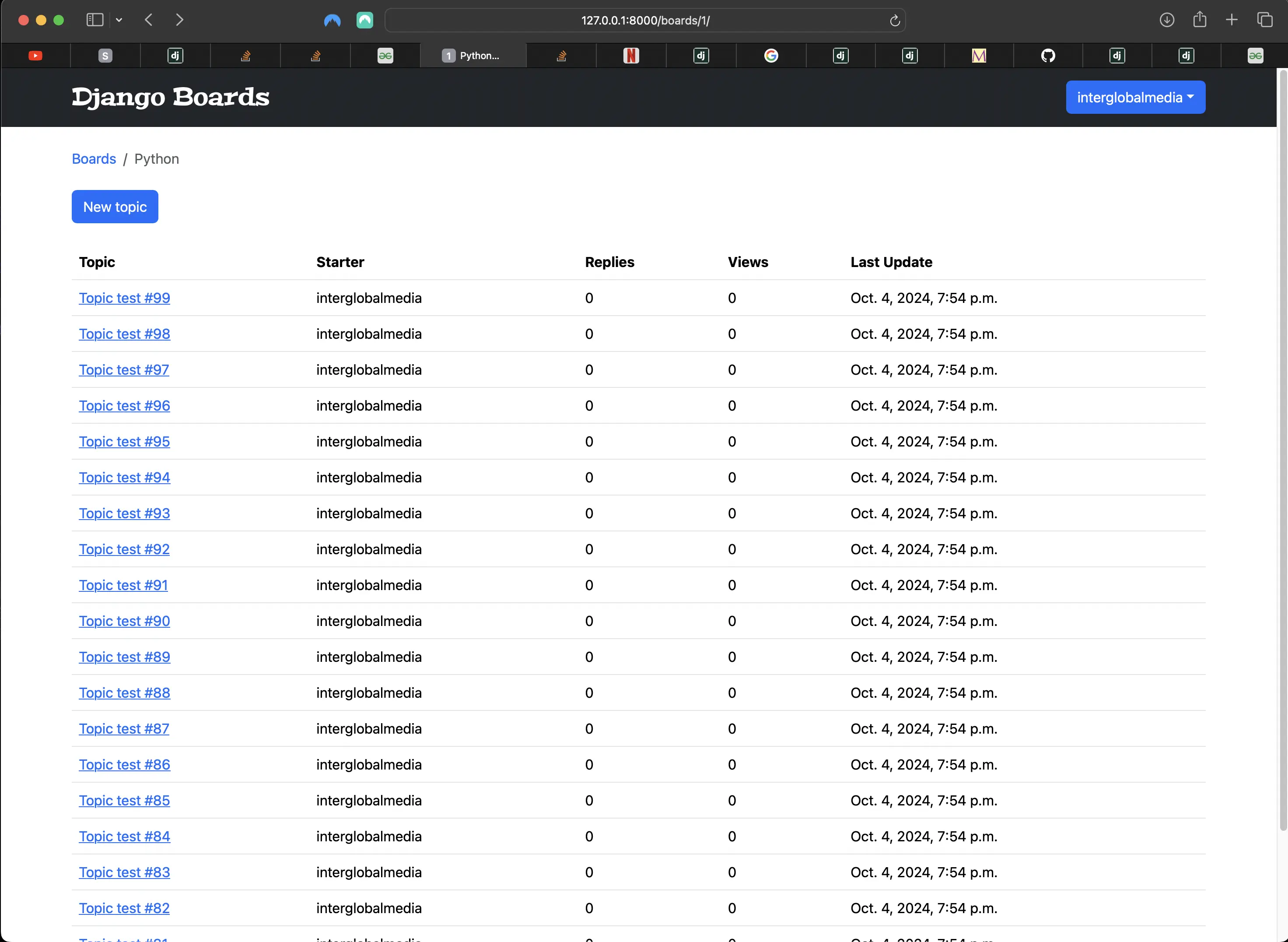
Newly populated Python board topics view
Adding topic replies to templates/topic_posts.html
This time I will add topic replies to a specific topic using the Python shell:
python3 manage.py shell
Python 3.12.5 (main, Aug 26 2024, 07:35:37) [Clang 15.0.0 (clang-1500.3.9.4)] on darwin
Type "help", "copyright", "credits" or "license" for more information.
(InteractiveConsole)
>>> from django.contrib.auth.models import User
>>> from boards.models import Board, Topic, Post
>>> user = User.objects.first()
>>> board = Board.objects.get(name='Django Models')
>>> for i in range(100):
...     Post.objects.create(message='Lorem ipsum...', topic_id=4, created_by=user)
...
<Post: Lorem ipsum...>
<Post: Lorem ipsum...>
<Post: Lorem ipsum...>
<Post: Lorem ipsum...>
<Post: Lorem ipsum...>
<Post: Lorem ipsum...>
<Post: Lorem ipsum...>
<Post: Lorem ipsum...>
<Post: Lorem ipsum...>
<Post: Lorem ipsum...>
<Post: Lorem ipsum...>
<Post: Lorem ipsum...>
<Post: Lorem ipsum...>
<Post: Lorem ipsum...>
<Post: Lorem ipsum...>
<Post: Lorem ipsum...>
<Post: Lorem ipsum...>
<Post: Lorem ipsum...>
<Post: Lorem ipsum...>
<Post: Lorem ipsum...>
<Post: Lorem ipsum...>
<Post: Lorem ipsum...>
<Post: Lorem ipsum...>
<Post: Lorem ipsum...>
<Post: Lorem ipsum...>
<Post: Lorem ipsum...>
<Post: Lorem ipsum...>
<Post: Lorem ipsum...>
<Post: Lorem ipsum...>
<Post: Lorem ipsum...>
<Post: Lorem ipsum...>
<Post: Lorem ipsum...>
<Post: Lorem ipsum...>
<Post: Lorem ipsum...>
<Post: Lorem ipsum...>
<Post: Lorem ipsum...>
<Post: Lorem ipsum...>
<Post: Lorem ipsum...>
<Post: Lorem ipsum...>
<Post: Lorem ipsum...>
<Post: Lorem ipsum...>
<Post: Lorem ipsum...>
<Post: Lorem ipsum...>
<Post: Lorem ipsum...>
<Post: Lorem ipsum...>
<Post: Lorem ipsum...>
<Post: Lorem ipsum...>
<Post: Lorem ipsum...>
<Post: Lorem ipsum...>
<Post: Lorem ipsum...>
<Post: Lorem ipsum...>
<Post: Lorem ipsum...>
<Post: Lorem ipsum...>
<Post: Lorem ipsum...>
<Post: Lorem ipsum...>
<Post: Lorem ipsum...>
<Post: Lorem ipsum...>
<Post: Lorem ipsum...>
<Post: Lorem ipsum...>
<Post: Lorem ipsum...>
<Post: Lorem ipsum...>
<Post: Lorem ipsum...>
<Post: Lorem ipsum...>
<Post: Lorem ipsum...>
<Post: Lorem ipsum...>
<Post: Lorem ipsum...>
<Post: Lorem ipsum...>
<Post: Lorem ipsum...>
<Post: Lorem ipsum...>
<Post: Lorem ipsum...>
<Post: Lorem ipsum...>
<Post: Lorem ipsum...>
<Post: Lorem ipsum...>
<Post: Lorem ipsum...>
<Post: Lorem ipsum...>
<Post: Lorem ipsum...>
<Post: Lorem ipsum...>
<Post: Lorem ipsum...>
<Post: Lorem ipsum...>
<Post: Lorem ipsum...>
<Post: Lorem ipsum...>
<Post: Lorem ipsum...>
<Post: Lorem ipsum...>
<Post: Lorem ipsum...>
<Post: Lorem ipsum...>
<Post: Lorem ipsum...>
<Post: Lorem ipsum...>
<Post: Lorem ipsum...>
<Post: Lorem ipsum...>
<Post: Lorem ipsum...>
<Post: Lorem ipsum...>
<Post: Lorem ipsum...>
<Post: Lorem ipsum...>
<Post: Lorem ipsum...>
<Post: Lorem ipsum...>
<Post: Lorem ipsum...>
<Post: Lorem ipsum...>
<Post: Lorem ipsum...>
<Post: Lorem ipsum...>
<Post: Lorem ipsum...>
>>>
This creates replies to the topic with the id of 4, which results in the following in the browser:
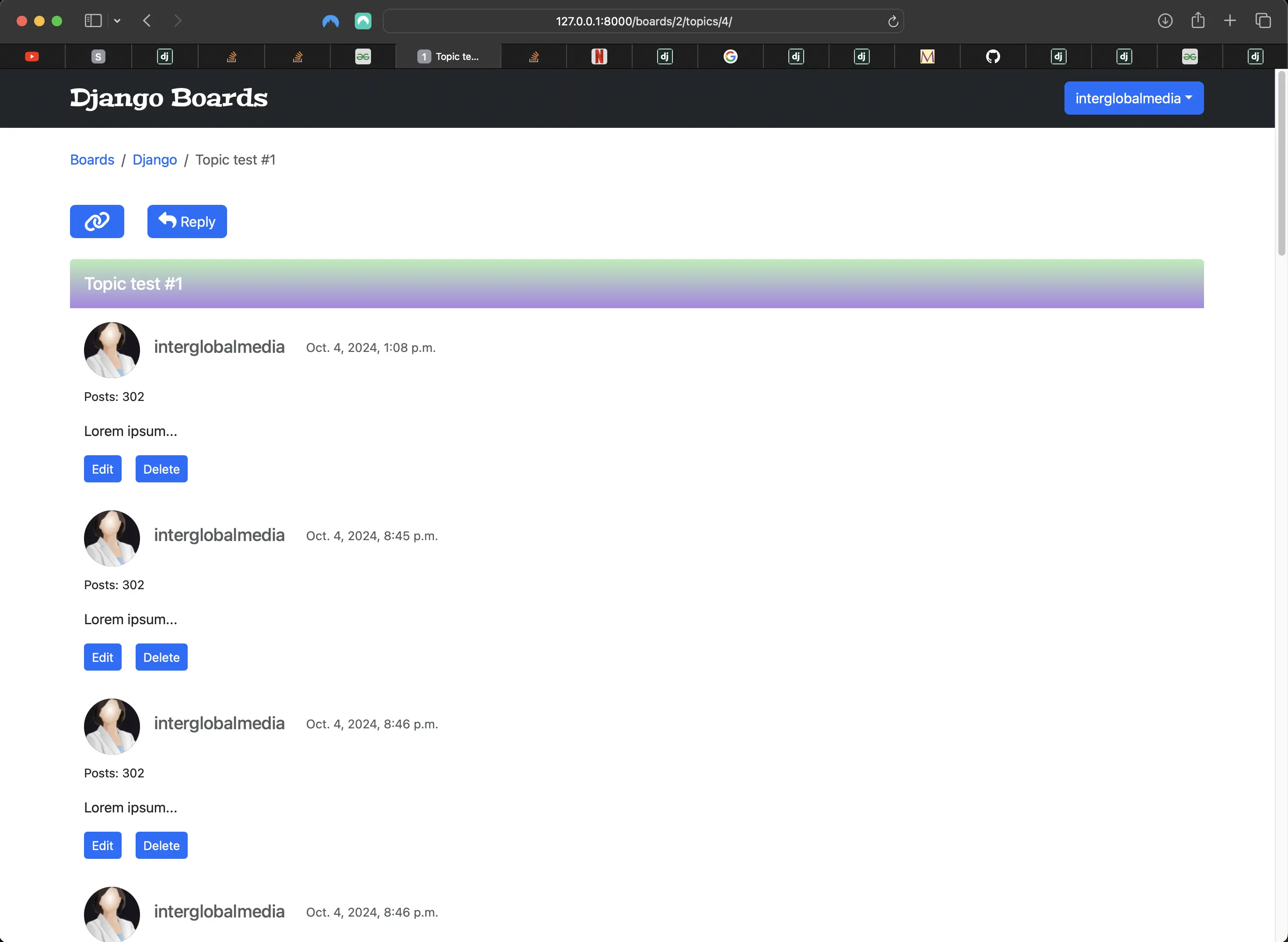
Newly populated Django board topic_id=4 (topic_posts) view
Adding topic replies to a specific board with a specific topic id and specific user (templates/topic_posts.html)
python3 manage.py shell
Python 3.12.5 (main, Aug 26 2024, 07:35:37) [Clang 15.0.0 (clang-1500.3.9.4)] on darwin
Type "help", "copyright", "credits" or "license" for more information.
(InteractiveConsole)
>>> from django.contrib.auth.models import User
>>> from boards.models import Board, Topic, Post
>>> user = User.objects.get(username='django-beginner')
>>> Post.objects.create(message="I'm so glad you started this random topic so I can talk about anything I want!", topic_id=205, created_by=user)
<Post: I'm so glad you started this …>
Above, I create one reply by a specific user instead of just the first (first()) user, and specify the topic id of a topic that is part of the board I want to target (which in this case is the Random board). This looks like the following in the browser:
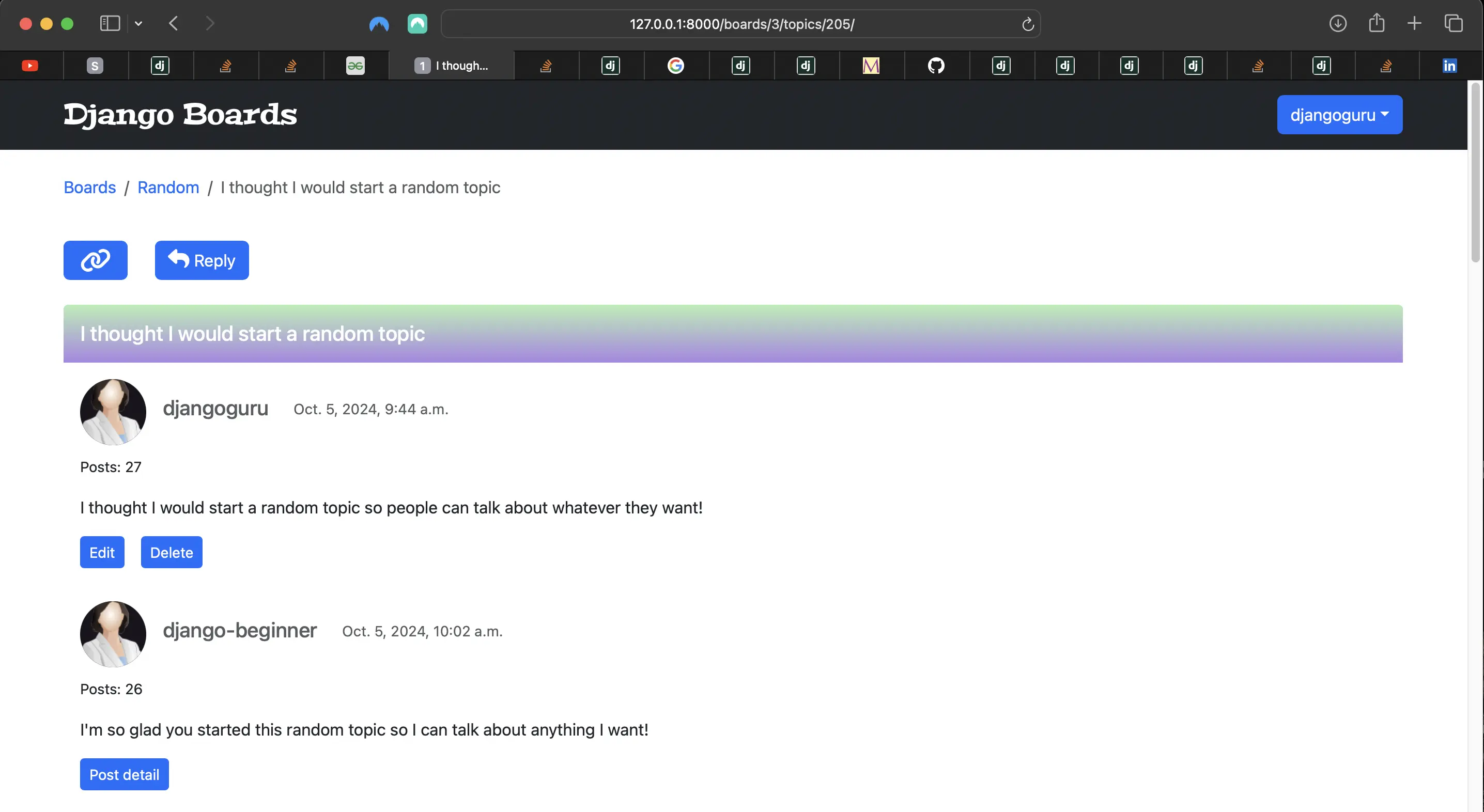
Creating a reply by a specific user to specific topic id that is part of the board I want to target
Running python3 manage.py test boards.tests.test_view_topic_posts_tests
When I run python3 manage.py test boards.tests.test_view_topic_posts_tests, it results in:
Found 1 test(s).
System check identified no issues (0 silenced).
E
======================================================================
ERROR: test_view_topic_posts_tests (unittest.loader._FailedTest.test_view_topic_posts_tests)
----------------------------------------------------------------------
ImportError: Failed to import test module: test_view_topic_posts_tests
Traceback (most recent call last):
  File "/Users/mariacam/.pyenv/versions/3.12.5/lib/python3.12/unittest/loader.py", line 137, in loadTestsFromName
    module = __import__(module_name)
             ^^^^^^^^^^^^^^^^^^^^^^^
  File "/Users/mariacam/Python-Development/django-boards/django_boards/boards/tests/test_view_topic_posts_tests.py", line 6, in <module>
    from ..views import topic_posts
ImportError: cannot import name 'topic_posts' from 'boards.views' (/Users/mariacam/Python-Development/django-boards/django_boards/boards/views.py)


----------------------------------------------------------------------
Ran 1 test in 0.000s

FAILED (errors=1)
My tests fail because of the following line (line 6) in test_view_topic_posts_tests:
from ..views import topic_posts
My topic_posts view is no longer a function based view called topic_posts. It's now a generic class based view called PostListView. I have already updated my URL. I just have to update my tests:
from ..views import PostListView

class TopicPostsTests(TestCase):
  ...
  def test_view_function(self):
        view = resolve('/boards/1/topics/1/')
        self.assertEqual(view.func.view_class, PostListView) # changed
Then when I run python3 manage.py test boards.tests.test_view_topic_posts_tests again, it responds with:
Found 2 test(s).
Creating test database for alias 'default'...
System check identified no issues (0 silenced).
..
----------------------------------------------------------------------
Ran 2 tests in 0.444s

OK
Destroying test database for alias 'default'...
Now the tests pass!
Improving upon the initial Bootstrap 5 pagination implementation in the templates
<!-- templates/includes/pagination.html --> {% if is_paginated %} <nav aria-label="Topics pagination" class="mb-4"> <ul class="pagination justify-content-center"> {% if page_obj.number > 1 %} <li class="page-item"> <a class="page-link" href="?page=1">|<</a> </li> {% else %} <li class="page-item disabled"> <span class="page-link">|<</span> </li> {% endif %} {% if page_obj.has_previous %} <li class="page-item"> <a class="page-link" href="?page={{ page_obj.previous_page_number }}" aria-label="Previous" ><span aria-hidden="true">«</span></a > </li> {% else %} <li class="page-item disabled"> <span class="page-link">«</span> </li> {% endif %} {% for page_num in paginator.page_range %} {% if page_obj.number == page_num %} <li class="page-item active"> <span class="page-link"> {{ page_num }} <span class="sr-only">(current)</span> </span> </li> {% elif page_num > page_obj.number|add:'-3' and page_num < page_obj.number|add:'3' %} <li class="page-item"> <a class="page-link" href="?page={{ page_num }}">{{ page_num }}</a> </li> {% endif %} {% endfor %} {% if page_obj.has_next %} <li class="page-item"> <a class="page-link" href="?page={{ page_obj.next_page_number }}" aria-label="Next" ><span aria-hidden="true">»</span></a > </li> {% else %} <li class="page-item disabled"> <span class="page-link">»</span> </li> {% endif %} {% if page_obj.number != paginator.num_pages %} <li class="page-item"> <a class="page-link" href="?page={{ paginator.num_pages }}" >>|</a > </li> {% else %} <li class="page-item disabled"> <span class="page-link">>|</span> </li> {% endif %} </ul> </nav> {% endif %}
- I replaced all instances of "Previous" with « (<<).
- I replaced all instances of "Next" with » (>>).
- I replaced all instances of "First" with |< (|<).
- I replaced all instances of "Last" with >| (>|).
Adding JavaScript to make scrollbar return to bottom of page when pagination item is clicked
I didn't like the default scroll behavior of returning to the top of the page when a pagination item (page number) was clicked, so I added the following JavaScript to a new file called django-boards-pagination.js:
// static/js/django-boards-pagination.js
document
	.querySelector('.page-link', function (e) {
		e.preventDefault()
	})
	.scrollIntoView({
		behavior: 'smooth',
		block: 'end',
		inline: 'nearest',
	})
Then I added the script tag to templates/base.html:
{% block javascript %}
  <script></script>
  <script src="https://cdnjs.cloudflare.com/ajax/libs/popper.js/2.9.2/umd/popper.min.js"
          integrity="sha512-2rNj2KJ+D8s1ceNasTIex6z4HWyOnEYLVC3FigGOmyQCZc2eBXKgOxQmo3oKLHyfcj53uz4QMsRCWNbLd32Q1g=="
          crossorigin="anonymous"
          referrerpolicy="no-referrer"></script>
  <script src="https://code.jquery.com/jquery-3.7.1.min.js"
          integrity="sha256-/JqT3SQfawRcv/BIHPThkBvs0OEvtFFmqPF/lYI/Cxo="
          crossorigin="anonymous"></script>
  <script src="https://cdnjs.cloudflare.com/ajax/libs/bootstrap/5.3.3/js/bootstrap.min.js"
          integrity="512-ykZ1QQr0Jy/4ZkvKuqWn4iF3lqPZyij9iRv6sGqLRdTPkY69YX6+7wvVGmsdBbiIfN/8OdsI7HABjvEok6ZopQ=="
          crossorigin="anonymous"
          referrerpolicy="no-referrer"></script>
  <script src="{% static 'js/django-boards-pagination.js' %}"></script>
{% endblock javascript %}
Now, when I click on a pagination page number, the scrollbar goes to the top of the page, but then returns to the bottom.
Update July 10, 2026: The code above ended up not working properly. I later removed this functionality. Today I found a simple and viable alternative. It is the following:
// place at the bottom of /js/app.js -> this file does not exist until part 24 as this change relates to ES Modules
let paginationBody = document.querySelector('.page-item')
if (paginationBody) {
	paginationBody.scrollIntoView()
}
It is included in the second "code associated with this post" link at the end of this post.
Adding a scroll top button to templates/base.html
I wanted to make sure that a user would easily be able to get back to the top of the page after being taken down to the bottom of it, so I added a scroll top button to templates/base.html:
<!-- templates/base.html -->
...
{% block body %}
  <div class="buttons-container">
    <button class="scroll top shrink-border">
      <i class="material-icons">keyboard_arrow_up</i>
    </button>
  </div>
  ...
{% endblock body %}
But I had to add some JavaScript to make this scroll top button work, so I created a new file called scroll-top-bottom.js and added it to templates/base.html:
 {% block javascript %}
  <script src="https://cdnjs.cloudflare.com/ajax/libs/popper.js/2.9.2/umd/popper.min.js"
          integrity="sha512-2rNj2KJ+D8s1ceNasTIex6z4HWyOnEYLVC3FigGOmyQCZc2eBXKgOxQmo3oKLHyfcj53uz4QMsRCWNbLd32Q1g=="
          crossorigin="anonymous"
          referrerpolicy="no-referrer"></script>
  <script src="https://code.jquery.com/jquery-3.7.1.min.js"
          integrity="sha256-/JqT3SQfawRcv/BIHPThkBvs0OEvtFFmqPF/lYI/Cxo="
          crossorigin="anonymous"></script>
  <script src="https://cdnjs.cloudflare.com/ajax/libs/bootstrap/5.3.3/js/bootstrap.min.js"
          integrity="512-ykZ1QQr0Jy/4ZkvKuqWn4iF3lqPZyij9iRv6sGqLRdTPkY69YX6+7wvVGmsdBbiIfN/8OdsI7HABjvEok6ZopQ=="
          crossorigin="anonymous"
          referrerpolicy="no-referrer"></script>
  <script src="{% static 'js/django-boards-pagination.js' %}"></script>
  <script src="{% static 'js/scroll-top-bottom.js' %}"></script>
{% endblock javascript %}
Then I added the following code to static/js/scroll-top-bottom.js:
// static/js/scroll-top-bottom.js
// For scroll to top functionality
const scrollTopButton = document.querySelector('.scroll.top')

function scrollTop() {
	window.scrollTo(0, 0)
}

scrollTopButton.addEventListener('click', scrollTop)
Update July 10, 2026: The static/js/scroll-top-bottom.js file's name and contents changed in Part 27, where I remove the scrolldown button and refactor the scrolltop button.
Adding material icons to templates/base.html
{% block stylesheet %}
<!-- templates/base.htm -->
  <link rel="stylesheet"
        href="https://cdnjs.cloudflare.com/ajax/libs/font-awesome/6.6.0/css/all.min.css">
  <link rel="stylesheet" href="{% static 'css/bootstrap.min.css' %}">
  <link href="https://fonts.googleapis.com/icon?family=Material+Icons"
        rel="stylesheet">
  <link rel="stylesheet" href="{% static 'css/app.css' %}">
{% endblock stylesheet %}
I added material icons to templates/base.html, because the scroll top and scroll bottom buttons use material icons. Make sure that the material icons are added ABOVE the css/app.css file, as indicated above.
Making the scroll top button appear and disappear based on scrollY position
I didn't want the scroll top button to always be visible. It would interfere with the visibility of the logged in user dropdown menu, and its visibility would not always serve a purpose. I wanted it to be visible only when it served a purpose. So I added the following code in static/js/scroll-top-bottom.js:
// scroll top button disappears after click when scrollY == 0, but it reappears when scrollY is greater than 0 on scroll down.
document.addEventListener('scroll', function () {
	const scrollButton = document.querySelector('.scroll.top')
	if (window.scrollY > 0) {
		scrollButton.style.opacity = 1
		scrollButton.style.transition = 'opacity 1s ease'
	} else {
		scrollButton.style.opacity = 0
		scrollButton.style.transition = 'opacity 1s ease'
	}
})
I use a combination of CSS in JS (the JS style property) and straight CSS (in static/css/app.css) to make the scroll top button appear and disappear. I will add the CSS for both scroll top and scroll bottom buttons at the end of this section.
Adding a scroll bottom button to templates/base.html
I wanted to make sure that a user would be able to leisurely scroll down the page to view various replies to topics, so I added a scroll bottom button to templates/base.html:
<!-- templates/base.html -->
...
{% block body %}
  <div class="buttons-container">
    <button class="scroll bottom shrink-border">
      <i class="material-icons">
        keyboard_arrow_down
      </i>
    </button>
    <button class="scroll top shrink-border">
      <i class="material-icons">keyboard_arrow_up</i>
    </button>
  </div>
  ...
{% endblock body %}
But I had to add some JavaScript to make this scroll bottom button work, so I added the associated JavaScript to the (now) existing file called scroll-top-bottom.js:
// Scroll to bottom button code
const scrollDownButton = document.querySelector('.scroll')

function scrollStep() {
	window.scroll(0, window.scrollY + 200)
	console.log(window.scrollY + 200)
}

scrollDownButton.addEventListener('pointerdown', scrollStep)
Making the scroll bottom button appear and disappear based on scrollY position
I didn't want the scroll bottom button to always be visible either. There is no point in its always being visible, and it is more interesting if it dynamically appears and disappears. Just like with the scroll top button, I wanted it to be visible only when it served a purpose. So I added the following code in static/js/scroll-top-bottom.js:
// scroll bottom button disappears after click of the scroll top button when scrollY == 0, but it reappears when scrollY is greater than 0 on scroll down.
document.addEventListener('scroll', function () {
	const scrollButton = document.querySelector('.scroll.bottom')
	if (window.scrollY > 0) {
		scrollButton.style.opacity = 1
		scrollButton.style.transition = 'opacity 1s ease'
	} else {
		scrollButton.style.opacity = 0
		scrollButton.style.transition = 'opacity 1s ease'
	}
})
The CSS for the scroll top and scroll bottom buttons in static/css/app.css
/* static/css/app.css */
/*  scroll */
button.top {
	border: none;
	border: 3px solid transparent;
	border-radius: 0.5rem; // rem was not included on remote and should have been
	display: flex;
	font-size: 1.5rem;
	justify-content: space-around;
	outline: none;
	position: fixed;
	transition:
		color 0.5s,
		transform 0.2s,
		background-color 0.2s;
}

button.top:active {
	transform: translateY(3px);
}

button.top::after,
button.top::before {
	border-radius: 3px;
}

button.top,
button.bottom {
	display: flex;
	align-items: center;
	justify-content: space-between;
	margin: 0 0.5rem 0 0;
	opacity: 0;
	padding: 20px 9.5px 20px 18px;
	text-align: center;
}

button.bottom {
	padding: 18px 9.5px 20px 18px;
}

button.scroll {
	cursor: pointer;
	font-size: 3.5rem;
	position: fixed;
	text-align: center;
	text-decoration: none;
	z-index: 1000;
}

button.scroll.top {
	bottom: -0.25rem;
	right: 0;
}

button.scroll.bottom {
	right: 0;
	top: 0;
}

button.scroll.bottom,
button.scroll.top {
	border: none;
	cursor: pointer;
	outline: none;
}

.material-icons {
	font-size: 3rem;
	display: flex;
	align-items: center;
	justify-content: center;
	margin-right: -0.25rem;
}

button.scroll.top i {
	margin-top: -0.25rem;
}

button.scroll.bottom i {
  // new 7.9.26: a backtick was removed before the m of "margin-bottom". It still appears in the code associated with this post but should be ignored.
	margin-bottom: -1rem;
}

.shrink-border {
	background-color: transparent;
	color: #0978f6;
}

.shrink-border:hover {
	background-color: transparent;
	box-shadow: none;
	color: #000;
}

button.shrink-border::before {
	background: #aecb6e;
	border: 3px solid #806f67;
	border-radius: 50%;
	content: '';
	height: 100%;
	max-height: 60px;
	max-width: 60px;
	position: absolute;
	right: 0;
	top: 0.6rem;
	transition:
		opacity 0.3s,
		border 0.3s;
	width: 100%;
	z-index: -1;
}

button.shrink-border:hover::before {
	opacity: 0;
}

button.shrink-border::after {
	background-color: #e4ddd3;
	border: 3px solid #806f67;
	color: blue;
	content: '';
	height: 100%;
	max-height: 60px;
	max-width: 60px;
	opacity: 0;
	position: absolute;
	right: 0;
	top: 0.6rem;
	transform: scaleX(1.1) scaleY(1.3);
	transition: transform 0.3s;
	width: 100%;
	z-index: -1;
}

button.shrink-border:hover::after {
	opacity: 1;
	transform: scaleX(1) scaleY(1);
}
Adding a copy link button to the topic_posts and post_detail views
<!-- templates/topic_posts.html -->
...
{% block content %}
  <div class="d-inline-flex flex-row">
    <div class="w-25 mb-4 mt-3" id="copy-header">
      <a id="copy-button"
         class="btn btn-primary"
         role="button"
         title="Copy link to this topic to Clipboard">
        <i class="link-icon fa fa-link" aria-hidden="true"></i>
      </a>
      <div id="feedback"></div>
    </div>
    <div class="reply-button w-50 mt-3">
      <a href="{% url 'reply_topic' topic.board.pk topic.pk %}"
         class="btn btn-primary"
         role="button"><i class="reply-icon fa-solid fa-reply"></i> Reply</a>
    </div>
  </div>
  ...
{% endblock content %}
But I needed to also add some JavaScript to make the copy link button work. I created a new file called copy-button.js and placed it inside static/js. It contains the following code:
// static/js/copy-button.js
Element.prototype.getLink = function () {
	let link = document.createElement('a')
	link.href = this.getUrl()
	link.innerText = this.innerText
	return link
}

Element.prototype.getUrl = function () {
	return new URL(
		window.location.origin + window.location.pathname + '#' + this.id,
	)
}

Clipboard.prototype.writeHTML = function (html, text) {
	let textContent = text || html.innerText
	let htmlContent = ''
	if (typeof html == 'string') htmlContent = html
	else if (html instanceof Element) htmlContent = html.outerHTML
	else htmlContent = html.toString()

	if (ClipboardItem) {
		//bug in firefox : https://developer.mozilla.org/en-US/docs/Web/API/ClipboardItem
		let content = [
			new ClipboardItem({
				'text/html': new Blob([htmlContent], { type: 'text/html' }), //this can be interpreted by applications like teams or office word
				'text/plain': new Blob([textContent], { type: 'text/plain' }), //while this is required for other apps, like plain text editors
			}),
		]
		return this.write(content)
	} else {
		return this.writeText(textContent)
	}
}

let header = document.getElementById('copy-header')
let button = document.getElementById('copy-button')
let feedback = document.getElementById('feedback')
button.addEventListener('click', function () {
	navigator.clipboard
		.writeHTML(header.getLink(), header.getUrl())
		.then(function () {
			feedback.innerText = 'copied!'
			setTimeout(function () {
				document.getElementById('feedback').innerHTML = ''
			}, 1000)
		})
		.catch((error) => {
			feedback.innerText = `Oops... that shouldn't have happened. ${error}`
		})
})
Then I had to add the file to templates/base.html:
<!-- templates/base.html -->
{% block javascript %}
  <script src="https://cdnjs.cloudflare.com/ajax/libs/popper.js/2.9.2/umd/popper.min.js"
          integrity="sha512-2rNj2KJ+D8s1ceNasTIex6z4HWyOnEYLVC3FigGOmyQCZc2eBXKgOxQmo3oKLHyfcj53uz4QMsRCWNbLd32Q1g=="
          crossorigin="anonymous"
          referrerpolicy="no-referrer"></script>
  <script src="https://code.jquery.com/jquery-3.7.1.min.js"
          integrity="sha256-/JqT3SQfawRcv/BIHPThkBvs0OEvtFFmqPF/lYI/Cxo="
          crossorigin="anonymous"></script>
  <script src="https://cdnjs.cloudflare.com/ajax/libs/bootstrap/5.3.3/js/bootstrap.min.js"
          integrity="512-ykZ1QQr0Jy/4ZkvKuqWn4iF3lqPZyij9iRv6sGqLRdTPkY69YX6+7wvVGmsdBbiIfN/8OdsI7HABjvEok6ZopQ=="
          crossorigin="anonymous"
          referrerpolicy="no-referrer"></script>
  <script src="{% static 'js/django-boards-pagination.js' %}"></script>
  <script src="{% static 'js/scroll-top-bottom.js' %}"></script>
  <script src="{% static 'js/copy-button.js' %}"></script>
{% endblock javascript %}
Update July 10, 2026: The static/js/copy-button.js file's contents changed in Part 24, where I added ES modules to Django Boards. There I replaced the static/js/copy-button.js code with the Clipboard.js library code.
The copy link button styling in static/css/app.css
/* Make copy text appear and disappear using CSS transitions */

#copy-header {
	position: relative;
}

#copy-header #feedback {
	position: absolute;
	top: -1.5rem;
	left: 0;
}

#copy-header .link-icon,
#copy-header #feedback::after {
	display: none;
	transition: 0.2s;
}

#copy-header:hover .link-icon {
	opacity: 1;
}

#copy-header #feedback::after {
	content: 'copied';
	opacity: 1;
}

#copy-header:hover #feedback:after {
	opacity: 1;
}

/* End make copy text appear and disappear using CSS transitions */

/* link icon styling */
.link-icon {
	font-size: 1.5rem;
	width: 2.25rem;
}
Fixing the copy link button and reply button styling
With all the new buttons that have been recently created with Bootstrap styling, the copy link and reply button styling broke! Right now, they look like the following:
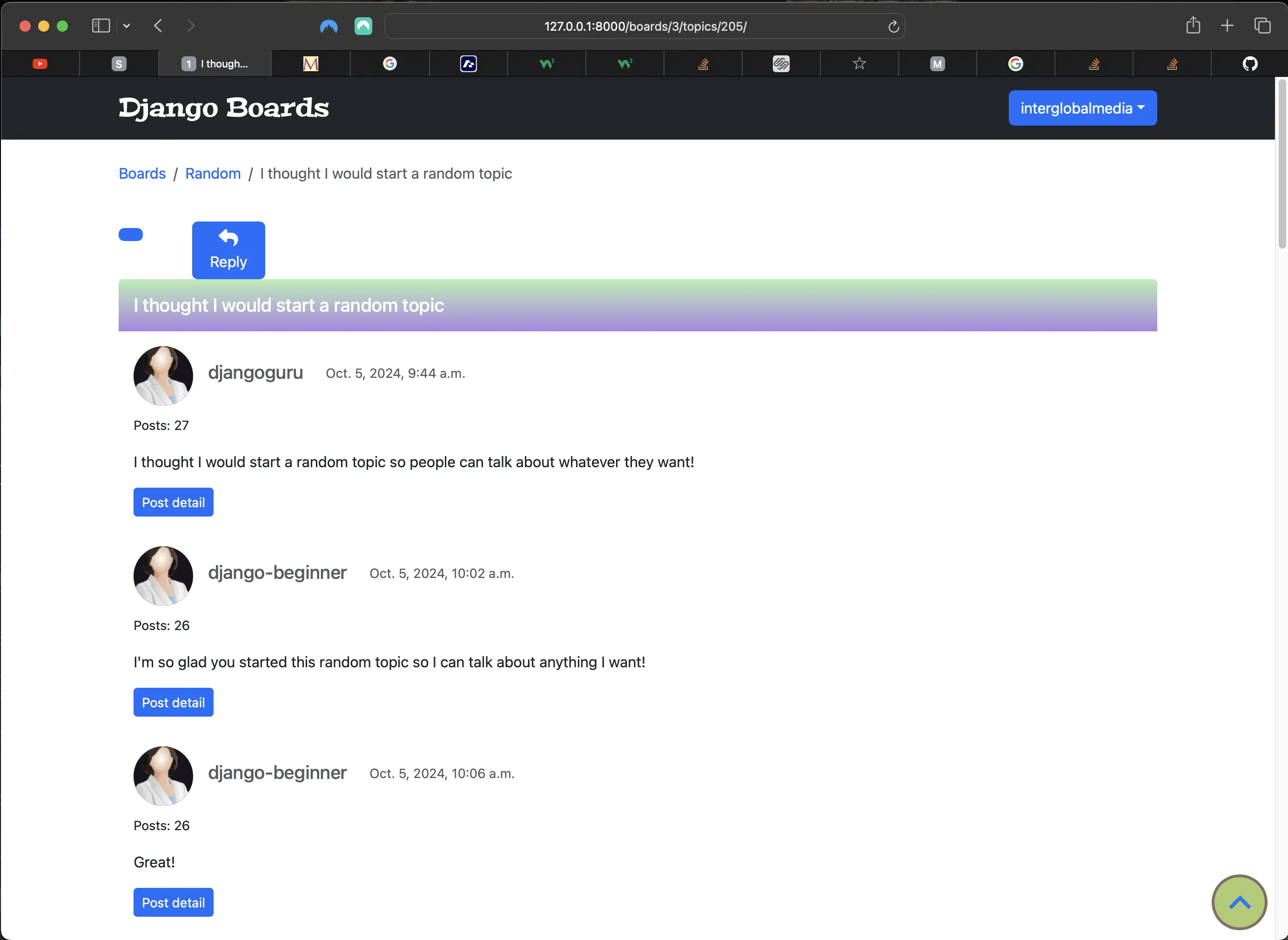
Copy link and reply buttons broken styling
Refactoring the copy link button html in templates/topic_posts.html and templates/post_detail.html
First, I made the following changes in templates/topic_posts.html:
<!-- templates/topic_posts.html -->
...
{% block content %}
  <div class="d-inline-flex flex-row w-50">
    <div class=" mb-4 mt-3" id="copy-header">
      <a id="copy-button"
         class="btn btn-primary"
         role="button"
         title="Copy link to this topic to Clipboard">
        <i class="fa fa-link" aria-hidden="true"></i>
      </a>
      <div id="feedback"></div>
    </div>
    <div class="reply-button mt-3">
      <a href="{% url 'reply_topic' topic.board.pk topic.pk %}"
         class="btn btn-primary"
         role="button"><i class="reply-icon fa-solid fa-reply"></i> Reply</a>
    </div>
  </div>
  ...
{% endblock content %}
There was no need to make any changes in static/css/app/.css because the styling relies on Bootstrap 5 classes.
Next, I made the following changes in templates/post_detail.html:
<!-- templates/post_detail.html -->
...
{% block content %}
  ...
  <div class=" mb-4 mt-3" id="copy-header">
    <a id="copy-button"
        class="btn btn-primary"
        role="button"
        title="Copy link to this topic to Clipboard">
      <i class="fa fa-link" aria-hidden="true"></i>
    </a>
    <div id="feedback"></div>
  </div>
{% endblock content %}
There was no need to make any changes in static/css/app/.css either, because the styling relies on Bootstrap 5 classes.
With these slight changes, the copy link and reply buttons look like the following:
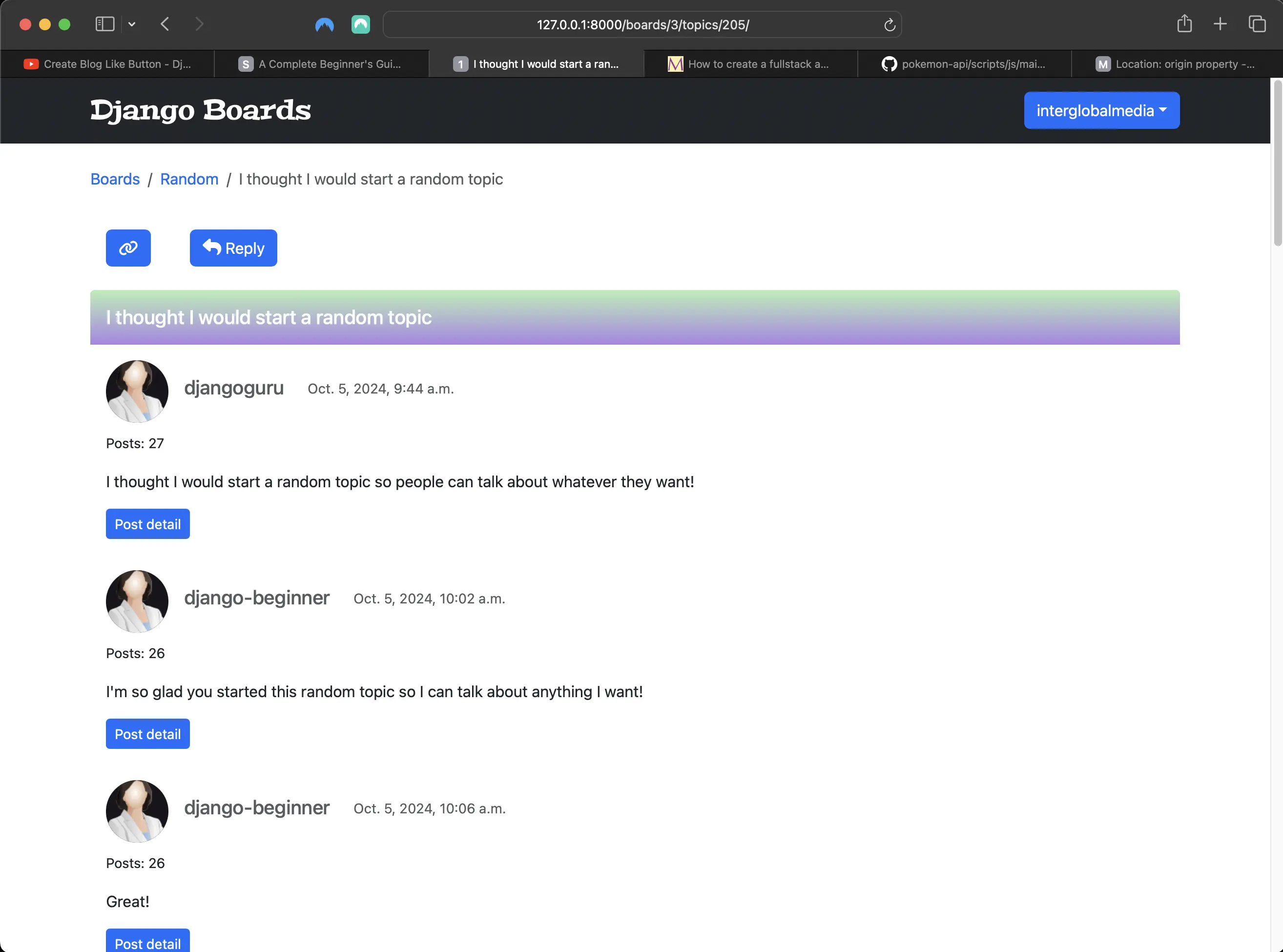
Refactored copy link and reply buttons styling
Improving on the templates/post_detail.html styling
Right now the post_detail view styling is a bit off. It looks like the following:
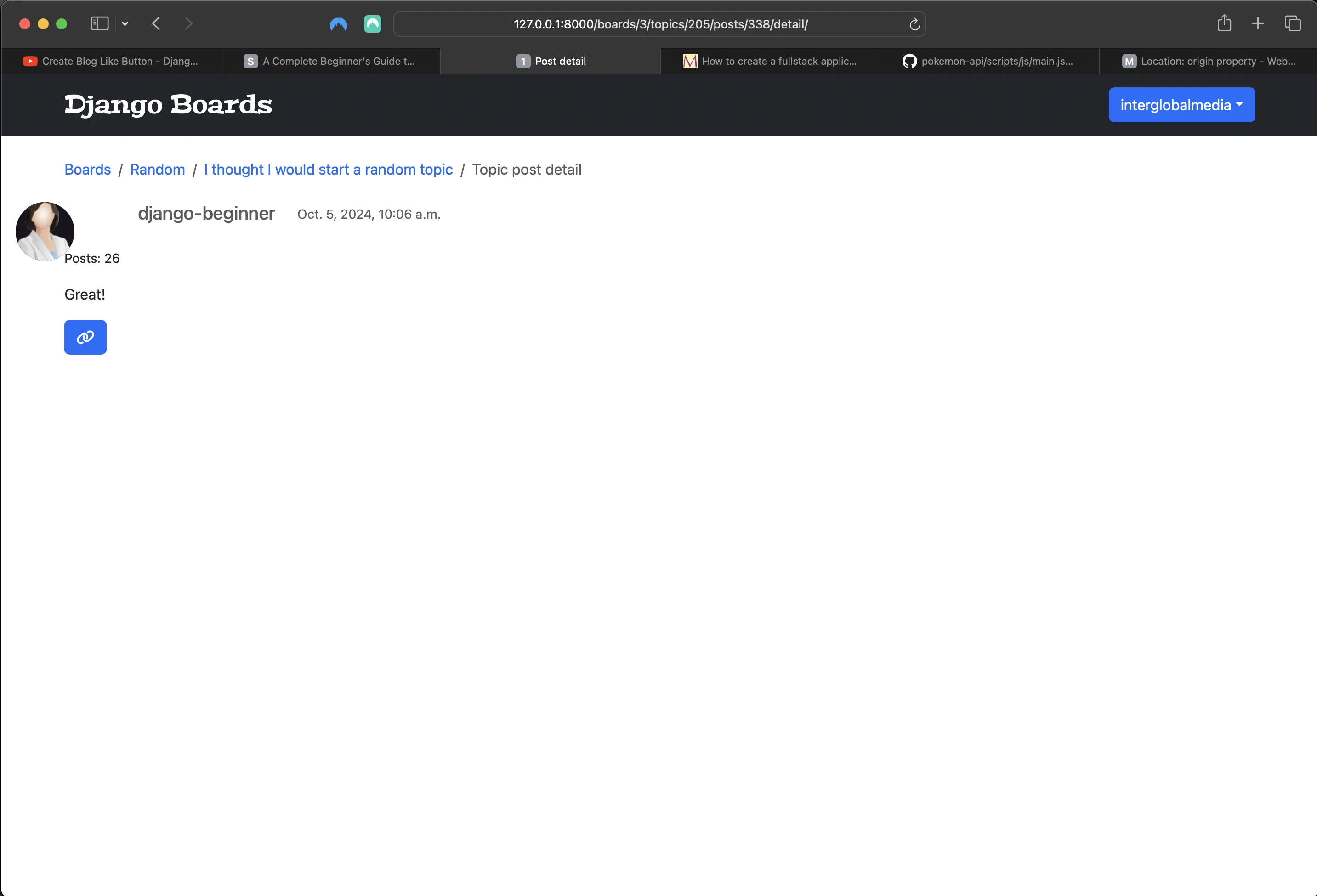
Broken post_detail view styling
So I added the following to templates/post_detail.html:
<!-- templates/post_detail.html -->
... {% block content %}
<!-- the div below with class="card mb-3" is what I added -->
<div class="card mb-3">
	<div class="row no-gutters">
		<div class="col-md-8">
			<div class="card-body col-md-8">
				<div class="col">
					<h5 class="card-title text-muted">
						{{ post.created_by.username }}
					</h5>
					<p class="card-text">
						<small class="text-muted">{{ post.created_at }}</small>
					</p>
				</div>
				<p class="mt-4">
					<small>Posts: {{ post.created_by.posts.count }}</small>
				</p>
				<div class="post-message">{{ post.message }}</div>
			</div>
		</div>
	</div>
	<div class=" mb-4 mt-3" id="copy-header">
		<a
			id="copy-button"
			class="btn btn-primary"
			role="button"
			title="Copy link to this topic to Clipboard"
		>
			<i class="fa fa-link" aria-hidden="true"></i>
		</a>
		<div id="feedback"></div>
	</div>
</div>
{% endblock content %}
With this little change, the post_detail view looks much better:
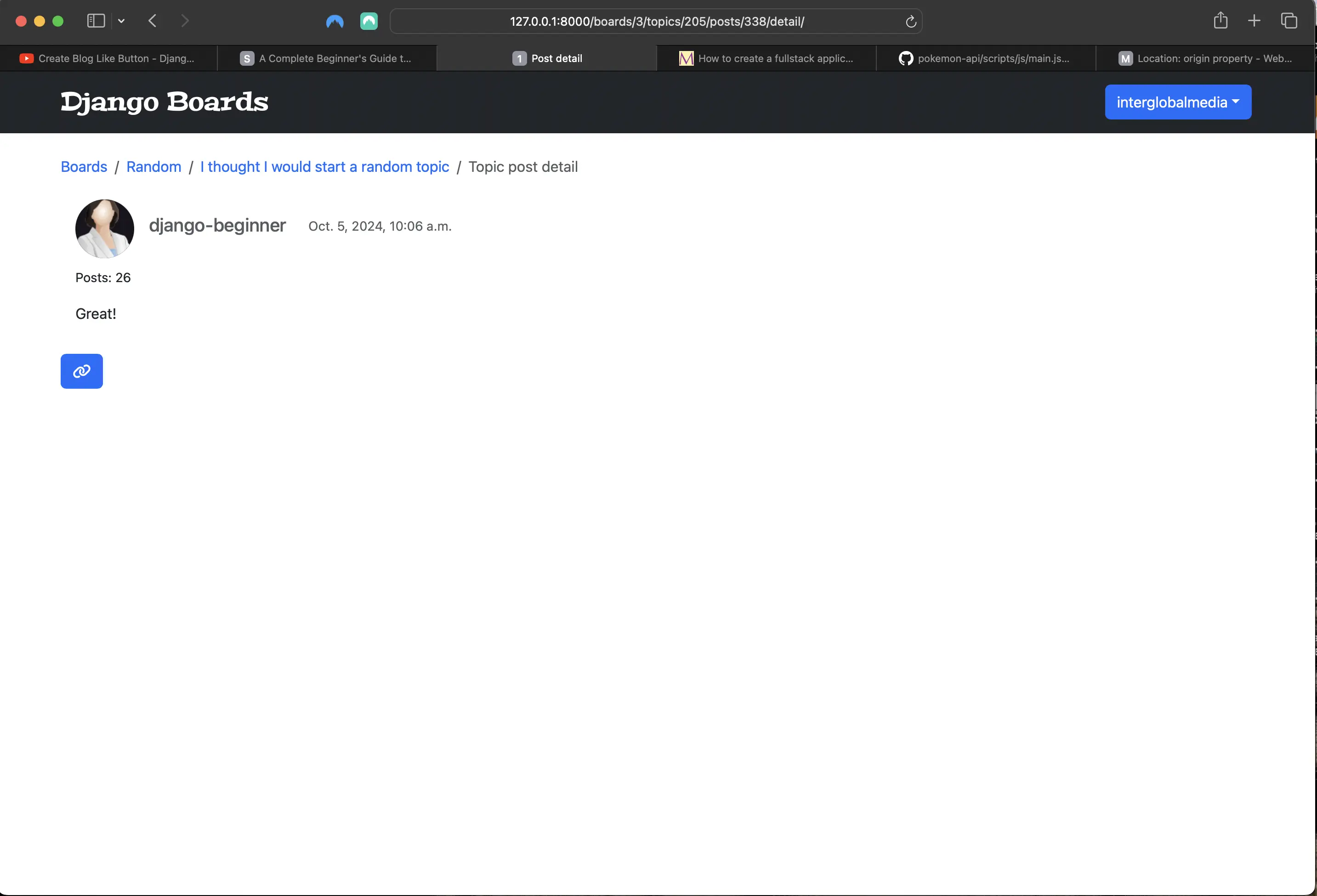
Result of adding div with classes "card mb-3" to post_detail view
But the link button is a bit too much to the left. Let's fix that! I added the following little tweak to static/css/app.css:
/* Make copy text appear and disappear using CSS transitions */

#copy-header {
	position: relative;
	margin-left: 1rem; /* what I added */
}
Now the post_detail view looks like the following:
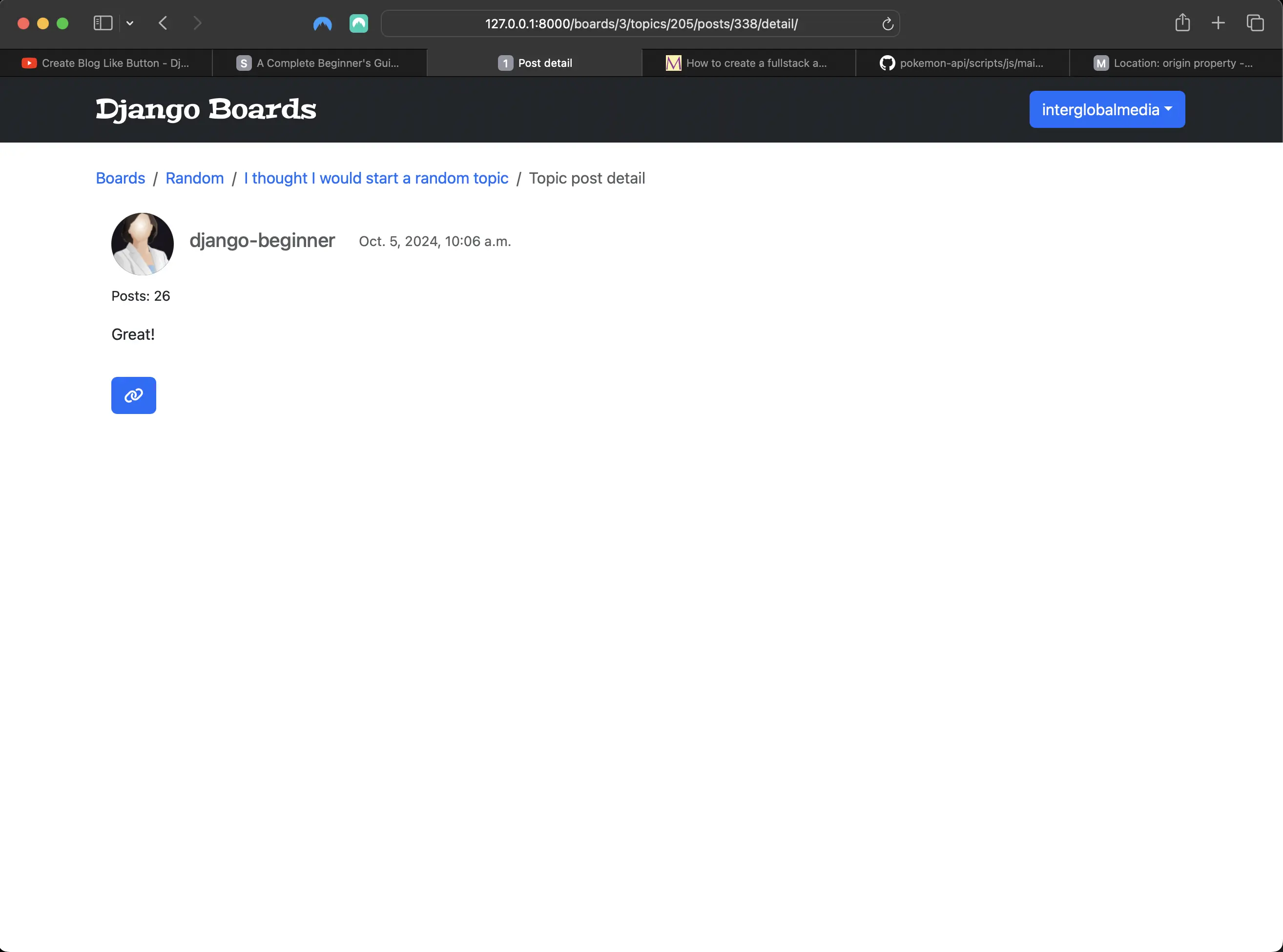
Result of post_detail view fixed styling
Fixing the logout button styling
The logout button also was affected by the styling of other buttons or anchor elements because it did not contain any classes or ids. When I fixed the other buttons or anchor elements (or changed anchor elements into buttons), and I changed the logout anchor button to an actual button element, it looks much better. However, I want its styling to look like the rest of the logged in user dropdown menu. Right now it looks like the following:
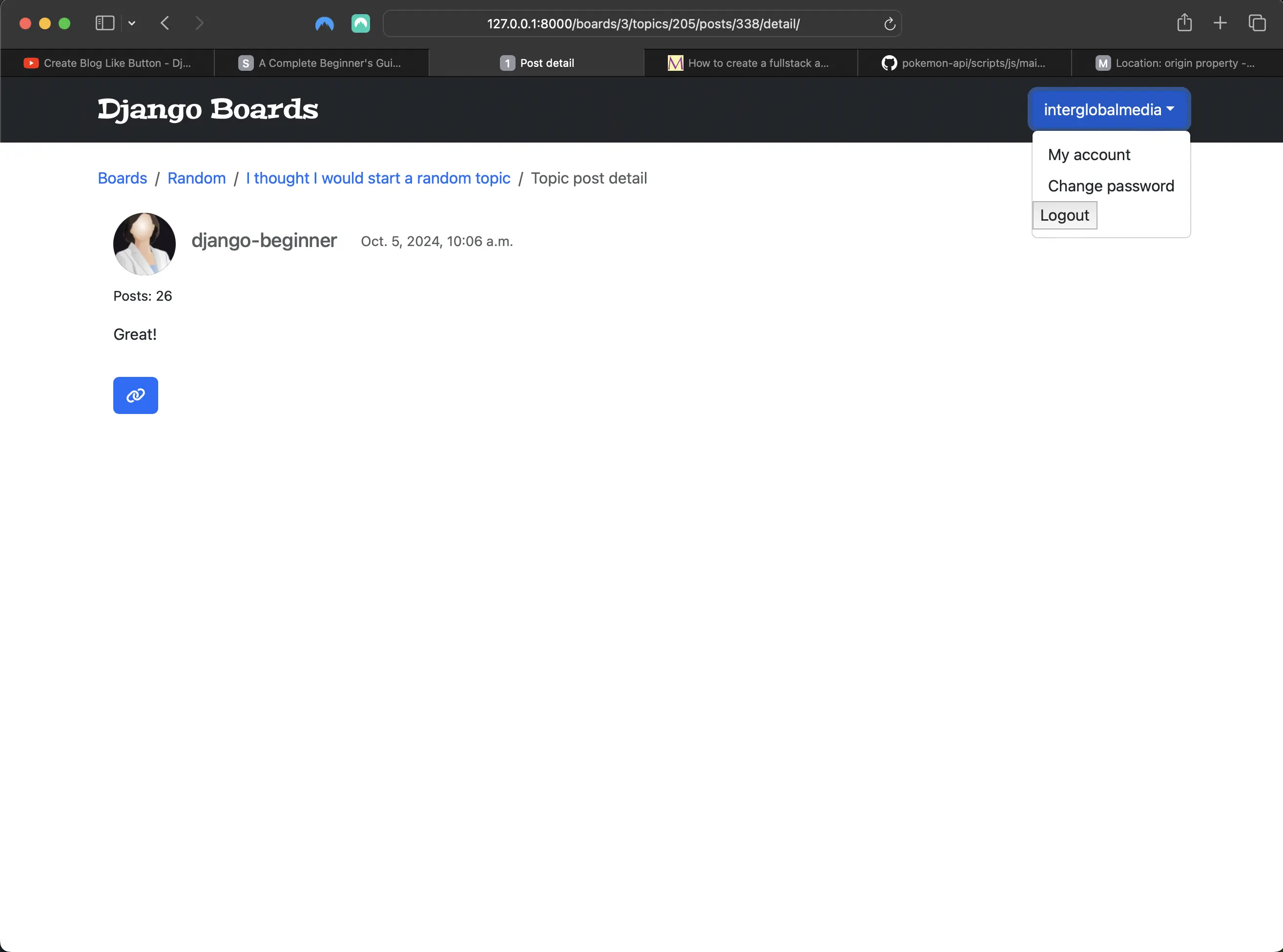
Logout button with default button styling
I added the following classes to templates/base.html, and now it looks like the following:
<!-- templates/base.html -->
<li>
  <form method="post" action="{% url 'logout' %}">
    {% csrf_token %}
    <button class="btn btn-secondary logout" type="submit">Logout</button>
  </form>
</li>
I added the li element which wraps around the logout form, and I changed the Logout anchor element button to an actual button. Then I added classes to the Logout button and added the following CSS to static/css/app.css:
/* static/css/app.css */
/* Logout button styling */

.btn.btn-secondary.logout {
	background: transparent;
	border: none;
	color: #000;
	margin-left: 0.25rem;
}
Now the Logout button looks like the following:
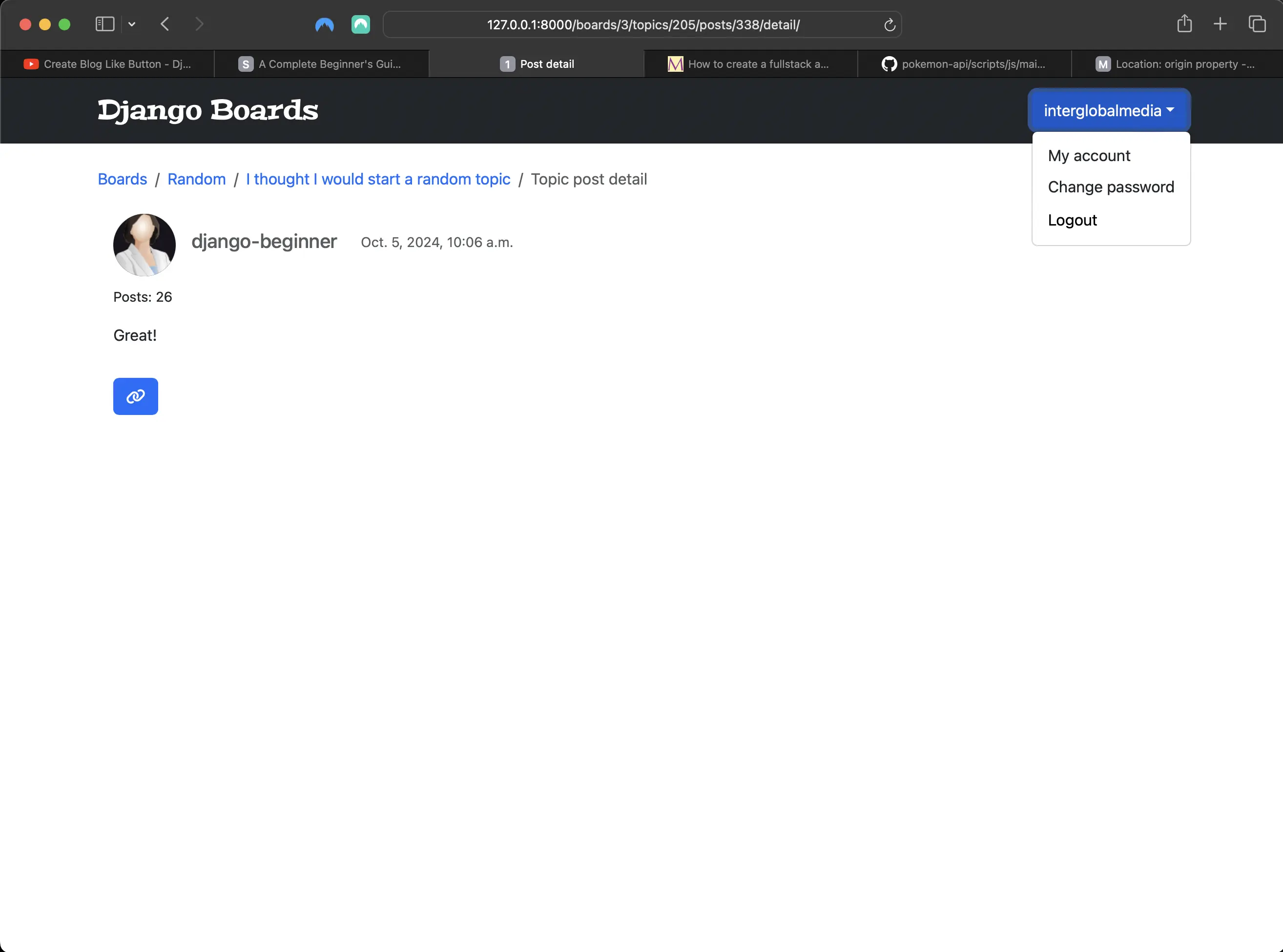
Refactored Logout button styling
Making the names of the boards tests files consistent
Finally, I changed the names of two boards tests files:
# from:
boards/tests/test_view_delete_post.py
# to:
boards/tests/test_view_delete_post_tests.py
# from:
boards/tests/test_view_edit_post.py
# to:
boards/tests/test_view_edit_post_tests.py
This was a personal preference, and is entirely optional.
Code associated with this post
To view the code associated with this post, please visit d273935 and 6dd8020.
Conclusion
In this section, I experiment with the Python shell to demonstrate how pagination works under the hood. I implement a Generic Class Based View and pagination to the index/home view, add Class Based View pagination to the topics view and topic_posts view, and add Bootstrap 5 pagination to the associated templates. I refactor the associated urls in urls.py, and refactor the associated tests. I also add a copy link button to copy the link to a topic's replies (posts). I create a scroll top and scroll bottom button using JavaScript to enable their functionality, and add JavaScript code to make the scrollbar return to the bottom of the page when a pagination item (page number) is clicked.
Related Resources
- Django Boards repository on GitHub
- How to create a fullstack application using Django and Python Part 16: mariadcampbell.com
- Introduction to class-based views: Django documentation
- Class-based views: Django documentation
- Paginator: Django documentation
- Pagination: Django documentation
- Use Pagination with Django Class-Based Generic ListView: Geeks for Geeks
- Classy Class-Based Views: ccbv
- Class Based vs Function Based Views – Which One is Better to Use in Django?: Geeks for Geeks
- Bootstrap Pagination: Bootstrap 5
- How to keep a scrollbar always bottom?: Stack Overflow