How to create a fullstack application using Django and Python Part 23
Social Share:
Friday, October 4, 2024 at 10:40 AM | 5 min read
Last modified on Thursday, July 16, 2026 at 12:18 PM
#fullstack development, #macOS, #django, #generic class based views, #python3, #series, #tests, #unittest

Photo by Igor Omilaev on unsplash.com
Important Note: Before committing anything to Git or pushing anything to remote, please visit How to create a fullstack application using Django and Python Part 4 where I discuss how to add the python-dotenv package to the Django site and why it is crucial to do it. This article assumes you have a working knowledge of Git.
Table of Contents
- Creating the (user) My Account view
- Creating My Account tests
- Running code test coverage to include My Account view tests
- Code associated with this post
- Conclusion
- Related Resources
- Related Posts
Update (July 2026): This walkthrough was written against Django 5.1, which reached full end-of-life in December 2025 and is no longer receiving security patches. Run python -m django --version to check which version you have.
I wrote this series as a live process, so sometimes it might seem confusing, but it all works out in the end.
Creating the (user) My Account view
# accounts/views.py
from django.contrib.auth.decorators import login_required
from django.contrib.auth.models import User
from django.urls import reverse_lazy
from django.utils.decorators import method_decorator
from django.views.generic.edit import UpdateView

@method_decorator(login_required, name='dispatch')
class UserUpdateView(UpdateView):
    model = User
    fields = ('first_name', 'last_name', 'email', )
    template_name = 'my_account.html'
    success_url = reverse_lazy('my_account')

    def get_object(self):
        return self.request.user
Adding the My Account URL to django_boards/urls.py
# django_boards/urls.py
path('account/', accounts_views.UserUpdateView.as_view(), name='my_account'),
Creating templates/my_account.html
<!-- templates/my_account.html -->
{% extends "base.html" %}
{% block title %}
  My account
{% endblock title %}
{% block breadcrumb %}<li class="breadcrumb-item active">My account</li>{% endblock breadcrumb %}
{% block content %}
  <div class="row">
    <div class="col-lg-6 col-md-8 col-sm-10">
      <form method="post" novalidate>
        {% csrf_token %}
        {% include "includes/form.html" %}
        <button type="submit" class="btn btn-success">Save changes</button>
      </form>
    </div>
  </div>
{% endblock content %}
Right now, it looks like the following:
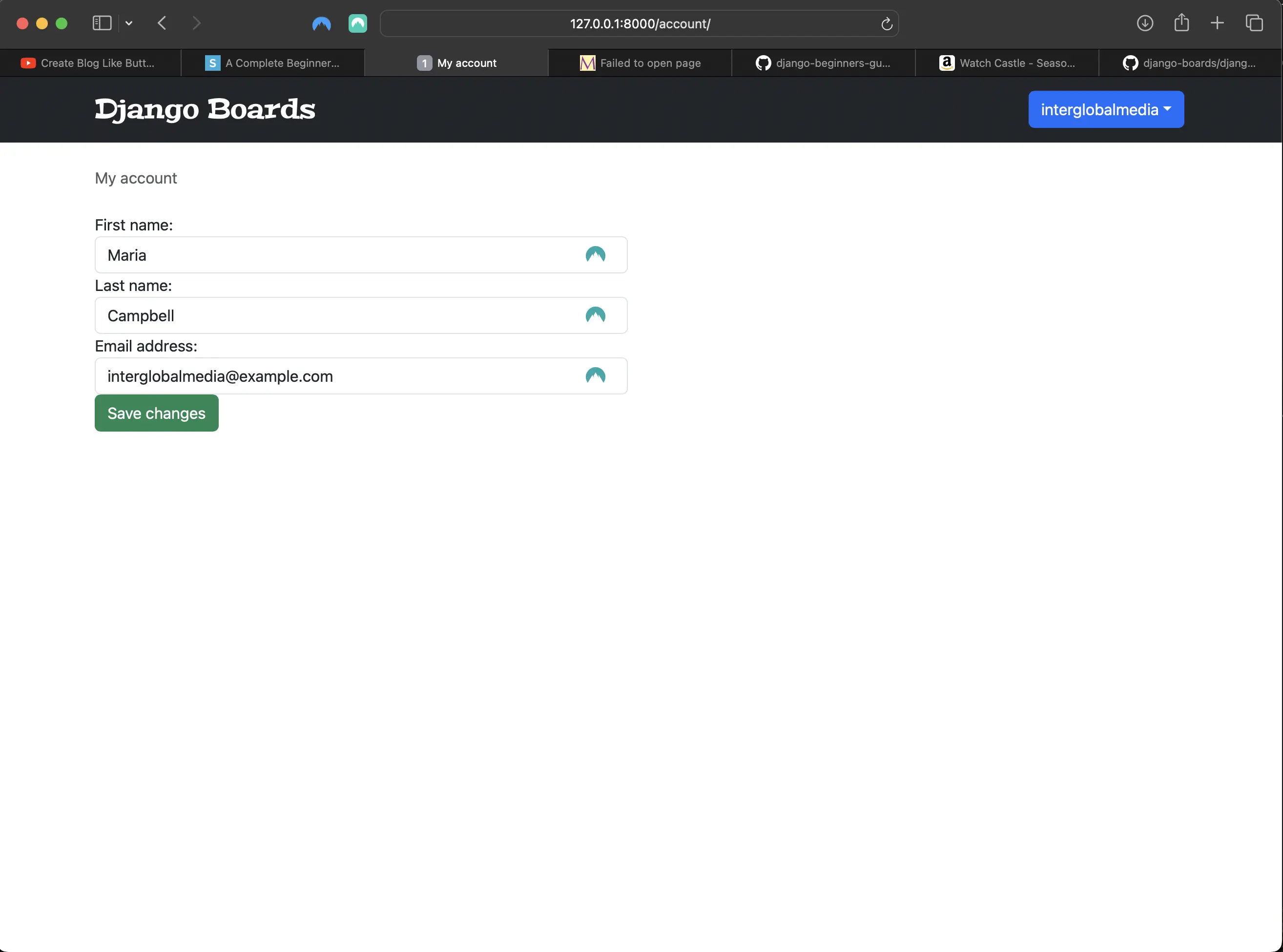
My Account view
It is looking a bit "squashed". Let's change that!
<!-- templates/my_account.html -->
{% extends "base.html" %}
{% block title %}
  My account
{% endblock title %}
{% block breadcrumb %}
  <li class="breadcrumb-item active">My account</li>
{% endblock breadcrumb %}
{% block content %}
  <div class="row">
    <div class="col-lg-6 col-md-8 col-sm-10">
      <form method="post" novalidate>
        {% csrf_token %}
        {% include "includes/form.html" %}
        <button type="submit" class="btn btn-success mt-4">Save changes</button> <!-- added "mt-4" class -->
      </form>
    </div>
  </div>
{% endblock content %}
Now the My Account view looks like the following:
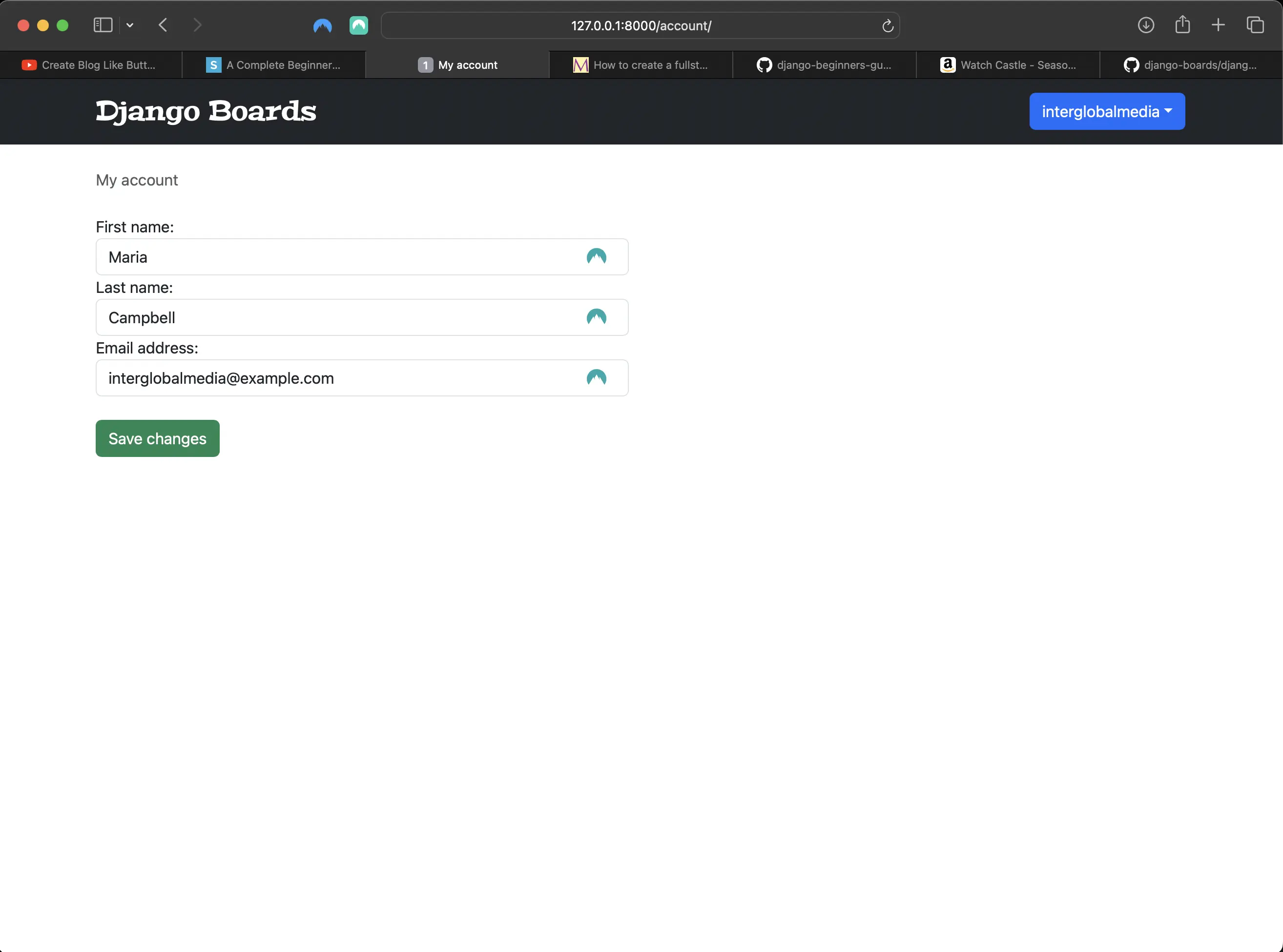
Improved My Account view html markup
Updating the My Account URL in the logged in user dropdown menu
<!-- templates/base.html -->
<li>
	<a class="dropdown-item" href="{% url 'my_account' %}">My account</a>
</li>
Creating My Account tests
Creating accounts/tests/test_view_my_account_tests.py
# accounts/tests/test_view_my_account_tests.py
from django.forms import ModelForm
from django.contrib.auth.models import User
from django.test import TestCase
from django.urls import resolve, reverse

from ..views import UserUpdateView


class MyAccountTestCase(TestCase):
    def setUp(self):
        self.username = 'john'
        self.password = 'secret123'
        self.user = User.objects.create_user(username=self.username, email='john@doe.com', password=self.password)
        self.url = reverse('my_account')


class MyAccountTests(MyAccountTestCase):
    def setUp(self):
        super().setUp()
        self.client.login(username=self.username, password=self.password)
        self.response = self.client.get(self.url)

    def test_status_code(self):
        self.assertEqual(self.response.status_code, 200)

    def test_url_resolves_correct_view(self):
        view = resolve('/account/')
        self.assertEqual(view.func.view_class, UserUpdateView)

    def test_csrf(self):
        self.assertContains(self.response, 'csrfmiddlewaretoken')

    def test_contains_form(self):
        form = self.response.context['form']
        self.assertIsInstance(form, ModelForm)

    def test_form_inputs(self):
        '''
        The view must contain four inputs: csrf, first_name, last_name, email
        '''
        self.assertContains(self.response, '<input', 4)
        self.assertContains(self.response, 'type="text"', 2)
        self.assertContains(self.response, 'type="email"', 1)


class LoginRequiredMyAccountTests(TestCase):
    def test_redirection(self):
        url = reverse('my_account')
        login_url = reverse('login')
        response = self.client.get(url)
        self.assertRedirects(response, '{login_url}?next={url}'.format(login_url=login_url, url=url))


class SuccessfulMyAccountTests(MyAccountTestCase):
    def setUp(self):
        super().setUp()
        self.client.login(username=self.username, password=self.password)
        self.response = self.client.post(self.url, {
            'first_name': 'John',
            'last_name': 'Doe',
            'email': 'johndoe@example.com',
        })

    def test_redirection(self):
        '''
        A valid form submission should redirect the user
        '''
        self.assertRedirects(self.response, self.url)

    def test_data_changed(self):
        '''
        refresh the user instance from database to get the updated data.
        '''
        self.user.refresh_from_db()
        self.assertEqual('John', self.user.first_name)
        self.assertEqual('Doe', self.user.last_name)
        self.assertEqual('johndoe@example.com', self.user.email)


class InvalidMyAccountTests(MyAccountTestCase):
    def setUp(self):
        super().setUp()
        self.client.login(username=self.username, password=self.password)
        self.response = self.client.post(self.url, {
            'first_name': 'longstring' * 100
        })

    def test_status_code(self):
        '''
        An invalid form submission should return to the same page
        '''
        self.assertEqual(self.response.status_code, 200)

    def test_form_errors(self):
        form = self.response.context['form']
        self.assertTrue(form.errors)
Running python3 manage.py test accounts.tests.test_view_my_account_tests
When I run python3 manage.py test accounts.tests.test_view_my_account_tests, the following is returned:
Found 10 test(s).
Creating test database for alias 'default'...
System check identified no issues (0 silenced).
.....F....
======================================================================
FAIL: test_form_inputs (accounts.tests.test_view_my_account_tests.MyAccountTests.test_form_inputs)
The view must contain four inputs: csrf, first_name, last_name, email, and there is also a logout csrf token in the My Account view (logged in user logout form)
----------------------------------------------------------------------
Traceback (most recent call last):
  File "/Users/mariacam/Python-Development/django-boards/django_boards/accounts/tests/test_view_my_account_tests.py", line 41, in test_form_inputs
    self.assertContains(self.response, '<input', 4)
  File "/Users/mariacam/.pyenv/versions/3.12.5/lib/python3.12/site-packages/django/test/testcases.py", line 614, in assertContains
    self.assertEqual(
AssertionError: 5 != 4 : Found 5 instances of '<input' (expected 4) in the following response
b'\n<!DOCTYPE html>\n<html lang="en">\n  <head>\n    <meta charset="utf-8">\n    <meta name="description" content="A forum dedicated to all things Django" />\n    <meta name="keywords" content="django, python3" />\n    <title>\n      \n  My account\n\n    </title>\n    <link rel="stylesheet"\n          href="https://cdnjs.cloudflare.com/ajax/libs/font-awesome/6.6.0/css/all.min.css">\n    <link rel="stylesheet" href="/static/css/bootstrap.min.css">\n    <link href="https://fonts.googleapis.com/icon?family=Material+Icons"\n          rel="stylesheet">\n    <link rel="stylesheet" href="/static/css/app.css">\n    \n    \n  </head>\n  <body>\n    \n      <div class="buttons-container">\n        <button class="scroll bottom shrink-border">\n          <i class="material-icons">\n            keyboard_arrow_down\n          </i>\n        </button>\n        <button class="scroll top shrink-border">\n          <i class="material-icons">keyboard_arrow_up</i>\n        </button>\n      </div>\n      <nav class="navbar navbar-expand-sm navbar-dark bg-dark">\n        <div class="container">\n          <a class="navbar-brand" href="/">Django Boards</a>\n          \n            <div class="dropdown">\n              <a class="btn btn-primary dropdown-toggle"\n                 href="#"\n                 role="button"\n                 data-bs-toggle="dropdown"\n                 aria-expanded="false">john</a>\n              <ul class="dropdown-menu">\n                <li>\n                  <a class="dropdown-item" href="/account/">My account</a>\n                </li>\n                <li>\n                  <a class="dropdown-item" href="password_change/">Change password</a>\n                </li>\n                <li>\n                  <form method="post" action="/logout/">\n                    <input type="hidden" name="csrfmiddlewaretoken" value="rvyNhCQve4LRVwtRydXUFy4fwXh4n9mg8qKjFHuVwWiwndhSTZMAoM87eHE0fZX9">\n                    <button class="btn btn-secondary logout" type="submit">Logout</button>\n                  </form>\n                </li>\n              </ul>\n            </div>\n            <button class="navbar-toggler"\n                    type="button"\n                    data-toggle="collapse"\n                    data-target="#mainMenu"\n                    aria-controls="mainMenu"\n                    aria-expanded="false"\n                    aria-label="Toggle navigation">\n              <span class="navbar-toggler-icon"></span>\n            </button>\n          \n        </div>\n      </nav>\n      <div class="container">\n        <ol class="breadcrumb my-4">\n          \n  <li class="breadcrumb-item active">My account</li>\n\n        </ol>\n        \n  <div class="row">\n    <div class="col-lg-6 col-md-8 col-sm-10">\n      <form method="post" novalidate>\n        <input type="hidden" name="csrfmiddlewaretoken" value="rvyNhCQve4LRVwtRydXUFy4fwXh4n9mg8qKjFHuVwWiwndhSTZMAoM87eHE0fZX9">\n        \n\n\n\n\n  <div class="form-group">\n    <label for="id_first_name">First name:</label>\n    <input type="text" name="first_name" maxlength="150" class="form-control " id="id_first_name">\n    \n    \n  </div>\n\n  <div class="form-group">\n    <label for="id_last_name">Last name:</label>\n    <input type="text" name="last_name" maxlength="150" class="form-control " id="id_last_name">\n    \n    \n  </div>\n\n  <div class="form-group">\n    <label for="id_email">Email address:</label>\n    <input type="email" name="email" value="john@doe.com" maxlength="254" class="form-control " id="id_email">\n    \n    \n  </div>\n\n        <button type="submit" class="btn btn-success mt-4">Save changes</button>\n      </form>\n    </div>\n  </div>\n\n      </div>\n    \n    \n      <script src="https://cdnjs.cloudflare.com/ajax/libs/popper.js/2.9.2/umd/popper.min.js"\n              integrity="sha512-2rNj2KJ+D8s1ceNasTIex6z4HWyOnEYLVC3FigGOmyQCZc2eBXKgOxQmo3oKLHyfcj53uz4QMsRCWNbLd32Q1g=="\n              crossorigin="anonymous"\n              referrerpolicy="no-referrer"></script>\n      <script src="https://code.jquery.com/jquery-3.7.1.min.js"\n              integrity="sha256-/JqT3SQfawRcv/BIHPThkBvs0OEvtFFmqPF/lYI/Cxo="\n              crossorigin="anonymous"></script>\n      <script src="https://cdnjs.cloudflare.com/ajax/libs/bootstrap/5.3.3/js/bootstrap.min.js"\n              integrity="512-ykZ1QQr0Jy/4ZkvKuqWn4iF3lqPZyij9iRv6sGqLRdTPkY69YX6+7wvVGmsdBbiIfN/8OdsI7HABjvEok6ZopQ=="\n              crossorigin="anonymous"\n              referrerpolicy="no-referrer"></script>\n      <script src="/static/js/django-boards-pagination.js"></script>\n      <script src="/static/js/scroll-top-bottom.js"></script>\n      <script src="/static/js/copy-button.js"></script>\n    \n  </body>\n</html>\n'

----------------------------------------------------------------------
Ran 10 tests in 3.816s

FAILED (failures=1)
Destroying test database for alias 'default'...
The reason that the MyAccountTests.test_form_inputs test fails is because there IS another input on the my_account.html page. The logout csrf token input in the Logout form of the logged in user dropdown menu. See the above output from running python3 manage.py test accounts.tests.test_view_my_account_tests. I had to make an adjustment to the MyAccountTests.test_form_inputs test AND update the comment:
# accounts/tests/test_view_my_account_tests.py
...
class MyAccountTests(MyAccountTestCase):
  ...
  def test_form_inputs(self):
        '''
        The view must contain four inputs: csrf, first_name, last_name, email, and there is also a logout csrf token in the My Account view template (logged in user logout form)
        '''
        self.assertContains(self.response, '<input', 5)
        self.assertContains(self.response, 'type="text"', 2)
        self.assertContains(self.response, 'type="email"', 1)
Now when I run python3 manage.py test accounts.tests.test_view_my_account_tests again, the following is returned:
Found 10 test(s).
Creating test database for alias 'default'...
System check identified no issues (0 silenced).
..........
----------------------------------------------------------------------
Ran 10 tests in 3.847s

OK
Destroying test database for alias 'default'...
Now the tests pass!
Running code test coverage to include My Account view tests
When I run coverage run manage.py test followed by coverage report, the following is returned:
| Name | Stmts | Miss | Cover |
|---|---|---|---|
| accounts/tests/test_view_my_account_tests.py | 58 | 0 | 100% |
Code associated with this post
To view the code associated with this post, please visit aab2cf7.
Conclusion
In this section, I create a generic class based view called UserUpdateView (My Account view), associated tests, a URL, and template.
Related Resources
- Django Boards repository on GitHub
- How to create a fullstack application using Django and Python Part 16: mariadcampbell.com