Storage Fun with Forms: Working through the Code
Social Share:
Friday, June 26, 2026 at 2:27 PM | 9 min read
Last modified on Friday, June 26, 2026 at 2:27 PM
#macOS, #jasmine standalone, #javascript, #series, #tests, #unit testing

Photo by Parinaz Mirhosseini on unsplash.com
Table of Contents
- Addressing bugs Claude found in the code and verifying them via Jasmine tests
- What is Jasmine standalone testing and what does it consist of out-of-the-box?
- Testing for existence of bugs in the main.js code
- Bonus: Finding the size of localStorage
- Conclusion
- Related Resources
- Related Posts
- Footnotes
When I revisited the code for my original Storage Fun with Forms application, I wanted to test it and see if the code would stand up. So with the help of Claude, I tested it with standalone Jasmine 6.3.0. I had never used it before. It turned out to be a good choice, because it does not rely on npm. It comes in the form of a zip folder which I downloaded from GitHub onto my macOS, expanded, and then added to the original Storage Fun with Forms local Git repository. In addition, I did not even add it to the main branch. I switched into a new feature branch called install-jasmine. I did not want to change the original, archived repository in any way. In that feature branch, I also removed the node-sass npm package because it had been deprecated for so long and could have caused me problems. I didn't need node-sass to run at all. I already had compiled my SCSS to CSS. I did not remove node-sass from the main branch.
Addressing bugs Claude found in the code and verifying them via Jasmine tests
When I had originally created the Storage Fun with Forms application, I did not test it with any testing framework. I assumed that the code I had created contained no errors, because the application seemed to work as expected. But then Claude scanned the code and found three bugs. I did not want to simply accept that assertion, so I told him that I wanted to test the code. I chose Jasmine because it provided a standalone that did not interfere with any aspect of the application.
What is Jasmine standalone testing and what does it consist of out-of-the-box?
The Jasmine standalone distribution allowed me to run my specs (tests) in a web browser. Jasmine standalone comes with:
/spec
    - Player.js
    - HelperSpec.js
/src
    - Player.js
    - Song.js
/lib
    /jasmine-6.3.0
- SpecRunner.html
LICENSE
The spec directory is where I placed my JavaScript code. I renamed Player.js, Jasmine's example JavaScript file, to MainSpec.js, and replaced Player.js' code with my applications' main.js code.
The src directory is where I copied my entire application:
/jasmine-standalone-6
    /src
        /images
        /jscolor
        /scripts
            /js
                - main.js
        /styles
            - main.css
        - index.html
        - Player.js # I didn't bother to delete this file
        - Song.js # I didn't bother to delete this file
The SpecRunner.html file is the html file I used to test my application in the browser. It replaced my index.html file. It looks like the following by default:
<!DOCTYPE html>
<html>
	<head>
		<meta charset="utf-8" />
		<title>Jasmine Spec Runner v6.3.0</title>

		<link
			rel="shortcut icon"
			type="image/png"
			href="lib/jasmine-6.3.0/jasmine_favicon.png"
		/>
		<link rel="stylesheet" href="lib/jasmine-6.3.0/jasmine.css" />

		<script src="lib/jasmine-6.3.0/jasmine.js"></script>
		<script src="lib/jasmine-6.3.0/jasmine-html.js"></script>
		<script src="lib/jasmine-6.3.0/boot0.js"></script>
		<!-- optional: include a file here that configures the Jasmine env -->
		<script src="lib/jasmine-6.3.0/boot1.js"></script>

		<!-- include source files here... -->
		<script src="src/Player.js"></script>
		<script src="src/Song.js"></script>

		<!-- include spec files here... -->
		<script src="spec/SpecHelper.js"></script>
		<script src="spec/PlayerSpec.js"></script>
	</head>

	<body></body>
</html>
And this is what my SpecRunner.html looked like when I rewired it to test my application code:
<!DOCTYPE html> <html> <head> <meta charset="utf-8" /> <title>Jasmine Spec Runner v6.3.0</title> <link rel="shortcut icon" type="image/png" href="lib/jasmine-6.3.0/jasmine_favicon.png" /> <link rel="stylesheet" href="lib/jasmine-6.3.0/jasmine.css" /> <script src="lib/jasmine-6.3.0/jasmine.js"></script> <script src="lib/jasmine-6.3.0/jasmine-html.js"></script> <script src="lib/jasmine-6.3.0/boot0.js"></script> <!-- optional: include a file here that configures the Jasmine env --> <script src="lib/jasmine-6.3.0/boot1.js"></script> <!-- include source files here... --> <!-- <script src="src/jscolor/jscolor.js"></script> <script src="src/scripts/js/main.js"></script> --> <!-- include spec files here... --> <script src="spec/SpecHelper.js"></script> <script src="spec/MainSpec.js"></script> </head> <body> <div class="wrapper"> <h1 class="title">Storage Fun With Forms</h1> <p class="font-color font-style"> Write a note about your experience here and save it to local storage. All the other selections you make here are also being saved to local storage so that you may be reminded of them when you return! </p> <form id="fun-form"> <div class="storage-buttons"> <a class="clear">Clear Storage</a> <a class="empty">Empty Storage</a> </div> <div id="storage-quota-msg"></div> <div> <label for="bgcolor">Choose Background Color:</label> <div class="inputs"> <input name="color" id="bgcolor" value="FF0000" class="jscolor" /> </div> </div> <div> <label for="fontcolor">Choose Font Color:</label> <div class="inputs"> <input name="color" id="fontcolor" class="jscolor" value="000000" /> </div> </div> <div class="select-font"> <label for="font">Choose Font Style:</label> <select id="font" name="font"> <option value="'Noto Sans', sans-serif"> Noto Sans Sans-Serif </option> <option value="'Inconsolata', monospace"> Inconsolata Monospace </option> <option value="'Arvo', serif">Arvo Serif</option> <option value="'Dosis', sans-serif"> Dosis Sans-Serif </option> <option value="'Quicksand', sans-serif"> Quicksand Sans-Serif </option> <option value="'Bitter', serif">Bitter Serif</option> <option value="'PT Sans', sans-serif"> PT Sans Sans-Serif </option> </select> </div> <div class="select-image"> <label for="image">Select Image:</label> <select id="image" name="image"> <option value="images/pinpng.com-boba-png-1646192.png"> Boba </option> <option value="images/pinpng.com-cupcake-png-581578.png" > Cupcake 1 </option> <option value="images/pinpng.com-cupcake-png-582129.png" > Cupcake 2 </option> <option value="images/pinpng.com-joker-face-png-2302664.png" > Joker Face </option> <option value="images/pinpng.com-koi-fish-png-13801.png" > Koi Fish 1 </option> <option value="images/pinpng.com-palm-tree-leaf-png-28132.png" > Palm Tree Leaf </option> <option value="images/pinpng.com-palm-tree-leaf-png-30916.png" > Maple Leaf </option> <option value="images/pinpng.com-push-pin-png-104159.png" > Push Pin </option> <option value="images/pinpng.com-salt-clipart-png-3375830.png" > Koi Fish 2 </option> <option value="images/pinpng.com-snowman-clipart-png-652627.png" > Snowman </option> <option value="images/pinpng.com-spider-web-png-transparent-61850.png" > Spider Web 1 </option> <option value="images/pinpng.com-spider-web-png-transparent-370544.png" > Spider Web 2 </option> <option value="images/pinpng.com-supergirl-png-423021.png" > Super Girl </option> <option value="images/pinpng.com-superhero-clipart-png-6134782.png" > Super Hero </option> <option value="images/pinpng.com-transparent-rose-png-3604806.png" > Roses </option> <option value="images/pinpng.com-spongebob-png-591707.png" > Sponge Bob Birthday </option> <option value="images/pinpng.com-pink-roses-png-84631.png" > Pink Roses </option> <option value="images/pinpng.com-spongebob-boi-png-5936134.png" > Sponge Bob Boi </option> <option value="images/pinpng.com-stacks-of-money-png-6687.png" > Stacks of Money </option> <option value="images/pinpng.com-spongebob-house-png-6400047.png" > Sponge Bob House </option> <option value="images/pinpng.com-picsart-clipart-png-6120662.png" > Bart Simpson </option> <option value="images/pinpng.com-el-principito-png-3895598.png" > Little Prince 1 </option> <option value="images/pinpng.com-zorro-png-3794942.png"> Little Prince 2 </option> <option value="images/pinpng.com-lol-png-833532.png"> Lol </option> <option value="images/pinpng.com-lol-surprise-png-1961089.png" > Lol Surprise </option> </select> </div> <div class="note"> <label for="textArea">Type Note:</label> <textarea type="text" id="textArea" name="textArea"> Write a note!</textarea > </div> <div class="note-btn-wrapper"> <button type="button" id="note-btn">Submit Note</button> <button type="button" id="get-note-btn">Get Note</button> </div> <img class="image" alt="" /> </form> </div> <div class="footer-wrapper"> <footer class="site-footer"> <script> const theDate = new Date() const footer = document.querySelector('.site-footer') footer.style.fontWeight = '600' footer.style.letterSpacing = '0.07rem' footer.style.fontFamily = 'Arimo, sans-serif' footer.innerHTML = `` </script> </footer> </div> <script src="src/jscolor/jscolor.js"></script> <script src="src/scripts/js/main.js"></script> </body> </html>
I added the entire contents of the application's body tag to SpecRunner.html. My JavaScript and the jscolor color picker code were both dependent on the body markup.
Testing for existence of bugs in the main.js code
When Claude scanned the main.js file, they stated that they found three bugs in the JavaScript code. One was referencing !localStorageSupport instead of calling it. The second was localStorage.getItem('note', document.querySelector('#textArea').value), where localStorage.getItem() takes only one argument. The third was the "swallowed" catch (domException) { domException = new DOMException(); ... } that overwrites the caught error with a fresh, empty DOMException, so the checks against QUOTA_EXCEEDED_ERR never display the real error.
Testing for existence of the !localStorageSupport bug
The code in question in main.js was the following:
function populateStorage() {
	// run detection with inverted expression
	// the specific piece of code in question
	if (!localStorageSupport) {
		// change value to inform visitor of no session storage support
		storageQuotaMsg.innerHTML =
			'Sorry. No HTML5 session storage support here.'
	} else {
		try {
			localStorage.setItem(
				'bgcolor',
				document.getElementById('bgcolor').value,
			)
			localStorage.setItem(
				'fontfamily',
				document.getElementById('font').value,
			)
			localStorage.setItem(
				'image',
				document.getElementById('image').value,
			)
			localStorage.setItem(
				'fontcolor',
				document.querySelector('#fontcolor').value,
			)
			localStorage.setItem(
				'note',
				document.querySelector('#textArea').value,
			)
			setStyles()
		} catch (domException) {
			domException = new DOMException()
			if (
				domException.name === 'QUOTA_EXCEEDED_ERR' ||
				domException.name === 'NS_ERROR_DOM_QUOTA_REACHED'
			) {
				storageQuotaMsg.innerHTML = 'Local Storage Quota Exceeded!'
			}
		}
	}
}
The test that Claude came up with to test for the !localStorageSupport bug (referencing the localStorageSupport function instead of calling it):
describe('localStorageSupport missing-parens bug', function () {
	beforeEach(function () {
		localStorage.clear()
		document.getElementById('storage-quota-msg').innerHTML = ''
	})

	afterEach(function () {
		localStorage.clear()
		document.getElementById('storage-quota-msg').innerHTML = ''
	})

	it('the "no support" message never displays, because !localStorageSupport is always false', function () {
		expect(!!localStorageSupport).toBe(true) // a function reference is always truthy

		populateStorage()

		expect(document.getElementById('storage-quota-msg').innerHTML).toBe('')
	})
})
When I ran this test in the browser, the following appeared:
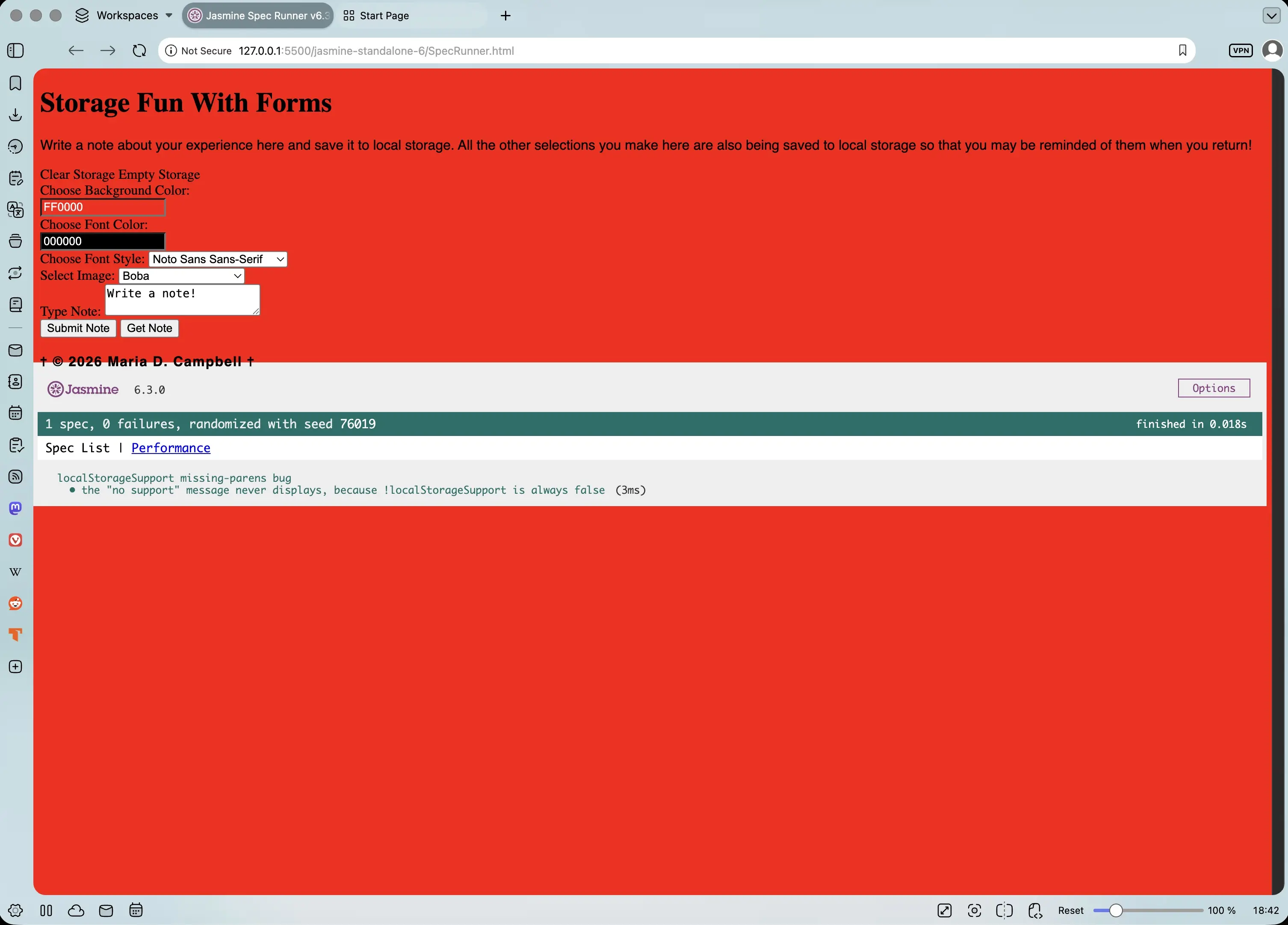
localStorageSupport missing-parens bug with the "no support" message never displaying because !localStorageSupport is always false
The test proved that the code was only referencing !localStorageSupport instead of calling it. !localStorageSupport means that there isn't localStorageSupport, and if it always returned false, this would mean that it actually would return true whether there was local storage support or not. This was because !localStorageSupport is only a reference to the function. This is such a simply fix, and I have no idea why I even wrote the code that way! It should be !localStorageSupport().
Testing for existence of the localStorage.getItem() bug
The next bug that Claude stated existed in the main.js code was the following:
getNoteBtn.addEventListener('click', () => {
	// the getItem() method should only accept one argument, and here there are two
	localStorage.getItem('note', document.querySelector('#textArea').value)
	document.querySelector('#textArea').value = localStorage.getItem('note')
})
The test that Claude came up with to test for this bug is the following:
describe('getNoteBtn click handler', function () {
	beforeEach(function () {
		localStorage.clear()
	})

	afterEach(function () {
		localStorage.clear()
		document.querySelector('#textArea').value = 'Write a note!'
	})

	it('the textarea reflects the value present at the time of retrieval, not an earlier one', function () {
		localStorage.setItem('note', 'first value')
		localStorage.getItem('note')
		localStorage.setItem('note', 'second value')

		document.querySelector('#get-note-btn').click()

		expect(document.querySelector('#textArea').value).toBe('second value')
	})

	it('sanity check: click events fire on the real button', function () {
		let fired = false
		document
			.querySelector('#get-note-btn')
			.addEventListener('click', function () {
				fired = true
			})
		document.querySelector('#get-note-btn').click()
		expect(fired).toBe(true)
	})
})
And this is what appeared in the browser when I ran this test:
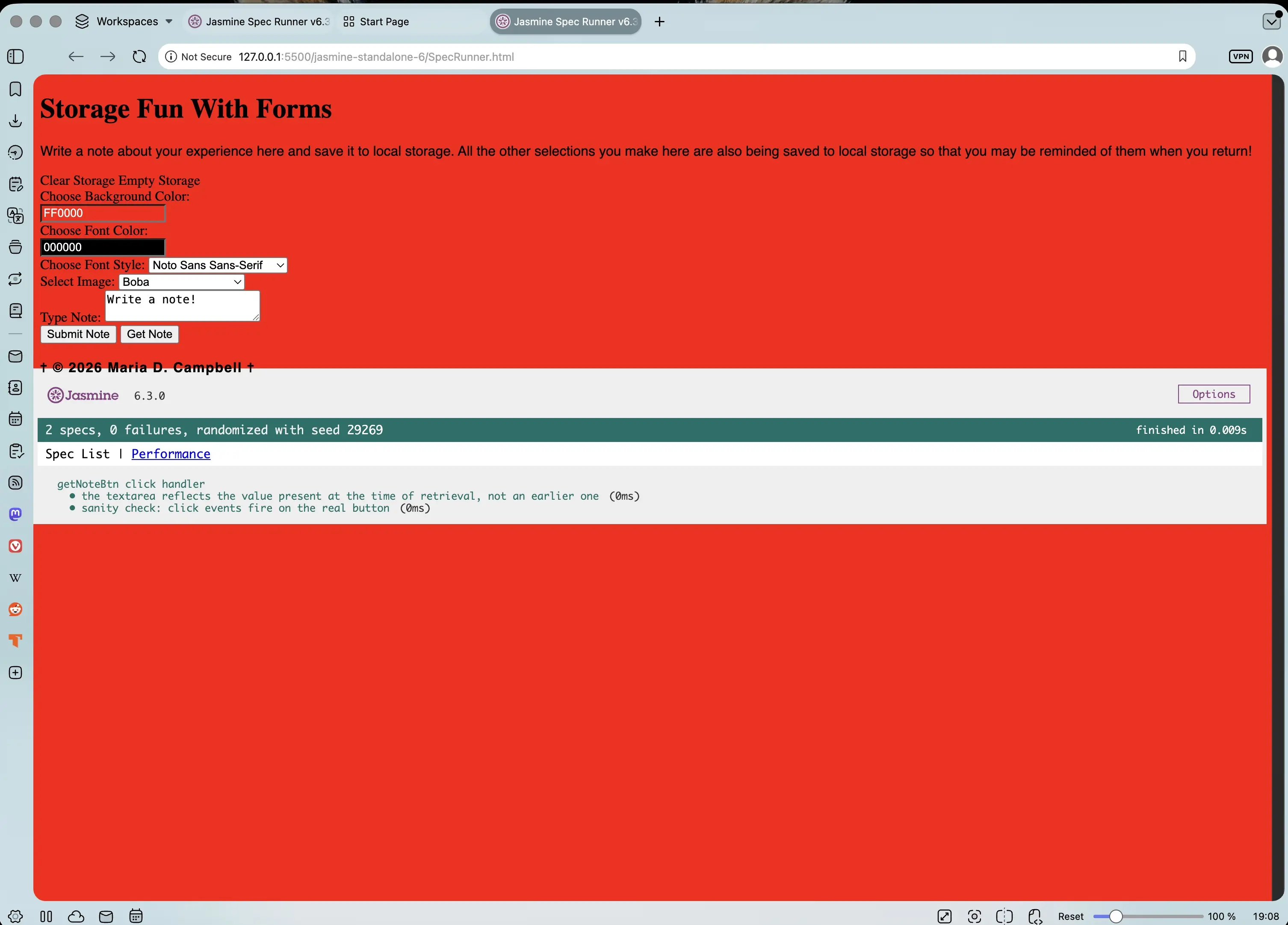
The textarea reflecting the value present at the time of retrieval, not an earlier one in getNoteBtn click handler
The test proved that the second argument in localStorage.getItem('note', document.querySelector('#textArea').value) is silently ignored because getItem only takes one key. The fix? To remove the line which results in:
getNoteBtn.addEventListener('click', () => {
	document.querySelector('#textArea').value = localStorage.getItem('note')
})
Testing for existence of the domException bug
The last bug Claude asserted was present in main.js was the domException bug:
function populateStorage() {
	// run detection with inverted expression
	if (!localStorageSupport) {
		// change value to inform visitor of no session storage support
		storageQuotaMsg.innerHTML =
			'Sorry. No HTML5 session storage support here.'
	} else {
		try {
			localStorage.setItem(
				'bgcolor',
				document.getElementById('bgcolor').value,
			)
			localStorage.setItem(
				'fontfamily',
				document.getElementById('font').value,
			)
			localStorage.setItem(
				'image',
				document.getElementById('image').value,
			)
			localStorage.setItem(
				'fontcolor',
				document.querySelector('#fontcolor').value,
			)
			localStorage.setItem(
				'note',
				document.querySelector('#textArea').value,
			)
			setStyles()
			// the domException code in question
		} catch (domException) {
			domException = new DOMException()
			if (
				domException.name === 'QUOTA_EXCEEDED_ERR' ||
				domException.name === 'NS_ERROR_DOM_QUOTA_REACHED'
			) {
				storageQuotaMsg.innerHTML = 'Local Storage Quota Exceeded!'
			}
		}
	}
}
There are two parts to the domException bug. The first part is calling a new DOMException(). This means that catch(domException) overwrites the caught error with a fresh, empty DOMException so the .name checks against QUOTA_EXCEEDED_ERR never display the real error. The second part is that QUOTA_EXCEEDED_ERR and NS_ERROR_DOM_QUOTA_REACHED are legacy pre-standardization names that were used before formal standards were established for local storage mechanisms and quotas. In other words, the original check used the legacy numeric-code naming convention rather than the modern .name string1. Because they are legacy conventions, they are purportedly ignored in modern browsers.
QUOTA_EXCEEDED_ERR has been replaced with the modern .name string QuotaExceededError and NS_ERROR_DOM_QUOTA_REACHED still was being used fairly recently in Firefox2. In addition, QUOTA_EXCEEDED_ERR was being used and or referenced in the Deno GitHub repository until 20253. There might have been other recent instances elsewhere as well.
Basic modern catch() code consists of the following:
} catch (domException) {
  if (domException.name === 'QuotaExceededError') {
    storageQuotaMsg.innerHTML = 'Local Storage Quota Exceeded!';
  }
}
However, in the Storage Fun with Forms rebuild, Claude implemented the following code:
function populateStorage() {
	if (!localStorageSupport()) {
		storageQuotaMsg.textContent =
			'Sorry. No HTML5 local storage support here.'
		return
	}

	try {
		localStorage.setItem(STORAGE_KEYS.bgColor, bgColorInput.value)
		localStorage.setItem(STORAGE_KEYS.fontFamily, fontStyleSelect.value)
		localStorage.setItem(STORAGE_KEYS.image, imageSrcSelect.value)
		localStorage.setItem(STORAGE_KEYS.fontColor, fontColorInput.value)
		localStorage.setItem(STORAGE_KEYS.note, textAreaInput.value)
		setStyles()
	} catch (error) {
		if (
			error instanceof DOMException &&
			// for everything else
			(error.name === 'QuotaExceededError' ||
				// For Firefox
				error.name === 'NS_ERROR_DOM_QUOTA_REACHED')
		) {
			storageQuotaMsg.textContent = 'Local Storage Quota Exceeded!'
		} else {
			throw error
		}
	}
}
This is more comprehensive, because it includes modern-day Firefox. But if you want to be even more inclusive, you could use the code displayed in Footnote1.
The second part of the domException bug is that even if the local storage limit has been exceeded, because legacy implementation was used, the error message 'Local Storage Quota Exceeded!' would never be displayed. Therefore, I would never know whether I had exceeded the 5MB local storage limit.
Claude came up with the following Jasmine test to check for the domException bug:
describe('swallowed DOMException bug', function () {
	let originalSetItem

	beforeEach(function () {
		localStorage.clear()
		document.getElementById('storage-quota-msg').innerHTML = ''
		originalSetItem = localStorage.setItem
	})

	afterEach(function () {
		localStorage.setItem = originalSetItem
		localStorage.clear()
		document.getElementById('storage-quota-msg').innerHTML = ''
	})

	it('never shows the quota-exceeded message, even when a real QuotaExceededError is thrown', function () {
		localStorage.setItem = function () {
			throw new DOMException(
				'Simulated quota error',
				'QuotaExceededError',
			)
		}

		populateStorage()

		expect(document.getElementById('storage-quota-msg').innerHTML).toBe('')
	})
})
And the following was returned when I ran the test in the browser:
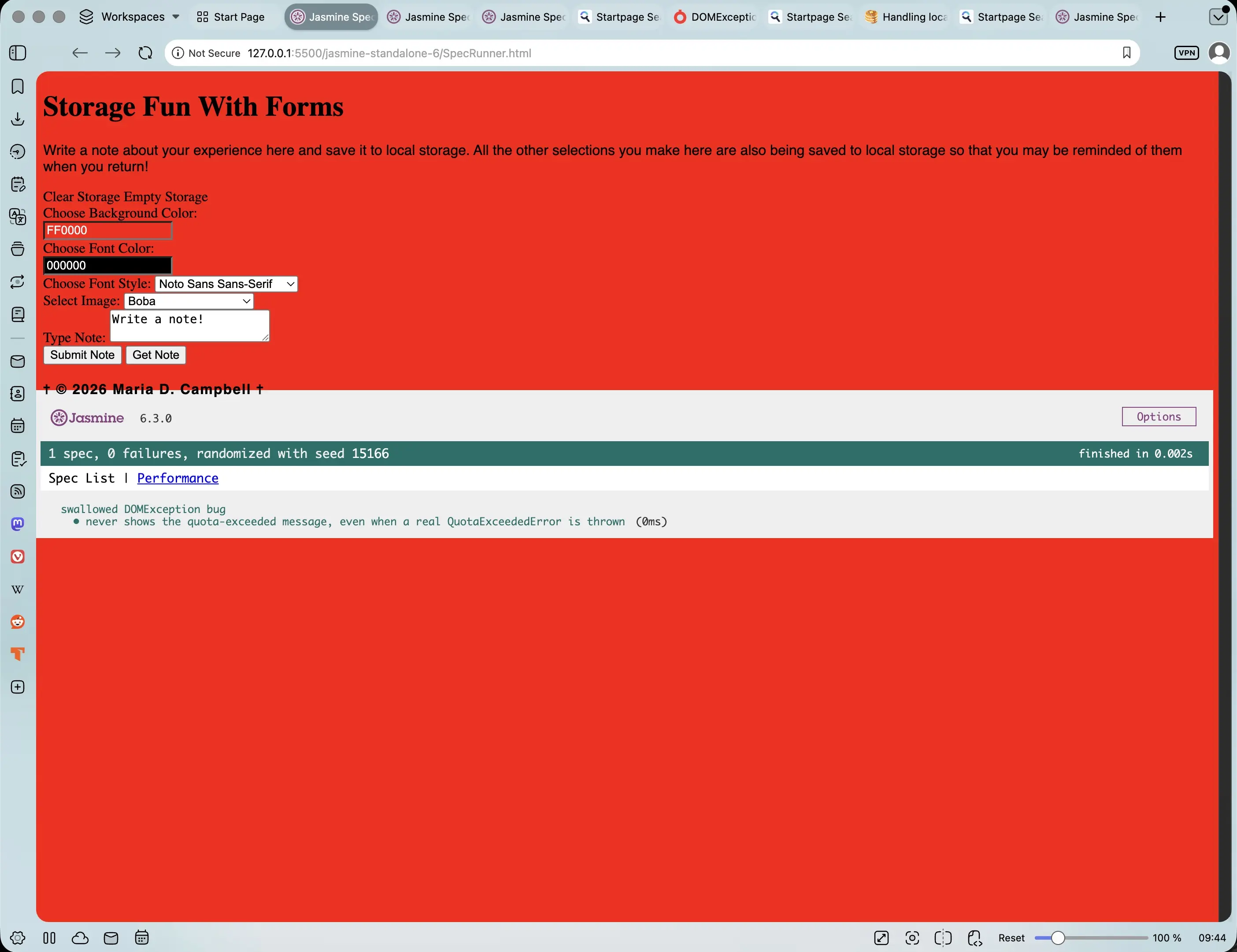
Swallowed domException bug never showing the quota-exceeded message, even when a real QuotaExceededError is thrown
Bonus: Finding the size of localStorage
Since I'd just spent this whole post worrying about quota errors, I got curious how close to the limit I actually was. I found this code snippet on Stack Overflow which finds the size of the localStorage I am using in my application:
// Source - https://stackoverflow.com/a/15720835
// Posted by Sergiy Seletskyy, modified by community. See post 'Timeline' for change history
// Retrieved 2026-06-27, License - CC BY-SA 4.0

var _lsTotal = 0,
	_xLen,
	_x
for (_x in localStorage) {
	if (!localStorage.hasOwnProperty(_x)) {
		continue
	}
	_xLen = (localStorage[_x].length + _x.length) * 2
	_lsTotal += _xLen
	console.log(_x.substr(0, 50) + ' = ' + (_xLen / 1024).toFixed(2) + ' KB')
}
console.log('Total = ' + (_lsTotal / 1024).toFixed(2) + ' KB')
I pasted it in the Vivaldi browser. It lets me paste code in the JS Console. I also tried to paste in Safari, and it worked there as well. In Vivaldi, the following was returned:
fontcolor = 0.03 KB
VM37:10 fontfamily = 0.06 KB
VM37:10 image = 0.08 KB
VM37:10 note = 0.08 KB
VM37:10 bgcolor = 0.03 KB
VM37:12 Total = 0.29 KB
In Safari, I got the following:
[Log] fontcolor = 0.03 KB
[Log] note = 0.03 KB
[Log] bgcolor = 0.03 KB
[Log] image = 0.08 KB
[Log] fontfamily = 0.06 KB
[Log] Total = 0.24 KB
Conclusion
In this second post of the Storage Fun with Forms series, I walk through the code of the original Storage Fun with Forms, point out the bugs that Claude found in the main.js file, the tests that they helped create, discuss whether the tests upheld or not, and how to check the size of my application's local storage at any given time. After going through this exercise, I remembered how important it is to test my application code. I have been vigilant in Django/Python projects, but only really focused on testing React/Next.js. This has inspired me to do the same with other older vanilla JavaScript applications to ensure that their code upholds in tests as well.
Related Resources
- Local Storage Session Storage Fun Form Public Archive: Publicly Archived repository on GitHub
- Storage Fun with Forms rebuild: GitHub repository
- Jasmine releases: Jasmine releases on Github
- Jasmine Unit Testing Tutorial: A Comprehensive Guide: by Solomon Eseme, testmuai.com
- How to Check if localStorage is Available: Avoiding Security Errors When Manually Disabled in Browsers: cyberangles.org
- Handling localStorage errors (such as quota exceeded errors): by Mazzarolo Matteo, mmazzarolo.com
- DOMException(): JS Compute reference documentation
Related Posts
- Storage Fun with Forms Rebuilt: A Modern Pass with Claude Table of Contents: mariadcampbell.com
Footnotes
-
Legacy numeric codes pertaining to local storage limits refers to code numbers for the error names. In the case of QUOTA_EXCEEDED_ERR, it is Legacy code value 22 in Firefox, and in the case of NS_ERROR_DOM_QUOTA_REACHED, it is Legacy code value 1014. A live example of using these codes, taken from the post Handling localStorage errors (such as quota exceeded errors) by Mazzarolo Matteo from June 25, 2022, is the following:
↩ ↩2/** * Determines whether an error is a QuotaExceededError. * * Browsers love throwing slightly different variations of QuotaExceededError * (this is especially true for old browsers/versions), so we need to check * different fields and values to ensure we cover every edge-case. * * @param err - The error to check * @return Is the error a QuotaExceededError? */ function isQuotaExceededError(err: unknown): boolean { return ( err instanceof DOMException && // everything except Firefox (err.code === 22 || // Firefox err.code === 1014 || // test name field too, because code might not be present // everything except Firefox err.name === "QuotaExceededError" || // Firefox err.name === "NS_ERROR_DOM_QUOTA_REACHED") ); } -
QUOTA_EXCEEDED_ERR is referenced in (and was being used until that time) in the Deno GitHub repository issue feat(web): update QuotaExceededError to spec #31400:
↩This PR aligns Deno with the WHATWG WebIDL update (whatwg/webidl#1465), which changes QuotaExceededError from a named DOMException entry to a dedicated subclass. ... ## Changes Removed legacy handling from 01_dom_exception.js. Added new QuotaExceededError class in 02_quota_exceeded_error.js. ... ## Walkthrough Adds a new QuotaExceededError JS class (subclassing DOMException), registers it with webidl, and exposes it on the global scope. Removes the QUOTA_EXCEEDED_ERR numeric constant from DOMException mappings and TypeScript declaration files...