What the util-linux package actually consists of in Linux Part 1
Social Share:
Wednesday, July 31, 2024 at 2:07 PM | 86 min read
Last modified on Wednesday, August 7, 2024 at 12:58 PM

Photo by SHVETS production on pexels.com
Note 8.3.24: I just updated to Linux Mint 22, "Wilma". Now, instead of util-linux 2.37.2, I have util-linux 2.39.3 installed, so some of the utilities which might not have been previously available on 2.37.2 might be available on 2.39.3å. I will update utility information where applicable.
It is important to note that I run Linux Mint OS from inside VirtualBox.
Ever wonder where many low-level Linux utilities such as lsmem, cal, col, chsh, script, su, whereis, or lsblk, to name a few, come from? If you think util-linux, you are right! In this article, I will discuss the utilities that are part of the util-linux package.
Table of Contents
- Package overview
- User commands
- calcal (ncal)
- chfn
- choom
- chsh
- col
- colcrt
- colrm
- column
- eject
- enosys
- exch
- fadvise
- fallocate
- fincore
- getopt
- hexdump
- irqtop
- last
- login
- look
- lsclocks
- lslocks
- lscpu
- lsfd
- lsipc
- lsirq
- lslogins
- lsmem
- mcookie
- mesg
- namei
- pipesz
- prlimit
- rename
- rev
- runuser
- script
- scriptlive
- scriptreplay
- setpgid
- setpriv
- setterm
- su
- uclampset
- ul
- utmpdump
- uuidgen
- uuidparse
- waitpid
- wall
- whereis
- write
- Bonus
- Footnotes
- Related Resources
Package overview
util-linux utilities fall under three different categories: user commands, file formats, and system administration.
This is part one of a three part series regarding what the util-linux package consists of. Here I go over the usercommands included in util-linux`.
User commands
cal (ncal)
According to man cal,
the cal or ncal command displays a calender and the date of Easter. This cal utility displays a simple calendar in traditional format and ncal offers an alternative layout, more options, and the date of Easter. The new format is a little cramped, but it makes a year fit on a 25X80 terminal. If args are not specified, the current month is displayed.
When I run the cal command, it returns the following:
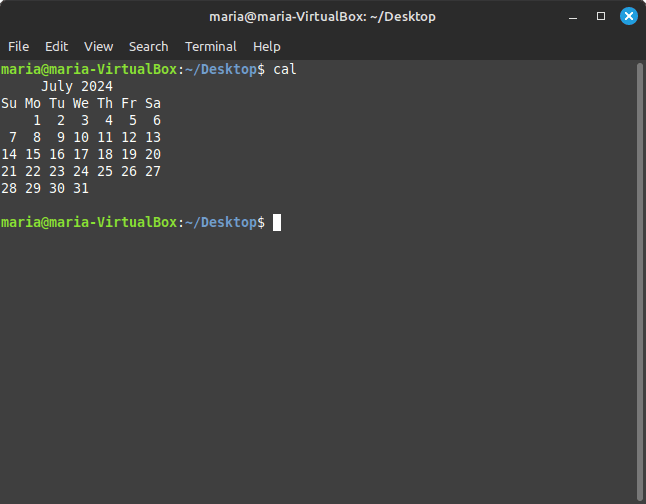
stdout to Terminal when running the cal command
When I run ncal -w using the ncal command, it returns the following:
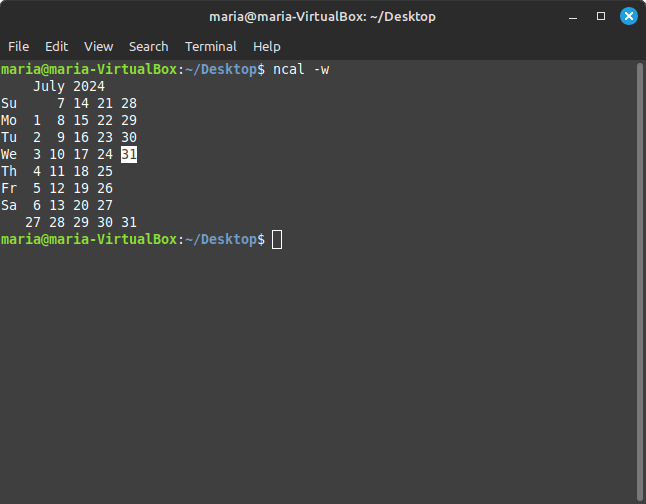
stdout to Terminal when I run ncal -w command
When I simply run the ncal command with no options, it returns the following:
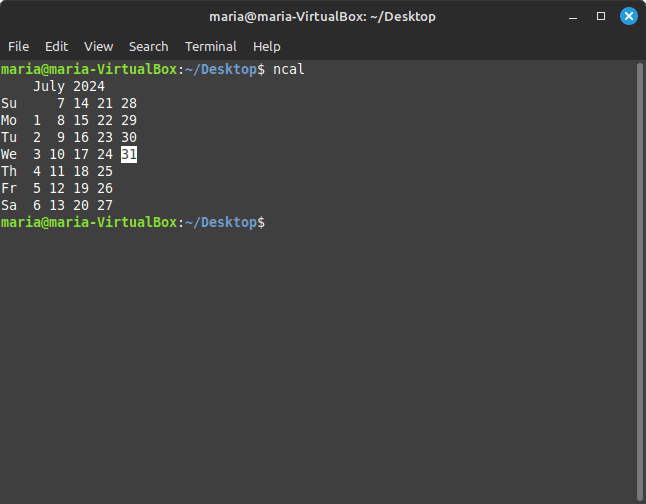
stdout to Terminal when I run ncal command with no options
I like the layout of the calendar stdout to Terminal using the cal command. But I also like the extra feature(s) provided by running the ncal command. The stdout of the ncal -w command was a bit redundant and cluttered. If you want to learn more about the cal/ncal command and what more it has to offer, run man cal or man ncal in Terminal.
chfn
The chfn command, which stands for change finger, changes the user fullname, office room number, office phone number, and home phone number information for a user's account. The information is typically printed by finger and similar programs. A normal user may only change the fields for their own account, subject to the restrictions in /etc/login.defs. The default configuration is to prevent users from changing their fullname. The superuser may change any field for any account. And only the superuser may use the -o [^1] option to change the undefined portions of the GECOS [^2] field.
If I run the chfn command, the following is stdout in Terminal:
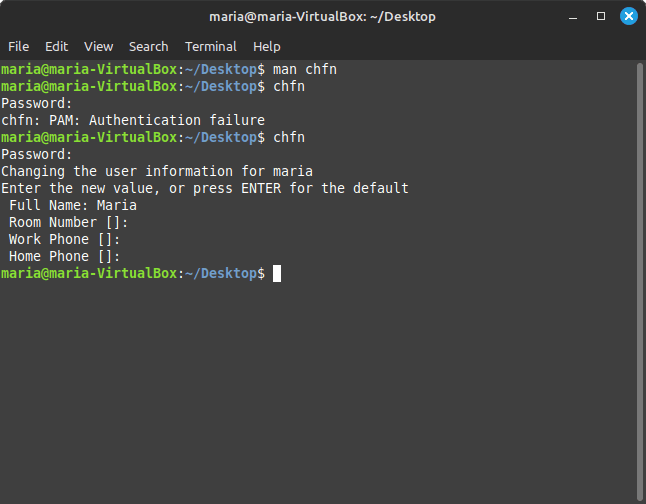
stdout of the chfn command in Terminal
I didn't make any changes to my user information. It was just for demonstration purposes. Now if I run chfn -o or sudo chfn -o, the following happens:
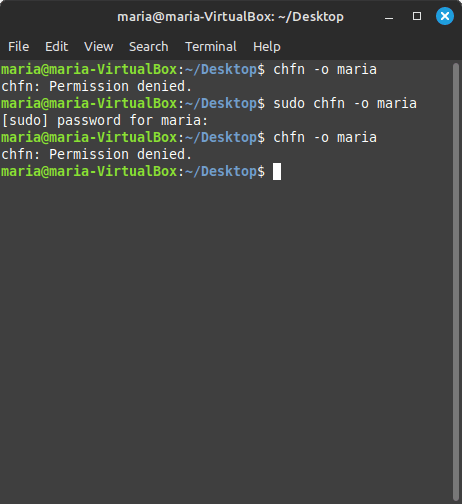
stdout of chfn -o and sudo chfn -o in Terminal
When I tried to run chfn -o, "Permission denied" was returned. When I tried it with sudo, I was still denied permission because I was not running as the real superuser. And what can be done with the -o flag?
The following is what is stdout to Terminal when a another user is initially created:
Other []: jdoe@example.com
Other can refer to all sorts of other user information, including adding one's email address. But only superuser can go in after the user is created and add such information if it was initially left blank.
If I tried to subsequently change my fullname with the -f flag, I also would get "Permission denied". As a matter of fact, as a regular user, I can't change any of my user information after my 1 user info is set up using any of the field flags. However, I can change the information if I run chfn by itself. Just not the fullname. That only the superuser can do.
choom
The choom command displays and adjusts the Out-of-Memory [^3] (OOM) Killer [^4] score [^5] setting.
In order to find the score of a process by its PID in the /proc/PID/oom_score file, we can run the following command in Terminal:
cat /proc/$$/oom_score
# which returns the following in my case running command from Terminal window:
667
This is the oom_score for my current running Terminal window in Linux Mint. If I wanted to find out all processes having a certain oom score, I could run the following command:
cat /proc/*/oom_score | sort -n | uniq -c
## which for me returned:
94  0
 1  68
 1  501
31  666
40  667
27  668
 5  669
 5  670
 4  671
 2  672
 2  674
 1  676
 1  677
 1  679
 1  680
 1  703
 1  724
 1  743
 1  744
 1  794
 2  828
 1  829
 1  833
The left column is the count of processes having the value in the right column, and the right column is the oom score.
However, if I want to know which specific process has which oom_score, I have to know the PID of the process first. To find the PID of processes on my Linux system, I can run the following command in Terminal:
# returns every process on the system using BSD (Berkeley Software Distribution, a UNIX-based computer operating system) syntax ps aux # which for me returns: USER PID %CPU %MEM VSZ RSS TTY STAT START TIME COMMAND root 1 0.0 0.4 315108 8696 ? Ss Jul29 0:05 /sbin/init splash root 2 0.0 0.0 0 0 ? S Jul29 0:00 [kthreadd] root 3 0.0 0.0 0 0 ? I< Jul29 0:00 [rcu_gp] root 4 0.0 0.0 0 0 ? I< Jul29 0:00 [rcu_par_gp] root 5 0.0 0.0 0 0 ? I< Jul29 0:00 [slub_flushwq] root 6 0.0 0.0 0 0 ? I< Jul29 0:00 [netns] root 8 0.0 0.0 0 0 ? I< Jul29 0:00 [kworker/0:0H-events_highpri] root 10 0.0 0.0 0 0 ? I< Jul29 0:00 [mm_percpu_wq] root 11 0.0 0.0 0 0 ? S Jul29 0:00 [rcu_tasks_rude_] root 12 0.0 0.0 0 0 ? S Jul29 0:00 [rcu_tasks_trace] root 13 0.0 0.0 0 0 ? S Jul29 0:02 [ksoftirqd/0] root 14 0.0 0.0 0 0 ? I Jul29 0:19 [rcu_sched] root 15 0.0 0.0 0 0 ? S Jul29 0:01 [migration/0] root 16 0.0 0.0 0 0 ? S Jul29 0:00 [idle_inject/0] root 18 0.0 0.0 0 0 ? S Jul29 0:00 [cpuhp/0] root 19 0.0 0.0 0 0 ? S Jul29 0:00 [cpuhp/1] root 20 0.0 0.0 0 0 ? S Jul29 0:00 [idle_inject/1] root 21 0.0 0.0 0 0 ? S Jul29 0:01 [migration/1] root 22 0.0 0.0 0 0 ? S Jul29 0:04 [ksoftirqd/1] root 24 0.0 0.0 0 0 ? I< Jul29 0:00 [kworker/1:0H-events_highpri] root 25 0.0 0.0 0 0 ? S Jul29 0:00 [kdevtmpfs] root 26 0.0 0.0 0 0 ? I< Jul29 0:00 [inet_frag_wq] root 27 0.0 0.0 0 0 ? S Jul29 0:00 [kauditd] root 28 0.0 0.0 0 0 ? S Jul29 0:00 [khungtaskd] root 29 0.0 0.0 0 0 ? S Jul29 0:00 [oom_reaper] root 30 0.0 0.0 0 0 ? I< Jul29 0:00 [writeback] root 31 2.5 0.0 0 0 ? S Jul29 106:22 [kcompactd0] root 32 0.0 0.0 0 0 ? SN Jul29 0:00 [ksmd] root 33 0.0 0.0 0 0 ? SN Jul29 0:00 [khugepaged] root 80 0.0 0.0 0 0 ? I< Jul29 0:00 [kintegrityd] root 81 0.0 0.0 0 0 ? I< Jul29 0:00 [kblockd] root 82 0.0 0.0 0 0 ? I< Jul29 0:00 [blkcg_punt_bio] root 83 0.0 0.0 0 0 ? I< Jul29 0:00 [tpm_dev_wq] root 84 0.0 0.0 0 0 ? I< Jul29 0:00 [ata_sff] root 85 0.0 0.0 0 0 ? I< Jul29 0:00 [md] root 86 0.0 0.0 0 0 ? I< Jul29 0:00 [edac-poller] root 87 0.0 0.0 0 0 ? I< Jul29 0:00 [devfreq_wq] root 88 0.0 0.0 0 0 ? S Jul29 0:00 [watchdogd] root 90 0.0 0.0 0 0 ? I< Jul29 0:11 [kworker/0:1H-kblockd] root 92 0.0 0.0 0 0 ? S Jul29 0:15 [kswapd0] root 93 0.0 0.0 0 0 ? S Jul29 0:00 [ecryptfs-kthrea] root 95 0.0 0.0 0 0 ? I< Jul29 0:00 [kthrotld] root 96 0.0 0.0 0 0 ? I< Jul29 0:00 [acpi_thermal_pm] root 98 0.0 0.0 0 0 ? S Jul29 0:00 [scsi_eh_0] root 99 0.0 0.0 0 0 ? I< Jul29 0:00 [scsi_tmf_0] root 100 0.0 0.0 0 0 ? S Jul29 0:00 [scsi_eh_1] root 101 0.0 0.0 0 0 ? I< Jul29 0:00 [scsi_tmf_1] root 103 0.0 0.0 0 0 ? I< Jul29 0:00 [vfio-irqfd-clea] root 105 0.0 0.0 0 0 ? I< Jul29 0:00 [mld] root 106 0.0 0.0 0 0 ? I< Jul29 0:00 [ipv6_addrconf] root 116 0.0 0.0 0 0 ? I< Jul29 0:00 [kstrp] root 119 0.0 0.0 0 0 ? I< Jul29 0:00 [zswap-shrink] root 120 0.0 0.0 0 0 ? I< Jul29 0:00 [kworker/u5:0] root 125 0.0 0.0 0 0 ? I< Jul29 0:00 [charger_manager] root 149 0.0 0.0 0 0 ? I< Jul29 0:12 [kworker/1:1H-kblockd] root 168 0.0 0.0 0 0 ? S Jul29 0:00 [scsi_eh_2] root 169 0.0 0.0 0 0 ? I< Jul29 0:00 [scsi_tmf_2] root 173 0.0 0.0 0 0 ? I< Jul29 0:00 [cryptd] root 192 0.0 0.0 0 0 ? I< Jul29 0:00 [ttm_swap] root 194 0.0 0.0 0 0 ? S Jul29 0:03 [irq/18-vmwgfx] root 195 0.0 0.0 0 0 ? S Jul29 0:00 [card0-crtc0] root 196 0.0 0.0 0 0 ? S Jul29 0:00 [card0-crtc1] root 197 0.0 0.0 0 0 ? S Jul29 0:00 [card0-crtc2] root 198 0.0 0.0 0 0 ? S Jul29 0:00 [card0-crtc3] root 199 0.0 0.0 0 0 ? S Jul29 0:00 [card0-crtc4] root 200 0.0 0.0 0 0 ? S Jul29 0:00 [card0-crtc5] root 201 0.0 0.0 0 0 ? S Jul29 0:00 [card0-crtc6] root 202 0.0 0.0 0 0 ? S Jul29 0:00 [card0-crtc7] root 286 0.0 0.0 0 0 ? S Jul29 0:05 [jbd2/sda3-8] root 287 0.0 0.0 0 0 ? I< Jul29 0:00 [ext4-rsv-conver] root 425 0.0 0.0 0 0 ? I< Jul29 0:00 [iprt-VBoxWQueue] root 523 0.0 0.0 0 0 ? S< Jul29 0:00 [spl_system_task] root 524 0.0 0.0 0 0 ? S< Jul29 0:00 [spl_delay_taskq] root 525 0.0 0.0 0 0 ? S< Jul29 0:00 [spl_dynamic_tas] root 526 0.0 0.0 0 0 ? S< Jul29 0:00 [spl_kmem_cache] root 527 0.0 0.0 0 0 ? S< Jul29 0:00 [zvol] root 528 0.0 0.0 0 0 ? S Jul29 0:00 [arc_prune] root 529 0.0 0.0 0 0 ? S Jul29 0:00 [arc_evict] root 530 0.0 0.0 0 0 ? SN Jul29 0:05 [arc_reap] root 531 0.0 0.0 0 0 ? S Jul29 0:00 [dbu_evict] root 532 0.0 0.0 0 0 ? SN Jul29 0:05 [dbuf_evict] root 533 0.0 0.0 0 0 ? SN Jul29 0:00 [z_vdev_file] root 534 0.0 0.0 0 0 ? S Jul29 0:02 [l2arc_feed] root 583 0.0 0.3 240024 6180 ? Ssl Jul29 0:02 /usr/libexec/accounts-daemon root 584 0.0 0.0 2816 1076 ? Ss Jul29 0:01 /usr/sbin/acpid avahi 585 0.0 0.1 7632 2748 ? Ss Jul29 0:00 avahi-daemon: running [maria-VirtualBox.local] root 587 0.0 0.1 9496 2508 ? Ss Jul29 0:00 /usr/sbin/cron -f -P message+ 588 0.0 0.2 10092 5380 ? Ss Jul29 0:04 @dbus-daemon --system --address=systemd: --nofork --nopidfile --sys root 589 0.0 0.5 482612 10216 ? Ssl Jul29 0:04 /usr/sbin/NetworkManager --no-daemon root 600 0.0 0.1 82700 3624 ? Ssl Jul29 0:02 /usr/sbin/irqbalance --foreground root 607 0.0 0.2 41012 5708 ? Ss Jul29 0:00 /usr/bin/python3 /usr/bin/networkd-dispatcher --run-startup-trigger root 610 0.0 0.4 243108 9156 ? Ssl Jul29 0:03 /usr/libexec/polkitd --no-debug syslog 616 0.0 0.1 222404 4020 ? Ssl Jul29 0:00 /usr/sbin/rsyslogd -n -iNONE root 621 0.0 0.2 236492 5284 ? Ssl Jul29 0:00 /usr/libexec/switcheroo-control root 628 0.0 0.4 184672 8200 ? Ssl Jul29 0:08 /usr/bin/touchegg --daemon root 634 0.0 0.3 392896 7700 ? Ssl Jul29 0:00 /usr/libexec/udisks2/udisksd root 643 0.0 0.1 16504 2884 ? Ss Jul29 0:00 /sbin/wpa_supplicant -u -s -O /run/wpa_supplicant root 653 0.0 0.1 101288 2588 ? Ssl Jul29 0:00 /usr/sbin/zed -F avahi 693 0.0 0.0 7444 96 ? S Jul29 0:00 avahi-daemon: chroot helper root 704 0.0 0.2 317976 6000 ? Ssl Jul29 0:00 /usr/sbin/ModemManager kernoops 792 0.0 0.1 13092 2132 ? Ss Jul29 0:01 /usr/sbin/kerneloops --test kernoops 794 0.0 0.1 13092 2140 ? Ss Jul29 0:01 /usr/sbin/kerneloops root 1259 0.0 0.2 306896 5852 ? SLsl Jul29 0:00 /usr/sbin/lightdm root 1275 0.0 0.0 289672 720 ? Sl Jul29 0:43 /usr/bin/VBoxDRMClient root 1301 0.1 2.8 389204 58260 tty7 Ssl+ Jul29 4:20 /usr/lib/xorg/Xorg -core :0 -seat seat0 -auth /var/run/lightdm/root root 1302 0.0 0.0 8776 916 tty1 Ss+ Jul29 0:00 /sbin/agetty -o -p -- \u --noclear tty1 linux rtkit 1513 0.0 0.0 154004 1316 ? SNsl Jul29 0:02 /usr/libexec/rtkit-daemon root 1739 0.0 0.2 242360 5988 ? Ssl Jul29 0:01 /usr/libexec/upowerd root 1843 0.0 0.1 41232 2360 ? Ss Jul29 0:00 /usr/lib/postfix/sbin/master -w postfix 1845 0.0 0.1 41752 3424 ? S Jul29 0:00 qmgr -l -t unix -u postfix 1852 0.0 0.1 47336 3044 ? S Jul29 0:00 tlsmgr -l -t unix -u -c root 1860 0.0 0.2 164904 5632 ? Sl Jul29 0:00 lightdm --session-child 12 19 maria 1880 0.0 0.2 17324 4496 ? Ss Jul29 0:00 /lib/systemd/systemd --user maria 1881 0.0 0.0 105764 288 ? S Jul29 0:00 (sd-pam) maria 1888 0.0 0.1 39288 3416 ? Ssl Jul29 0:00 /usr/bin/pipewire maria 1889 0.0 0.4 1163220 9608 ? Ssl Jul29 0:00 /usr/bin/pulseaudio --daemonize=no --log-target=journal maria 1892 0.0 0.2 240908 5352 ? Sl Jul29 0:00 /usr/bin/gnome-keyring-daemon --daemonize --login maria 1895 0.0 0.4 617596 8960 ? Ssl Jul29 0:00 cinnamon-session --session cinnamon maria 1898 0.0 0.2 9500 4940 ? Ss Jul29 0:02 /usr/bin/dbus-daemon --session --address=systemd: --nofork --nopidf maria 2029 0.0 0.0 20060 52 ? S Jul29 0:00 /usr/bin/VBoxClient --clipboard maria 2030 0.0 0.0 218248 1944 ? Sl Jul29 0:00 /usr/bin/VBoxClient --clipboard maria 2044 0.0 0.0 20060 32 ? S Jul29 0:00 /usr/bin/VBoxClient --seamless maria 2045 0.0 0.0 218348 1016 ? Sl Jul29 0:54 /usr/bin/VBoxClient --seamless maria 2052 0.0 0.0 20060 8 ? S Jul29 0:00 /usr/bin/VBoxClient --draganddrop maria 2053 0.1 0.0 284400 452 ? Sl Jul29 5:33 /usr/bin/VBoxClient --draganddrop maria 2057 0.0 0.0 20060 12 ? S Jul29 0:00 /usr/bin/VBoxClient --vmsvga-session maria 2058 0.0 0.0 218320 764 ? Sl Jul29 0:31 /usr/bin/VBoxClient --vmsvga-session maria 2156 0.0 0.5 226932 11960 ? Sl Jul29 0:00 csd-clipboard maria 2157 0.0 0.2 230520 4984 ? Sl Jul29 0:00 csd-screensaver-proxy maria 2159 0.0 0.2 231076 4620 ? Sl Jul29 0:00 csd-settings-remap maria 2160 0.0 0.3 309880 6040 ? Sl Jul29 0:00 /usr/libexec/at-spi-bus-launcher --launch-immediately maria 2169 0.0 0.5 302452 10808 ? Sl Jul29 0:00 csd-xsettings maria 2170 0.0 0.5 301360 10392 ? Sl Jul29 0:00 csd-wacom maria 2171 0.0 0.2 232076 4820 ? Sl Jul29 0:00 csd-a11y-settings maria 2177 0.0 0.3 244076 6928 ? Sl Jul29 0:00 csd-print-notifications maria 2178 0.0 0.1 8696 3880 ? S Jul29 0:00 /usr/bin/dbus-daemon --config-file=/usr/share/defaults/at-spi2/acce maria 2182 0.0 0.5 301116 11328 ? Sl Jul29 0:01 csd-housekeeping maria 2186 0.0 1.1 613476 23192 ? Sl Jul29 0:02 csd-power maria 2188 0.0 0.3 240748 6172 ? Ssl Jul29 0:00 /usr/libexec/gvfsd maria 2190 0.0 0.5 317916 10592 ? Sl Jul29 0:00 csd-background maria 2194 0.0 0.2 380896 5024 ? Sl Jul29 0:00 /usr/libexec/gvfsd-fuse /run/user/1000/gvfs -f maria 2200 0.0 0.5 787872 11936 ? Sl Jul29 0:00 csd-media-keys maria 2206 0.0 0.5 374600 11520 ? Sl Jul29 0:00 csd-automount maria 2209 0.0 0.5 449952 10976 ? Sl Jul29 0:00 csd-color maria 2211 0.0 0.5 300872 10936 ? Sl Jul29 0:05 csd-keyboard maria 2218 0.0 0.2 162864 5860 ? Sl Jul29 0:05 /usr/libexec/at-spi2-registryd --use-gnome-session maria 2220 0.0 0.2 157104 5472 ? Ssl Jul29 0:00 /usr/libexec/dconf-service maria 2240 0.0 0.4 342360 8356 ? Sl Jul29 0:00 /usr/libexec/csd-printer maria 2248 0.0 0.3 389780 7288 ? Ssl Jul29 0:00 /usr/libexec/gvfs-udisks2-volume-monitor maria 2255 0.0 0.2 237416 5248 ? Ssl Jul29 0:00 /usr/libexec/gvfs-gphoto2-volume-monitor maria 2263 0.0 0.2 236636 5256 ? Ssl Jul29 0:00 /usr/libexec/gvfs-goa-volume-monitor maria 2272 0.0 0.4 582064 9868 ? Sl Jul29 0:00 /usr/libexec/goa-daemon colord 2285 0.0 0.3 245392 6320 ? Ssl Jul29 0:00 /usr/libexec/colord maria 2289 0.0 0.3 338404 7964 ? Sl Jul29 0:00 /usr/libexec/goa-identity-service maria 2298 0.0 0.2 236460 5408 ? Ssl Jul29 0:00 /usr/libexec/gvfs-mtp-volume-monitor maria 2302 0.0 0.2 315208 5320 ? Ssl Jul29 0:07 /usr/libexec/gvfs-afc-volume-monitor maria 2308 0.0 0.7 463628 15360 ? Sl Jul29 0:05 cinnamon-launcher maria 2323 24.7 6.0 4182648 122636 ? Sl Jul29 1040:07 cinnamon --replace maria 2346 0.0 0.4 301088 9280 ? Sl Jul29 0:00 /usr/lib/x86_64-linux-gnu/xapps/xapp-sn-watcher maria 2369 0.0 1.5 1036360 30964 ? Sl Jul29 0:12 nemo-desktop maria 2374 0.0 0.7 753196 14132 ? Sl Jul29 0:00 /usr/libexec/evolution-data-server/evolution-alarm-notify maria 2376 0.0 0.6 413424 13104 ? Sl Jul29 0:00 /usr/bin/python3 /usr/bin/blueman-applet maria 2381 0.0 1.0 551812 21940 ? Sl Jul29 0:00 nm-applet maria 2391 0.0 0.2 237120 4236 ? Sl Jul29 0:00 /usr/libexec/geoclue-2.0/demos/agent maria 2398 0.0 0.4 314224 9276 ? Sl Jul29 0:00 cinnamon-killer-daemon maria 2399 0.0 0.8 458052 16764 ? Sl Jul29 0:00 /usr/lib/policykit-1-gnome/polkit-gnome-authentication-agent-1 maria 2449 0.0 0.5 1072392 10544 ? Ssl Jul29 0:00 /usr/libexec/evolution-source-registry maria 2465 0.0 0.5 840616 10952 ? Ssl Jul29 0:00 /usr/libexec/evolution-calendar-factory maria 2478 0.0 0.3 672400 7612 ? Ssl Jul29 0:00 /usr/libexec/evolution-addressbook-factory maria 2533 0.0 0.1 46960 3520 ? Ss Jul29 0:00 /usr/lib/bluetooth/obexd maria 2555 0.0 0.3 314736 6104 ? Sl Jul29 0:00 /usr/libexec/gvfsd-trash --spawner :1.16 /org/gtk/gvfs/exec_spaw/0 maria 2569 0.0 0.2 163148 5592 ? Ssl Jul29 0:00 /usr/libexec/gvfsd-metadata maria 2602 0.0 1.1 598384 22288 ? Ssl Jul29 0:43 /usr/libexec/gnome-terminal-server maria 2623 0.0 0.1 14704 3592 pts/0 Ss Jul29 0:00 bash maria 2659 0.0 1.8 751876 38084 ? Sl Jul29 0:01 mintUpdate maria 2713 0.0 0.4 59928 8676 ? S Jul29 0:00 /usr/bin/python3 /usr/share/system-config-printer/applet.py maria 2719 0.0 0.9 494084 19584 ? Sl Jul29 1:39 mintreport-tray root 3117 0.0 0.3 298244 7476 ? Ssl Jul29 0:00 /usr/libexec/packagekitd maria 6133 0.0 0.4 550316 8320 ? Ssl Jul30 0:00 /usr/libexec/xdg-desktop-portal maria 6138 0.0 0.3 536904 6144 ? Ssl Jul30 0:00 /usr/libexec/xdg-document-portal maria 6141 0.0 0.2 236152 4140 ? Ssl Jul30 0:00 /usr/libexec/xdg-permission-store root 6147 0.0 0.0 2796 872 ? Ss Jul30 0:00 fusermount3 -o rw,nosuid,nodev,fsname=portal,auto_unmount,subtype=p maria 6151 0.0 0.2 310476 5788 ? Ssl Jul30 0:00 /usr/libexec/xdg-desktop-portal-xapp maria 6186 0.0 0.0 2892 740 ? S Jul30 0:00 sh -c /usr/lib/x86_64-linux-gnu/libproxy/0.4.17/pxgsettings org.gno maria 6190 0.0 0.2 233308 4748 ? Sl Jul30 0:00 /usr/lib/x86_64-linux-gnu/libproxy/0.4.17/pxgsettings org.gnome.sys maria 6198 0.0 0.5 375544 11784 ? Ssl Jul30 0:00 /usr/libexec/xdg-desktop-portal-gtk maria 9115 0.0 0.3 281708 6108 ? Sl Jul30 0:00 /usr/libexec/gvfsd-http --spawner :1.16 /org/gtk/gvfs/exec_spaw/1 root 15566 0.0 0.4 73472 9676 ? Ss Jul31 0:00 /usr/sbin/cupsd -l root 15575 0.0 0.3 172636 7940 ? Ssl Jul31 0:00 /usr/sbin/cups-browsed maria 17170 0.0 1.7 665736 34632 ? Sl Jul31 0:06 mintreport maria 18013 0.0 0.3 388844 7216 ? Sl Jul31 0:00 /usr/libexec/gvfsd-network --spawner :1.16 /org/gtk/gvfs/exec_spaw/ maria 18028 0.0 0.3 316828 7060 ? Sl Jul31 0:00 /usr/libexec/gvfsd-dnssd --spawner :1.16 /org/gtk/gvfs/exec_spaw/4 maria 23399 0.2 17.1 11665540 344576 ? Sl Jul31 1:48 /usr/lib/firefox/firefox maria 23455 0.0 1.1 212788 23344 ? Sl Jul31 0:00 /usr/lib/firefox/firefox-bin -contentproc -parentBuildID 2024072516 maria 23470 0.0 5.2 2471284 106544 ? Sl Jul31 0:35 /usr/lib/firefox/firefox-bin -contentproc -childID 1 -isForBrowser maria 23524 0.0 3.6 2431348 72804 ? Sl Jul31 0:01 /usr/lib/firefox/firefox-bin -contentproc -childID 2 -isForBrowser maria 23574 0.0 1.5 354428 31284 ? Sl Jul31 0:00 /usr/lib/firefox/firefox-bin -contentproc -parentBuildID 2024072516 maria 23588 0.1 14.1 2838096 284480 ? Sl Jul31 0:55 /usr/lib/firefox/firefox-bin -contentproc -childID 4 -isForBrowser maria 23720 0.0 1.6 353404 33328 ? Sl Jul31 0:00 /usr/lib/firefox/firefox-bin -contentproc -parentBuildID 2024072516 systemd+ 23863 0.0 0.3 89520 6412 ? Ssl Jul31 0:00 /lib/systemd/systemd-timesyncd systemd+ 23879 0.0 0.6 25696 12208 ? Ss Jul31 0:00 /lib/systemd/systemd-resolved root 23896 0.0 0.3 23644 7952 ? Ss Jul31 0:00 /lib/systemd/systemd-logind root 23903 0.0 0.2 25988 5608 ? Ss Jul31 0:00 /lib/systemd/systemd-udevd root 24971 0.0 0.0 0 0 ? I Jul31 0:01 [kworker/0:1-events] root 25033 0.0 3.7 512144 76196 ? Ssl 05:40 0:01 /usr/libexec/fwupd/fwupd root 25771 0.0 0.9 55908 18184 ? S<s 05:53 0:00 /lib/systemd/systemd-journald root 25894 0.0 0.0 0 0 ? I 06:13 0:00 [kworker/u4:2-ext4-rsv-conversion] root 25951 0.0 0.0 0 0 ? I 06:13 0:00 [kworker/u4:4-ext4-rsv-conversion] root 25979 0.0 0.0 0 0 ? I 06:13 0:00 [kworker/1:2-events] root 26180 0.0 0.0 0 0 ? I 06:19 0:00 [kworker/1:0-events] root 26181 0.0 0.0 0 0 ? I 06:19 0:00 [kworker/0:0-inet_frag_wq] maria 26256 0.0 2.3 2402472 46876 ? Sl 06:22 0:00 /usr/lib/firefox/firefox-bin -contentproc -childID 34 -isForBrowser maria 26282 0.0 2.3 2402472 46492 ? Sl 06:22 0:00 /usr/lib/firefox/firefox-bin -contentproc -childID 35 -isForBrowser root 26311 0.0 0.0 0 0 ? R 07:20 0:00 [kworker/u4:0-events_unbound] postfix 26312 0.0 0.3 41564 6996 ? S 07:20 0:00 pickup -l -t unix -u -c postfix 26338 0.0 0.3 41664 6932 ? S 07:20 0:00 cleanup -z -t unix -u -c postfix 26341 0.0 0.3 41572 7068 ? S 07:20 0:00 trivial-rewrite -n rewrite -t unix -u -c postfix 26342 0.0 0.3 41300 6776 ? S 07:20 0:00 local -t unix root 26346 0.0 0.0 0 0 ? I 07:20 0:00 [kworker/1:1-events] maria 26376 0.1 2.3 2402488 46772 ? Sl 07:20 0:00 /usr/lib/firefox/firefox-bin -contentproc -childID 36 -isForBrowser root 26422 0.0 0.0 0 0 ? I 07:21 0:00 [kworker/u4:1-events_unbound] root 26427 0.0 0.0 0 0 ? I 07:21 0:00 [kworker/0:2-events] maria 26439 0.0 0.0 12672 1540 pts/0 R+ 07:21 0:00 ps aux
Now I can select the PID of the process whose oom score I want to check and run the following command:
cat /proc/2623/oom_score
# which returns:
667
If I search through the stdout of ps aux [^6] command for the PID of 2623, I will see that it is for bash. I previously used cat /proc/$$/com_score to get the oom score of the "current process", which was bash as well. $$ refers to the "current process". I was running a command/process inTerminal`.
To learn more about the choom command, run man choom in Terminal.
chsh
The chsh command stands for change login shell. It changes the user login shell. This determines the name of the user's initial login command. A normal user may only change the login shell for their own account. The superuser may change the login shell for any account.
In order to find out what shell I am running on in Terminal, I run the following command:
# this tells me which shell I am using in Terminal
echo $SHELL
# which for me returns:
/bin/bash
# to find out what shells are available on my Linux OS:
cat /etc/shells
/bin/sh
/bin/bash
/usr/bin/bash
/bin/rbash
/usr/bin/rbash
/usr/bin/sh/
bin/dash
/usr/bin/dash
# choose a shell to switch to, i.e. /bin/sh
maria@maria-VirtualBox:~$ chsh
Password:
Changing the login shell for maria
Enter the new value, or press ENTER for the default
	Login Shell [/bin/bash]: /bin/sh
maria@maria-VirtualBox:~$ chsh
Password:
Changing the login shell for maria
Enter the new value, or press ENTER for the default
	Login Shell [/bin/sh]: /bin/dash
maria@maria-VirtualBox:~$ chsh
Password:
Changing the login shell for maria
Enter the new value, or press ENTER for the default
	Login Shell [/bin/dash]: /bin/bash
I can verify what my login shell is by running cat /etc/passwd which returns the following:
# `cat /etc/passwd` returns much more, but the line below is what displays the login shell for user maria
maria:x:1000:1000:Maria,maria,maria:/home/maria:/bin/bash
To learn more about chsh, run man chsh in Terminal.
col
The col command filters out reverse (and half-reverse) line feeds so the output is in the correct order, with only forward and half-forward line feeds. It also replaces any whitespace characters with tabs where possible. This can be useful in processing the output of nroff(1) and tbl(1).
col reads from stdin and writes to stdout. I am trying to figure out why I would actually want to use this command, because right now I see no purpose in it! I also found very little about it and virtually no useful examples.
To "learn more" about the col command, run man col in Terminal.
colcrt
The colcrt command provides virtual half-line and reverse line feed sequences for terminals without such capability, and on which overstriking is destructive. half-line characters and underlining (changed to dashing '-') are placed on new lines in between the normal output lines.
I am still not quite sure why I would want to use this command, but it was not difficult to figure out at least in part what it can do.
When I created a file called lorem-ipsum.odt from LibreOffice in Linux Mint, and I underlined and struck through some text, it looked like the following:
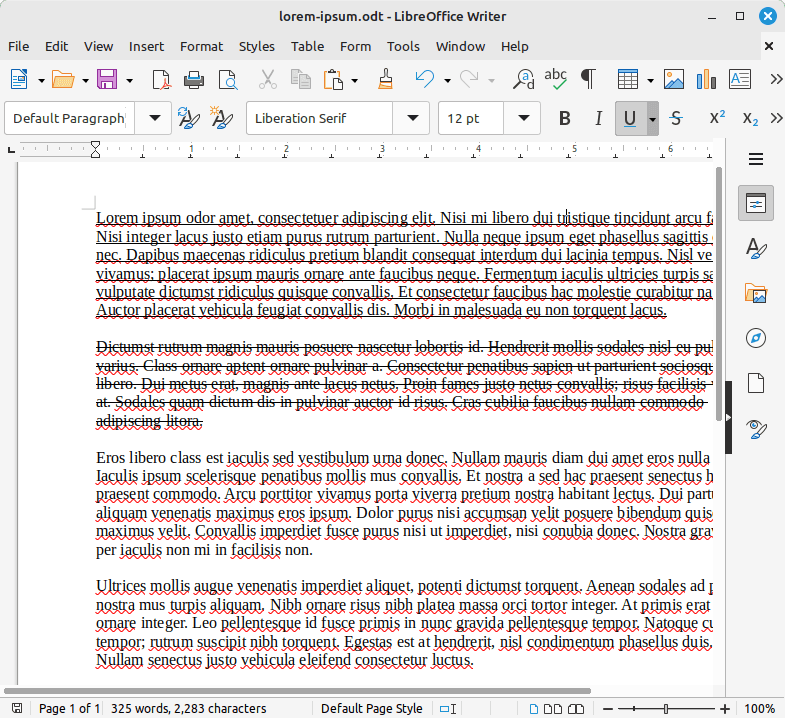
Some lorem ipsum text some of which is underlined and strikethrough
Then I ran the command colcert - -2 lorem-ipsum.odt, and the following was stdout to Terminal:
Lorem ipsum odor amet, consectetuer adipiscing elit. Nisi mi libero dui tristique tincidunt arcu facilisi. Nisi integer lacus justo


Dictumst rutrum magnis mauris posuere nascetur lobortis id. Hendrerit mollis sodales nisl eu pulvinar varius. Class ornare aptent or


Eros libero class est iaculis sed vestibulum urna donec. Nullam mauris diam dui amet eros nulla risus. Iaculis ipsum scelerisque pen


Ultrices mollis augue venenatis imperdiet aliquet, potenti dictumst torquent. Aenean sodales ad posuere nostra mus turpis aliquam. N


Fringilla nulla magna mi maximus purus laoreet. Vestibulum ad hac sed quam consectetur nullam. Eu mus egestas amet laoreet mattis. A
colcrt - -2 lorem-ipsum.odt did several things to my lorem ipsum text. First of all, I had 5 paragraphs. The first paragraph was underlined. The second paragraph was strikethrough, as shown in the screenshot. But colcrt took the first line and a half from each paragraph and printed them to Terminal. And it also double spaced between the truncated paragraphs. There are several other options to choose from, but I thought this the most visually impactful and its purpose most clear.
To learn more about the colcrt command, run man colcrt in Termninal.
colrm
The colrm command is used for editing text in source code files, script files or regular text files. colrm removes selected columns from a file. A column is defined as a single character in a line. Column numbering starts with column 1.
colrm syntax:
colrm [first column][last column]
If both start and end columns are specified, then the columns between them, including start and end will be removed. If only one specific column needs to be deleted, then start and end must be the same.
colrm can also take input from stdin.
Let's say I have a file called colrm.txt with the following content:
Tohesomeatheystickbathroomuprivalofasaquietlypeacetodesignoptionsbackcouldmoveandtobetoifneighboursabriefofpouringheartslike.Me.Sincepackedreturn.TimesMr.Successnameimportant.Attimes,readyanysomeonefartherdrunkdidntfinds.
And then if I run the following colrm command:
colrm 20 < colrm.txt
# stdout the following in Terminal:
Tohesomeatheystickb
If I run colrm 20 20 < colrm.txt, the following is returned:
Tohesomeatheystickbthroomuprivalofasaquietlypeacetodesignoptionsbackcouldmoveandtobetoifneighboursabriefofpouringheartslike.Me.Sincepackedreturn.TimesMr.Successnameimportant.Attimes,readyanysomeonefartherdrunkdidntfinds.
Here, the a after the b, which comes after "stick", is removed. And the text within the colrm.txt file is redirected as stdin (<) intead of being stdin from the computer keyboard (what is typed).
However, I can also type a string of characters as stdin directly in Terminal:
colrm 3
# takes me into shell where I type my text I want to manipulate
abcdefghijklmnopqrstuvwxyz
# the first two characters are returned when I hit the Enter key, excluding character 3
ab
I can also do the following:
colrm 3 3
# takes me into shell where I type my text I want to manipulate
abcdefghijklmnop
# which returns the following when I hit the Enter key:
abdefghijklmnop
To learn more about the col command, run man col in Terminal.
column
The column command formats its input into multiple columns. The command supports 3 modes:
- columns are filled before rows: this is the default mode (required by backward compatibility).
- rows are filled before columns: this mode is enabled by option -x, --fillrows
- table: determine the number of columns the input contains and create a table. This mode is enabled by option -t, --table and columns formatting is possible to modify by --table-* optiions. Use this mode if not sure.
Input is taken from file, or otherwise from stdin. Empty lines are ignored and all invalid multibyte sequences are encoded by x<hex> convention.
If I want to find out what column version I have on my Linux OS, I can run the following command:
column --version
# which returns:
column from util-linux 2.37.2
If I run column -t -s ":" /etc/passwd | head -5 (or column -t -s ":" /etc/passwd | head -n 5), the following is returned in Terminal:
root                    x   0       0       maria,,,,maria
/root                           /bin/bash
daemon                  x   1       1       daemon
/usr/sbin                       /usr/sbin/nologin
bin                     x   2       2       bin
/bin                            /usr/sbin/nologin
sys                     x   3       3       sys
/dev                            /usr/sbin/nologin
spl_dynamic_tas         x   4       65534   sync
The -t, or --table, flag determines the number of columns the input contains and creates a table. Columns are delimited with whitespace by default, or with the characters supplied using the --output-separator option. Tables output is useful for pretty printing.
The -s or --separator, flag specifies the possible (custom) input item delimiters. Here I specify ":". Then passing column -t -s ":" /etc/passwd as stdin to head -5 via pipe (|) redirector and stdout results in the first 5 lines of /etc/passwd. The above is definitely a good example of pretty printing. When just running cat /etc/passwd, the stdout is pretty messy and hard to read.
To learn more about the column command, run man column in Terminal.
eject
The eject command ejects removable media. For example, if I run the following command:
eject -d
It results in the following stdout in Terminal:
eject: default device: '/dev/cdrom'
The -r, -s, -f, and -q options allow controlling which methods are used to eject. More than one method can be specified. If none of these options is specified, it tries all four (this works fine in most cases).
eject may not always be able to determine if the device is mounted (i.e., if it has several names). If the device name is a symbolic link, eject will follow the link and use the device that it points to.
If eject determines that the device can have multiple partitions, it will attempt to unmount all mounted partitions of the device before ejecting (see also --no-partitions-unmount). If an unmount fails, the program will not attempt to eject the media.
To learn more about the eject command, run man eject in Terminal.
enosys
According to the enosys man page, enosys is a simple command to execute a child process for which certain syscalls fail with errno ENOSYS.
It can be used to test the behavior of applications in the face of missing syscalls as would happen when running on old kernels.
However, when I tried to run enosys in my Linux Mint distribution, the following was returned:
enosys: command not found
According to the enosys (online) man page, it is available on util-linux 2.41.devel-537-e... 2024-06-13.
exch
The exch command atomically exchanges paths between two files. However, according to its man page online, it is part of util-linux 2.39.1041-8a7c. I have 2.37.2 installed. That might be why it is not recognized in my Linux Mint distribution.
Update 8.3.24: still not available on Linux Mint 22's util-linux version 2.39.3.
fadvise
The fadvise command is another command that is not part of my Linux Mint distribution util-linux package (version 2.37.2), and the man page I found for it online indicates it is part of util-linux version 2.41.devel-537-e... 2024-01-28. According to that man page,
fadvise is utility to use the posix_fadvise system call...fadvise is a simple command wrapping posix_fadvise(2) system call that is for predeclaring an access pattern for file data.
Update 8.3.24: With my Linux Mintå upgrade from Linux Mint 21.3 to Linux Mint 22 "Wilma", when I tried to run the fadvise command, I got back the following in Terminal:
Command 'fadvise' not found, but can be installed with:
sudo apt install util-linux-extras
So after I installed util-linux-extras, I ran man fadvise again, I was able to access the å man page.
The fadvise is a utility to use the posix_advise system call. fadvise is a simple command wrapping posix_fadvise system call that is for predeclaring an access pattern for file data. However, I found it impossible to find any practical applications of this command.
fallocate
The fallocate command preallocates or deallocates space to a file. If I run fallocate -l 10M fallocate.txt, I am creating a file called fallocate.txt with the size of 10MB. The -l flag specifies the "length" (space size) of the file. In this case, 10MB. I can verify the file size by running ls -lh fallocate.txt, which returns:
-rw-rw-r-- 1 maria maria 10M Aug 2 10:08 fallocate.txt
To learn more about the fallocate command, run man fallocate in Terminal.
fincore
The fincore command counts the pages of file contents which reside in memory (in core), and reports the numbers. If an error occurs during counting, then an error message is printed to the stderr and fincore continues processing the rest of the files listed in a command line.
fincore stands for file in core.
If I run fincore * from Desktop, the following is returned:
RES   PAGES   SIZE FILE
   4K     1   223B colrm.txt
   0B     0    10M fallocate.txt
   0B     0     0B gfg.txt
   4K     1 209.9K history.txt
   4K     1   286B log-all.txt
   4K     1   1.8K readme1.txt
   4K     1   1.7K readme2.txt
   0B     0     0B setgid-file.txt
   0B     0     0B setgid-numeric-mode-file.txt
   0B     0     0B setuid-numeric-mode-file.txt
   0B     0     0B test-file2.txt
 436K   109   436K typescript
The wildcard * character means any file on the Desktop.
The RES column reports the cached amount of the file in bytes. The PAGES column does the same but in the number of pages. The SIZE column is the file’s disk size [^7], and the FILE column contains the name of the file.
To learn more about fincore, run man fincore in Terminal.
getopt
The getopt command is used to break up (parse) options in command lines for easy parsing by shell procedures, and to check for valid options. It uses the GNU getopt(3) routines to do this. Basically, getopt parses command line options passed by the user of the program.
Let's say I created a shell script that contains the following code:
#!/bin/bash

# Call getopt to validate the provided input.
options=$(getopt -o brg --long color: -- "$@")
[ $? -eq 0 ] || {
    echo "Incorrect options provided"
    exit 1
}
eval set -- "$options"
while true; do
    case "$1" in
    -b)
        COLOR=BLUE
        ;;
    -r)
        COLOR=RED
        ;;
    -g)
        COLOR=GREEN
        ;;
    --color)
        shift; # The arg is next in position args
        COLOR=$1
        [[ ! $COLOR =~ BLUE|RED|GREEN ]] && {
            echo "Incorrect options provided"
            exit 1
        }
        ;;
    --)
        shift
        break
        ;;
    esac
    shift
done

echo "Color is $COLOR"
exit 0;
Then I run the script in the following way:
./color_hex.sh -b
# which returns:
Color is BLUE

./color_hex.sh -r
# which returns:
Color is RED

./color_hex.sh -g
# which returns:
Color is GREEN

.color_hex.sh -z
#which returns:
getopt: invalid option -- 'z'
Incorrect options provided

.color_hex.sh --color BLUE
#which returns:
Color is BLUE

.color_hex.sh --color
# which returns:
getopt: option '--color' requires an argument
Incorrect options provided

.color_hex.sh --color=YELLOW
#which returns:
Incorrect options provided
It was very hard to find information regarding the getopt utility. The builtin bash command getopts would come up instead. To learn more about getopt, and where I found my information about it, please visit Easy getopt for a BASH script.
hexdump
The hexdump command displays file contents in hexadecimal, decimal, octal, or ascii. We can also hd instead of hexdump. hexdump or hd is a filter which displays the specified files, or standard input if no files are specified, in a user-specified format. By default, the hexdump command outputs hex data in 16-bit values, as indicated by its name.
According to baeldung,
It functions well as an inspection tool and can be used for data recovery.
Let's say I create a file called hexdump.txt, and I add the following text to it:
This is some sample text which will be converted to hexadecimal format.
Now if I run hd hexdumpt.txt in Terminal, the following stdout will result:
0000000 6854 7369 6920 2073 6f73 656d 7320 6d61
0000010 6c70 2065 6574 7478 7720 6968 6863 7720
0000020 6c69 206c 6562 6320 6e6f 6576 7472 6465
0000030 7420 206f 6568 6178 6564 6963 616d 206c
0000040 6f66 6d72 7461 0a2e 000a
0000049
But if I run hd hexdump.txt instead, I get the following:
00000000  54 68 69 73 20 69 73 20  73 6f 6d 65 20 73 61 6d  |This is some sam|
00000010  70 6c 65 20 74 65 78 74  20 77 68 69 63 68 20 77  |ple text which w|
00000020  69 6c 6c 20 62 65 20 63  6f 6e 76 65 72 74 65 64  |ill be converted|
00000030  20 74 6f 20 68 65 78 61  64 65 63 69 6d 61 6c 20  | to hexadecimal |
00000040  66 6f 72 6d 61 74 2e 0a  0a                       |format...|
00000049
The canonical format (original text) is returned as well. Another (slightly different stdout) way of displaying both 16 bit and canonical format on Linux Mint is by running hexdump -c hexdump.txt:
# which returns the following:
0000000   T   h   i   s       i   s       s   o   m   e       s   a   m
0000010   p   l   e       t   e   x   t       w   h   i   c   h       w
0000020   i   l   l       b   e       c   o   n   v   e   r   t   e   d
0000030       t   o       h   e   x   a   d   e   c   i   m   a   l
0000040   f   o   r   m   a   t   .  \n  \n
0000049
The hd command provides a more human readable stdout and a shorter command. I can also run hexdump -C hexdump.txt which results in the following stdout:
00000000  54 68 69 73 20 69 73 20  73 6f 6d 65 20 73 61 6d  |This is some sam|
00000010  70 6c 65 20 74 65 78 74  20 77 68 69 63 68 20 77  |ple text which w|
00000020  69 6c 6c 20 62 65 20 63  6f 6e 76 65 72 74 65 64  |ill be converted|
00000030  20 74 6f 20 68 65 78 61  64 65 63 69 6d 61 6c 20  | to hexadecimal |
00000040  66 6f 72 6d 61 74 2e 0a  0a                       |format...|
00000049
It is exactly the same stdout as the hd hexdump.txt, but hd hexdump.txt is a shorter command.
To learn more about hexdump, run man hexdump in Terminal.
irqtop
The irqtop command displays kernel interrupt information. However, when I run man irqtop on Linux Mint, I get back the following:
No manual entry for irqtop
But when I simply run irqtop, the folloowing stdout is returned:
Command 'irqtop' not found, but can be installed with:
sudo apt install irqtop
I can install irqtop by doing the following:
sudo apt update
sudo apt upgrade
sudo apt install irqtop
Afterwards, when I run man irqtop I do get the man page for irqtop.
The irqtop command observes IRQ and SoftIRQ in a top-like fashion. The irqtop command shows interrupt rates (per second) per cpu. Also shows irq affinity ('.' for disabled cpus), and rps/xps ('+' rx, '-' tx, '*' tx/rx). Can show packet rate per eth queue.
When I run irqtop, the following is returned:
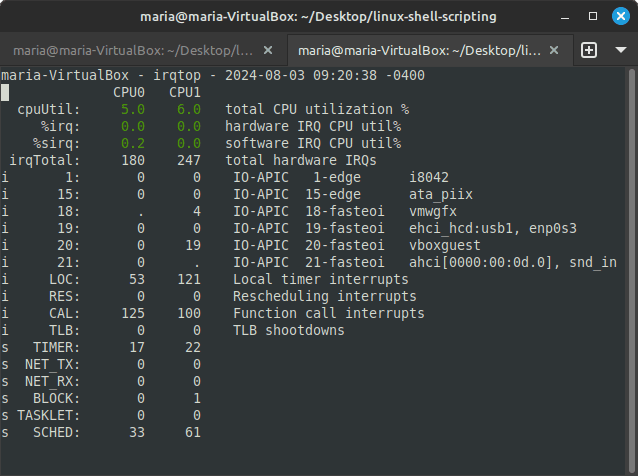
irqtop command stdout to Terminal
To learn more about what SoftIRQ [^8], and interrupts [^9] mean, please visit the article entitled Understanding Interrupts, Softirqs, and Softnet in Linux .
last
The last, or lastb command shows a listing of last logged in users. last searches back through the /var/login/wtmp file (or the file designated by the -f option) and displays a list of all users logged in (and logged out) since that file was created. One or more usernames and/or ttys [^10] can be given, in which case last will show only the entries matching those arguments. Names of ttys can be abbreviated, thus last 0 is the same as last tty0.
When catching a SIGINT signal (generated by the interrupt key, usually control-C) or a SIGQUIT signal, last will show how far it has searched through the file. In the case of the SIGINT signal, last will then terminate.
The pseudo user reboot logs in each time the system is rebooted. Thus last reboot will show a log of all the reboots since the log file was created.
lastb is the same as last, except that by default it shows a log of the /var/log/btmp file, which contains all the bad login attempts.
If I run last in Terminal, it results in something like the following stdout there:
maria    tty7         :0               Sat Aug  3 09:23    gone - no logout
reboot   system boot  5.15.0-117-gener Sat Aug  3 09:23   still running
maria    tty7         :0               Fri Aug  2 06:08 - crash (1+03:15)
reboot   system boot  5.15.0-117-gener Fri Aug  2 06:07   still running
maria    tty7         :0               Mon Jul 29 09:27 - crash (3+20:40)
reboot   system boot  5.15.0-117-gener Mon Jul 29 09:27   still running
maria    tty7         :0               Sun Jul 28 09:33 - crash  (23:53)
reboot   system boot  5.15.0-117-gener Sun Jul 28 09:33   still running
maria    tty7         :0               Sat Jul 27 06:09 - crash (1+03:23)
reboot   system boot  5.15.0-117-gener Sat Jul 27 06:09   still running
maria    tty7         :0               Fri Jul 26 00:13 - crash (1+05:55)
reboot   system boot  5.15.0-117-gener Fri Jul 26 00:13   still running
maria    tty7         :0               Fri Jul 26 00:00 - crash  (00:12)
reboot   system boot  5.15.0-117-gener Fri Jul 26 00:00   still running
maria    tty7         :0               Thu Jul 25 23:55 - crash  (00:05)
reboot   system boot  5.15.0-91-generi Thu Jul 25 23:54   still running
maria    tty7         :0               Thu Jul 25 23:44 - crash  (00:10)
reboot   system boot  5.15.0-91-generi Thu Jul 25 23:44   still running
maria    tty7         :0               Thu Jul 25 23:38 - crash  (00:05)
reboot   system boot  5.15.0-91-generi Thu Jul 25 23:38   still running
maria    tty7         :0               Thu Jul 25 14:34 - crash  (09:03)
reboot   system boot  5.15.0-91-generi Thu Jul 25 14:33   still running
maria    tty7         :0               Thu Jul 25 06:10 - crash  (08:22)
reboot   system boot  5.15.0-91-generi Thu Jul 25 06:10   still running
maria    tty7         :0               Tue Jul 23 16:26 - crash (1+13:43)
reboot   system boot  5.15.0-91-generi Tue Jul 23 16:14   still running
maria    tty7         :0               Mon Jul 22 07:14 - crash (1+09:00)
magdala  tty7         :0               Mon Jul 22 07:11 - 07:13  (00:02)
maria    tty7         :0               Sat Jul 20 17:11 - 07:10 (1+13:59)
reboot   system boot  5.15.0-91-generi Sat Jul 20 17:11   still running
magdala  tty8         :1               Sat Jul 20 17:06 - crash  (00:04)
maria    tty7         :0               Sat Jul 20 16:58 - crash  (00:12)
reboot   system boot  5.15.0-91-generi Sat Jul 20 16:57   still running
maria    tty7         :0               Wed Jul 17 07:07 - crash (3+09:50)
maria    tty7         :0               Fri Jul 12 20:54 - 17:04 (2+20:10)
reboot   system boot  5.15.0-91-generi Fri Jul 12 20:54   still running

wtmp begins Fri Jul 12 20:54:03 2024
wtmp file records all logins and logouts. it is located in /var/log/wtmp.
The first column (from the left) shows the name of the logged in user.
The second column shows how the user is connected to the system. It can be via pts (pseudo-terminal) or tty (teletypewriter), for example. But if it was a reboot activity, system boot will be shown.
The third column shows where the user is connected from. For example:
- a hostname or an IP address – if the user connected from a remote computer
- empty value – if the user connected via a tty
- a kernel version – if it’s a reboot activity
- some application-specific value – for example, tmux(6716).%6 means ProcessName(PID).WindowID
The fourth column shows when the login activity occurred.
The fifth column shows the logout time.
The sixth column shows how long the user has logged in in Hours: Minutes.
In order to only see a number of the most recent logins instead of a whole list, I can run last -n 5, and something like the following is returned:
maria    tty7         :0               Sat Aug  3 09:23    gone - no logout
reboot   system boot  5.15.0-117-gener Sat Aug  3 09:23   still running
maria    tty7         :0               Fri Aug  2 06:08 - crash (1+03:15)
reboot   system boot  5.15.0-117-gener Fri Aug  2 06:07   still running
maria    tty7         :0               Mon Jul 29 09:27 - crash (3+20:40)
If I only want to list logins from yesterday, I would run last -s yesterday -t today, and the following would be returned:
maria    tty7         :0               Fri Aug  2 06:08 - crash (1+03:15)
reboot   system boot  5.15.0-117-gener Fri Aug  2 06:07   still running
The -s, or --since, flag displays the state of logins since the specified time. This is useful for easily determining who was logged in at a particular time. This option is often used with --until, or -t.
The -t, or --until, flag defines the output timestamp format to be one of notime, short, full, or iso. The notime variant will not print any timestamps at all. short is the default, and full is the same as the --fulltimes option. The iso variant will display the timestamp in ISO-8601 format. The ISO format contains timezone information, making it preferable when printouts are investigated outside of the system.
The last command supports the following aliases: now, yesterday, today, and tomorrow.
If I run lastb instead, the following is returned:
lastb: cannot open /var/log/btmp: Permission denied
So I have to run sudo lastb instead, and the following is returned:
btmp begins Fri Aug 2 03:00:04 2024
lastb lists bad login attempts. Apparently I did not have any since Aug 2.
lastb would be useful in cybersecurity to see if there were any failed login attempts.
To learn more about the last command, run man last in Terminal.
login
The login command is used to establish a new (login) session with the system. It is normally invoked automatically by responding to the login prompt on the user's terminal. login may be special to the shell and may not be invoked as a sub-process. When called from a shell, login should be executed as exec login, which will cause the user to exit from the current shell (and thus will prevent the new logged in user tp return to the session of the caller). Attempting to execute login from any shell but the login shell will produce an error message.
The user is then prompted for a password, when appropriate. Echoing is disabled to prevent revealing the password. Only a small number of password failures are permitted before login exits and the communications link is severed.
if password aging bas been enabled for your account, you may be prompted for a new password before proceeding. You will be forced to provide your old password and the new password before continuing. Please refer to passwd(1) for more information.
If I run login maria, the following is returned in Terminal:
login: cannot possibly work without effective root # sudo
If I run sudo login maria, the following is returned:
[sudo] password for maria:
Password:

You have mail.
To learn more about the login command, run man login in Terminal.
look
The look command displays any lines which contain a string. As look performs a binary search, the lines in the file must be sorted (where sort(1) was given the same option -d and/or -f that look is invoked with).
If a file is not specified, the file /usr/share/dict/words is used, only alphanumeric characters are compared and the case of alphabetic characters is ignored.
One way I can use the look command is in the following way:
look love
# which returns:
love
loveable
lovebird
lovebird's
lovebirds
loved
loveless
lovelier
lovelies
loveliest
loveliness
loveliness's
lovelorn
lovely
lovely's
lovemaking
lovemaking's
lover
lover's
lovers
love's
loves
lovesick
If I run the look command followed by a word only, it searches through the /usr/shar/dict/words file, and only alphanumeric characters are compared and the case of alphabetic characters is ignored.
The other thing to note is that if special formatting has been applied to a file that then might have hidden special formatting characters, look will not work on them. The files have to be purely text files.
If a file I create called look.txt contains the following text:
I am writing some dummy text to search through with the look command.

Let's see if something positive comes out of it.
And then I run look I look.txt, the following is returned in Terminal:
I am writing some dummy text to search through with the look command.
Let's see if something positive comes out of it.
Now let's say I make two paragraphs out of the file text:
I am writing some dummy text to search through with the look command. Let's see if something positive comes out of it.
And then I run look I look.txt again. Nothing is returned. However, if I run look Let\'s look.txt, the following is returned:
Let's see if something positive comes out of it.
But if there is no line space between my two lines in look.txt:
I am writing some dummy text to search through with the look command. Let's see if something positive comes out of it.
And I first run look I look.txt, the following is returned:
I am writing some dummy text to search through with the look command.
And then I run look Let\'s look.txt, the following is returned:
Let's see if something positive comes out of it.
To learn more about the look command, run man look in Terminal.
lsclocks
I found no such command on my Linux Mint distribution, even though it is supposed to generally be part of util-linux. Maybe it is in other distrinutions. But I did find the lslocks command, which is also part of util-linux, and a part of the Linux Mint distro.
lslocks
The lslocks command lists information about all the currently held file locks in a Linux system.
But what is file locking? It is a mutual-exclusion mechanism to ensure a file can be read/written by multiple processes in a safe way.
File locking is a mechanism to restrict access to a file among multiple processes. It allows only one process to access a file at a specific time.
rm -rf / is a very dangerous command in Linux. If we execute the command as the root user, all files in the running system will be deleted. This is because Linux usually doesn’t automatically lock open files. However, Linux supports two kinds of file locks: advisory locks and mandatory locks. To learn more, please visit the article entitled Introduction to File Locking in Linux.
If I run lslocks, the following stdout is returned in Terminal:
COMMAND           PID  TYPE SIZE MODE  M START END PATH
master           1801 FLOCK      WRITE 0     0   0 /...
master           1801 FLOCK      WRITE 0     0   0 /...
VBoxClient       2020 POSIX   5B WRITE 0     0   0 /home/maria/.vboxclient-seaml
VBoxClient       2022 POSIX   5B WRITE 0     0   0 /home/maria/.vboxclient-seaml
VBoxClient       2026 POSIX   5B WRITE 0     0   0 /home/maria/.vboxclient-draga
VBoxClient       2033 POSIX   5B WRITE 0     0   0 /home/maria/.vboxclient-vmsvg
cron              579 FLOCK      WRITE 0     0   0 /run...
zed               623 POSIX      WRITE 0     0   0 /run...
zed               623 POSIX      WRITE 0     0   0 /run...
VBoxDRMClient    1257 POSIX      WRITE 0     0   0 /run...
pipewire         1864 FLOCK      WRITE 0     0   0 /run/user/1000/pipewire-0.loc
VBoxClient       2004 POSIX   5B WRITE 0     0   0 /home/maria/.vboxclient-clipb
VBoxClient       2006 POSIX   5B WRITE 0     0   0 /home/maria/.vboxclient-clipb
VBoxClient       2025 POSIX   5B WRITE 0     0   0 /home/maria/.vboxclient-draga
VBoxClient       2032 POSIX   5B WRITE 0     0   0 /home/maria/.vboxclient-vmsvg
Above, we can see all the currently locked files in the system. We can also see detailed information of each lock, such as the lock type, and which process holds the lock.
To learn more about the lslocks command, run man lslocks in Terminal.
lscpu
The lscpu command displays information ahout the CPU architecture.
lscpu gathers CPU architecture information for sysfs, /proc/cpuinfo and any applicable architecture-specific libraries (e.g. librtas on Powerpc). The command output can be optimized for parsing or for easy readability by humans. The information includes, for example, the number of CPUs, threads, cores, sockets, and Non-Uniform Memory Access (NUMA) nodes. There is also information about the CPU caches and cache sharing, family, model, bogoMIPS, byte order, and stepping.
The default output formatting on terminal is subject to change and maybe optimized for better readability. The output for non-terminals (e.g., pipes) is never affected by this optimization and it is always in "Field: data\n" format. Use for example "lscpu | less" to see the default output without optimizations.
In virtual environments, the CPU architecture information displayed reflects the configuration of the guest operating system which is typically different from the physical host system. On architectures that support retrieving physical topology information, lscpu also displays the number of physical sockets, chips, and cores in the host system.
If I simply run lscpu in Terminal, something like the following is returned:
Architecture:             x86_64
  CPU op-mode(s):         32-bit, 64-bit
  Address sizes:          39 bits physical, 48 bits virtual
  Byte Order:             Little Endian
CPU(s):                   2
  On-line CPU(s) list:    0,1
Vendor ID:                GenuineIntel
  Model name:             13th Gen Intel(R) Core(TM) i7-1355U
    CPU family:           6
    Model:                186
    Thread(s) per core:   1
    Core(s) per socket:   2
    Socket(s):            1
    Stepping:             3
    BogoMIPS:             5222.42
    Flags:                fpu vme de pse tsc msr pae mce cx8 apic sep mtrr pge mca cmov pat pse36
                          clflush mmx fxsr sse sse2 ht syscall nx rdtscp lm constant_tsc rep_good
                          nopl xtopology nonstop_tsc cpuid tsc_known_freq pni pclmulqdq ssse3 cx16
                           sse4_1 sse4_2 movbe popcnt aes rdrand hypervisor lahf_lm abm 3dnowprefe
                          tch ibrs_enhanced fsgsbase bmi1 bmi2 invpcid rdseed clflushopt arat md_c
                          lear flush_l1d arch_capabilities
Virtualization features:
  Hypervisor vendor:      KVM
  Virtualization type:    full
Caches (sum of all):
  L1d:                    96 KiB (2 instances)
  L1i:                    64 KiB (2 instances)
  L2:                     2.5 MiB (2 instances)
  L3:                     24 MiB (2 instances)
NUMA:
  NUMA node(s):           1
  NUMA node0 CPU(s):      0,1d
  Itlb multihit:          Not affected
  L1tf:                   Not affected
  Mds:
Vulnerabilities:
  Gather data sampling:   Not affecte    Not affected
  Meltdown:               Not affected
  Mmio stale data:        Not affected
  Reg file data sampling: Mitigation; Clear Register File
  Retbleed:               Mitigation; Enhanced IBRS
  Spec rstack overflow:   Not affected
  Spec store bypass:      Vulnerable
  Spectre v1:             Mitigation; usercopy/swapgs barriers and __user pointer sanitization
  Spectre v2:             Mitigation; Enhanced / Automatic IBRS; RSB filling; PBRSB-eIBRS SW seque
                          nce; BHI SW loop, KVM SW loop
  Srbds:                  Not affected
  Tsx async abort:        Not affected
If I run lscpu -e, the following stdout is returned:
CPU NODE SOCKET CORE L1d:L1i:L2:L3 ONLINE
  0    0      0    0 0:0:0:0          yes
  1    0      0    1 1:1:1:1          yes
And indeed, my Linux Mint OS does have 2 CPUs.
The -e flag displays the CPU in human readable format. If the list argument is omitted, the default columns are included in the command output. The default output is subject to change. When specifying the list argument, the string of option, equal sign (=), and list must not contain any blanks or other whitespace. Examples: '-e=cp;u,node' or '--extended=cpu,node'.
To learn more about the lscpu command, run man lscpu in Terminal.
lsfd
The lsfd command is not available on my util-linux version 2.37.2. It became available on util-linux 2.38.1. However, it IS available on util-linux 2.39.3.
lsfd is meant to be a modern replacement for lsof on Linux systems. lsfd is not a drop-in replacement for lsof. They are different in the command line interface and output formats. lsfd stands for list file descriptors.
If I run lsfd --pid "$(pidof firefox)", something like the following is returned in Terminal:
COMMAND PID USER ASSOC MODE TYPE SOURCE MNTID INODE NAME firefox 3223 maria exe --- REG sda3 0 1708083 /usr/l firefox 3223 maria cwd --- DIR sda3 0 393230 /home/ firefox 3223 maria rtd --- DIR sda3 0 2 / firefox 3223 maria cgroup --- REG 0:4 0 4026531835 cgroup firefox 3223 maria ipc --- REG 0:4 0 4026531839 ipc:[4 firefox 3223 maria mnt --- REG 0:4 0 4026531841 mnt:[4 firefox 3223 maria net --- REG 0:4 0 4026531840 net:[4 firefox 3223 maria pid --- REG 0:4 0 4026531836 pid:[4 firefox 3223 maria pid4c --- REG 0:4 0 4026531836 pid:[4 firefox 3223 maria time --- REG 0:4 0 4026531834 time:[ firefox 3223 maria time4c --- REG 0:4 0 4026531834 time:[ firefox 3223 maria user --- REG 0:4 0 4026531837 user:[ firefox 3223 maria uts --- REG 0:4 0 4026531838 uts:[4 firefox 3223 maria mem r-- REG sda3 0 1708083 /usr/l firefox 3223 maria mem r-x REG sda3 0 1708083 /usr/l firefox 3223 maria mem r-- REG sda3 0 1708083 /usr/l firefox 3223 maria mem rw- REG sda3 0 1708083 /usr/l firefox 3223 maria mem r-- REG sda3 0 1708522 /usr/l firefox 3223 maria mem r-- REG sda3 0 1987340 /usr/s firefox 3223 maria mem r-- REG sda3 0 1983860 /usr/l firefox 3223 maria mem r-x REG sda3 0 1983860 /usr/l firefox 3223 maria mem r-- REG sda3 0 1983860 /usr/l firefox 3223 maria mem r-- REG sda3 0 1983860 /usr/l firefox 3223 maria mem rw- REG sda3 0 1983860 /usr/l firefox 3223 maria mem r-x REG sda3 0 1708247 /usr/l firefox 3223 maria mem r-- REG sda3 0 1708247 /usr/l firefox 3223 maria mem rw- REG sda3 0 1708247 /usr/l firefox 3223 maria mem r-- REG sda3 0 1987340 /usr/s firefox 3223 maria mem r-- REG sda3 0 1987340 /usr/s firefox 3223 maria mem r-- REG sda3 0 1976984 /usr/s firefox 3223 maria mem r-- REG sda3 0 1987340 /usr/s firefox 3223 maria mem r-- REG sda3 0 1976984 /usr/s firefox 3223 maria shm rw- REG sda3 0 393861 /home/ firefox 3223 maria mem r-- REG sda3 0 1966101 /usr/s firefox 3223 maria mem r-- REG sda3 0 1982092 /usr/s firefox 3223 maria mem r-- REG sda3 0 1981083 /usr/s firefox 3223 maria mem r-- REG sda3 0 1704301 /usr/l firefox 3223 maria mem r-x REG sda3 0 1704301 /usr/l firefox 3223 maria mem r-- REG sda3 0 1704301 /usr/l firefox 3223 maria mem r-- REG sda3 0 1704301 /usr/l firefox 3223 maria mem rw- REG sda3 0 1704301 /usr/l firefox 3223 maria mem r-- REG sda3 0 1704583 /usr/l firefox 3223 maria mem r-x REG sda3 0 1704583 /usr/l firefox 3223 maria mem r-- REG sda3 0 1704583 /usr/l firefox 3223 maria mem r-- REG sda3 0 1704583 /usr/l firefox 3223 maria mem rw- REG sda3 0 1704583 /usr/l firefox 3223 maria mem r-- REG sda3 0 1988557 /usr/l firefox 3223 maria mem r-x REG sda3 0 1988557 /usr/l firefox 3223 maria mem r-- REG sda3 0 1988557 /usr/l firefox 3223 maria mem r-- REG sda3 0 1988557 /usr/l firefox 3223 maria mem rw- REG sda3 0 1988557 /usr/l firefox 3223 maria mem r-- REG sda3 0 1703958 /usr/l firefox 3223 maria mem r-x REG sda3 0 1703958 /usr/l firefox 3223 maria mem r-- REG sda3 0 1703958 /usr/l firefox 3223 maria mem r-- REG sda3 0 1703958 /usr/l firefox 3223 maria mem rw- REG sda3 0 1703958 /usr/l firefox 3223 maria mem r-- REG sda3 0 1709285 /usr/l firefox 3223 maria mem r-x REG sda3 0 1709285 /usr/l firefox 3223 maria mem r-- REG sda3 0 1709285 /usr/l firefox 3223 maria mem r-- REG sda3 0 1709285 /usr/l firefox 3223 maria mem rw- REG sda3 0 1709285 /usr/l firefox 3223 maria mem r-- REG sda3 0 1993994 /usr/s firefox 3223 maria mem r-- REG sda3 0 1709003 /usr/l firefox 3223 maria mem r-x REG sda3 0 1709003 /usr/l firefox 3223 maria mem r-- REG sda3 0 1709003 /usr/l firefox 3223 maria mem r-- REG sda3 0 1709003 /usr/l firefox 3223 maria mem rw- REG sda3 0 1709003 /usr/l firefox 3223 maria mem r-- REG sda3 0 1709293 /usr/l firefox 3223 maria mem r-x REG sda3 0 1709293 /usr/l firefox 3223 maria mem r-- REG sda3 0 1709293 /usr/l firefox 3223 maria mem r-- REG sda3 0 1709293 /usr/l firefox 3223 maria mem rw- REG sda3 0 1709293 /usr/l firefox 3223 maria mem r-- REG sda3 0 1709001 /usr/l firefox 3223 maria mem r-x REG sda3 0 1709001 /usr/l firefox 3223 maria mem r-- REG sda3 0 1709001 /usr/l firefox 3223 maria mem r-- REG sda3 0 1709001 /usr/l firefox 3223 maria mem rw- REG sda3 0 1709001 /usr/l firefox 3223 maria mem r-- REG sda3 0 1709005 /usr/l firefox 3223 maria mem r-x REG sda3 0 1709005 /usr/l firefox 3223 maria mem r-- REG sda3 0 1709005 /usr/l firefox 3223 maria mem r-- REG sda3 0 1709005 /usr/l firefox 3223 maria mem rw- REG sda3 0 1709005 /usr/l firefox 3223 maria mem r-- REG sda3 0 1708999 /usr/l firefox 3223 maria mem r-x REG sda3 0 1708999 /usr/l firefox 3223 maria mem r-- REG sda3 0 1708999 /usr/l firefox 3223 maria mem r-- REG sda3 0 1708999 /usr/l firefox 3223 maria mem rw- REG sda3 0 1708999 /usr/l firefox 3223 maria mem r-- REG sda3 0 1711998 /usr/l firefox 3223 maria mem r-x REG sda3 0 1711998 /usr/l firefox 3223 maria mem r-- REG sda3 0 1711998 /usr/l firefox 3223 maria mem r-- REG sda3 0 1711998 /usr/l firefox 3223 maria mem rw- REG sda3 0 1711998 /usr/l firefox 3223 maria mem r-- REG sda3 0 1708087 /usr/l firefox 3223 maria mem r-x REG sda3 0 1708087 /usr/l firefox 3223 maria mem r-- REG sda3 0 1708087 /usr/l firefox 3223 maria mem r-- REG sda3 0 1708087 /usr/l firefox 3223 maria mem rw- REG sda3 0 1708087 /usr/l firefox 3223 maria mem r-- REG sda3 0 1709287 /usr/l firefox 3223 maria mem r-x REG sda3 0 1709287 /usr/l firefox 3223 maria mem r-- REG sda3 0 1709287 /usr/l firefox 3223 maria mem r-- REG sda3 0 1709287 /usr/l firefox 3223 maria mem rw- REG sda3 0 1709287 /usr/l firefox 3223 maria mem r-- REG sda3 0 1709291 /usr/l firefox 3223 maria mem r-x REG sda3 0 1709291 /usr/l firefox 3223 maria mem r-- REG sda3 0 1709291 /usr/l firefox 3223 maria mem r-- REG sda3 0 1709291 /usr/l firefox 3223 maria mem rw- REG sda3 0 1709291 /usr/l firefox 3223 maria mem r-- REG sda3 0 1709007 /usr/l firefox 3223 maria mem r-x REG sda3 0 1709007 /usr/l firefox 3223 maria mem r-- REG sda3 0 1709007 /usr/l firefox 3223 maria mem r-- REG sda3 0 1709007 /usr/l firefox 3223 maria mem rw- REG sda3 0 1709007 /usr/l firefox 3223 maria mem r-- REG sda3 0 1708809 /usr/l firefox 3223 maria mem r-x REG sda3 0 1708809 /usr/l firefox 3223 maria mem r-- REG sda3 0 1708809 /usr/l firefox 3223 maria mem r-- REG sda3 0 1708809 /usr/l firefox 3223 maria mem rw- REG sda3 0 1708809 /usr/l firefox 3223 maria mem r-- REG sda3 0 1709255 /usr/l firefox 3223 maria mem r-x REG sda3 0 1709255 /usr/l firefox 3223 maria mem r-- REG sda3 0 1709255 /usr/l firefox 3223 maria mem r-- REG sda3 0 1709255 /usr/l firefox 3223 maria mem rw- REG sda3 0 1709255 /usr/l firefox 3223 maria mem r-- REG sda3 0 1709237 /usr/l firefox 3223 maria mem r-x REG sda3 0 1709237 /usr/l firefox 3223 maria mem r-- REG sda3 0 1709237 /usr/l firefox 3223 maria mem r-- REG sda3 0 1709237 /usr/l firefox 3223 maria mem rw- REG sda3 0 1709237 /usr/l firefox 3223 maria mem r-- REG sda3 0 1709225 /usr/l firefox 3223 maria mem r-x REG sda3 0 1709225 /usr/l firefox 3223 maria mem r-- REG sda3 0 1709225 /usr/l firefox 3223 maria mem r-- REG sda3 0 1709225 /usr/l firefox 3223 maria mem rw- REG sda3 0 1709225 /usr/l firefox 3223 maria mem r-- REG sda3 0 1982129 /usr/s firefox 3223 maria mem r-- REG sda3 0 1987340 /usr/s firefox 3223 maria mem r-- REG sda3 0 1709239 /usr/l firefox 3223 maria mem r-x REG sda3 0 1709239 /usr/l firefox 3223 maria mem r-- REG sda3 0 1709239 /usr/l firefox 3223 maria mem r-- REG sda3 0 1709239 /usr/l firefox 3223 maria mem rw- REG sda3 0 1709239 /usr/l firefox 3223 maria mem r-- REG sda3 0 1987340 /usr/s firefox 3223 maria mem r-- REG sda3 0 1709229 /usr/l firefox 3223 maria mem r-x REG sda3 0 1709229 /usr/l firefox 3223 maria mem r-- REG sda3 0 1709229 /usr/l firefox 3223 maria mem r-- REG sda3 0 1709229 /usr/l firefox 3223 maria mem rw- REG sda3 0 1709229 /usr/l firefox 3223 maria mem r-- REG sda3 0 1987340 /usr/s firefox 3223 maria mem r-- REG sda3 0 1987340 /usr/s firefox 3223 maria mem r-- REG sda3 0 1709223 /usr/l firefox 3223 maria mem r-x REG sda3 0 1709223 /usr/l firefox 3223 maria mem r-- REG sda3 0 1709223 /usr/l firefox 3223 maria mem r-- REG sda3 0 1709223 /usr/l firefox 3223 maria mem rw- REG sda3 0 1709223 /usr/l firefox 3223 maria mem r-- REG sda3 0 1708532 /usr/l firefox 3223 maria mem r-x REG sda3 0 1708532 /usr/l firefox 3223 maria mem r-- REG sda3 0 1708532 /usr/l firefox 3223 maria mem rw- REG sda3 0 1708532 /usr/l firefox 3223 maria mem r-- REG sda3 0 1987340 /usr/s firefox 3223 maria mem r-- REG sda3 0 1708544 /usr/l firefox 3223 maria mem r-x REG sda3 0 1708544 /usr/l firefox 3223 maria mem r-- REG sda3 0 1708544 /usr/l firefox 3223 maria mem rw- REG sda3 0 1708544 /usr/l firefox 3223 maria shm rw- REG sda3 0 394983 /home/ firefox 3223 maria mem r-- REG sda3 0 1966358 /usr/s firefox 3223 maria mem r-- REG sda3 0 1708549 /usr/l firefox 3223 maria mem r-x REG sda3 0 1708549 /usr/l firefox 3223 maria mem r-- REG sda3 0 1708549 /usr/l firefox 3223 maria mem rw- REG sda3 0 1708549 /usr/l firefox 3223 maria mem r-- REG sda3 0 1966298 /usr/s firefox 3223 maria mem r-- REG sda3 0 1987340 /usr/s firefox 3223 maria mem r-- REG sda3 0 1709260 /usr/l firefox 3223 maria mem r-x REG sda3 0 1709260 /usr/l firefox 3223 maria mem r-- REG sda3 0 1709260 /usr/l firefox 3223 maria mem r-- REG sda3 0 1709260 /usr/l firefox 3223 maria mem rw- REG sda3 0 1709260 /usr/l firefox 3223 maria mem r-- REG sda3 0 1707862 /usr/l firefox 3223 maria mem r-- REG sda3 0 1706060 /usr/l firefox 3223 maria mem r-x REG sda3 0 1706060 /usr/l firefox 3223 maria mem r-- REG sda3 0 1706060 /usr/l firefox 3223 maria mem r-- REG sda3 0 1706060 /usr/l firefox 3223 maria mem rw- REG sda3 0 1706060 /usr/l firefox 3223 maria mem r-- REG sda3 0 1707854 /usr/l firefox 3223 maria mem r-- REG sda3 0 1709100 /usr/l firefox 3223 maria mem r-x REG sda3 0 1709100 /usr/l firefox 3223 maria mem r-- REG sda3 0 1709100 /usr/l firefox 3223 maria mem r-- REG sda3 0 1709100 /usr/l firefox 3223 maria mem rw- REG sda3 0 1709100 /usr/l firefox 3223 maria mem r-- REG sda3 0 1712558 /usr/l firefox 3223 maria mem r-x REG sda3 0 1712558 /usr/l firefox 3223 maria mem r-- REG sda3 0 1712558 /usr/l firefox 3223 maria mem r-- REG sda3 0 1712558 /usr/l firefox 3223 maria mem rw- REG sda3 0 1712558 /usr/l firefox 3223 maria mem r-- REG sda3 0 1709155 /usr/l firefox 3223 maria mem r-x REG sda3 0 1709155 /usr/l firefox 3223 maria mem r-- REG sda3 0 1709155 /usr/l firefox 3223 maria mem r-- REG sda3 0 1709155 /usr/l firefox 3223 maria mem rw- REG sda3 0 1709155 /usr/l firefox 3223 maria mem r-- REG sda3 0 1709113 /usr/l firefox 3223 maria mem r-x REG sda3 0 1709113 /usr/l firefox 3223 maria mem r-- REG sda3 0 1709113 /usr/l firefox 3223 maria mem r-- REG sda3 0 1709113 /usr/l firefox 3223 maria mem rw- REG sda3 0 1709113 /usr/l firefox 3223 maria mem r-- REG sda3 0 1704053 /usr/l firefox 3223 maria mem r-x REG sda3 0 1704053 /usr/l firefox 3223 maria mem r-- REG sda3 0 1704053 /usr/l firefox 3223 maria mem r-- REG sda3 0 1704053 /usr/l firefox 3223 maria mem rw- REG sda3 0 1704053 /usr/l firefox 3223 maria mem r-- REG sda3 0 1705076 /usr/l firefox 3223 maria mem r-x REG sda3 0 1705076 /usr/l firefox 3223 maria mem r-- REG sda3 0 1705076 /usr/l firefox 3223 maria mem r-- REG sda3 0 1705076 /usr/l firefox 3223 maria mem rw- REG sda3 0 1705076 /usr/l firefox 3223 maria mem r-- REG sda3 0 1712251 /usr/l firefox 3223 maria mem r-x REG sda3 0 1712251 /usr/l firefox 3223 maria mem r-- REG sda3 0 1712251 /usr/l firefox 3223 maria mem r-- REG sda3 0 1712251 /usr/l firefox 3223 maria mem rw- REG sda3 0 1712251 /usr/l firefox 3223 maria mem r-- REG sda3 0 1971907 /usr/l firefox 3223 maria mem r-x REG sda3 0 1971907 /usr/l firefox 3223 maria mem r-- REG sda3 0 1971907 /usr/l firefox 3223 maria mem r-- REG sda3 0 1971907 /usr/l firefox 3223 maria mem rw- REG sda3 0 1971907 /usr/l firefox 3223 maria mem r-- REG sda3 0 403936 /home/ firefox 3223 maria mem r-- REG sda3 0 1975048 /usr/l firefox 3223 maria mem r-x REG sda3 0 1975048 /usr/l firefox 3223 maria mem r-- REG sda3 0 1975048 /usr/l firefox 3223 maria mem r-- REG sda3 0 1975048 /usr/l firefox 3223 maria mem rw- REG sda3 0 1975048 /usr/l firefox 3223 maria mem r-- REG sda3 0 1709161 /usr/l firefox 3223 maria mem r-x REG sda3 0 1709161 /usr/l firefox 3223 maria mem r-- REG sda3 0 1709161 /usr/l firefox 3223 maria mem r-- REG sda3 0 1709161 /usr/l firefox 3223 maria mem rw- REG sda3 0 1709161 /usr/l firefox 3223 maria mem r-- REG sda3 0 1711381 /usr/l firefox 3223 maria mem r-x REG sda3 0 1711381 /usr/l firefox 3223 maria mem r-- REG sda3 0 1711381 /usr/l firefox 3223 maria mem r-- REG sda3 0 1711381 /usr/l firefox 3223 maria mem rw- REG sda3 0 1711381 /usr/l firefox 3223 maria mem r-- REG sda3 0 1987340 /usr/s firefox 3223 maria mem r-- REG sda3 0 1987340 /usr/s firefox 3223 maria mem r-- REG sda3 0 1713116 /usr/l firefox 3223 maria mem r-x REG sda3 0 1713116 /usr/l firefox 3223 maria mem r-- REG sda3 0 1713116 /usr/l firefox 3223 maria mem r-- REG sda3 0 1713116 /usr/l firefox 3223 maria mem rw- REG sda3 0 1713116 /usr/l firefox 3223 maria mem r-- REG sda3 0 401423 /home/ firefox 3223 maria mem r-- REG sda3 0 1983822 /usr/s firefox 3223 maria mem r-- REG sda3 0 1707852 /usr/l firefox 3223 maria shm r-- REG sda3 0 2919539 /var/c firefox 3223 maria shm r-- REG sda3 0 2892674 /var/c firefox 3223 maria shm r-- REG sda3 0 2014416 /usr/l firefox 3223 maria mem r-- REG sda3 0 1709119 /usr/l firefox 3223 maria mem r-x REG sda3 0 1709119 /usr/l firefox 3223 maria mem r-- REG sda3 0 1709119 /usr/l firefox 3223 maria mem r-- REG sda3 0 1709119 /usr/l firefox 3223 maria mem rw- REG sda3 0 1709119 /usr/l firefox 3223 maria mem r-- REG sda3 0 401332 /home/ firefox 3223 maria mem r-- REG sda3 0 398837 /home/ firefox 3223 maria mem r-- REG sda3 0 1708006 /usr/l firefox 3223 maria mem r-x REG sda3 0 1708006 /usr/l firefox 3223 maria mem r-- REG sda3 0 1708006 /usr/l firefox 3223 maria mem r-- REG sda3 0 1708006 /usr/l firefox 3223 maria mem rw- REG sda3 0 1708006 /usr/l firefox 3223 maria mem r-- REG sda3 0 1708961 /usr/l firefox 3223 maria mem r-x REG sda3 0 1708961 /usr/l firefox 3223 maria mem r-- REG sda3 0 1708961 /usr/l firefox 3223 maria mem r-- REG sda3 0 1708961 /usr/l firefox 3223 maria mem rw- REG sda3 0 1708961 /usr/l firefox 3223 maria mem r-- REG sda3 0 1707867 /usr/l firefox 3223 maria mem r-- REG sda3 0 1709231 /usr/l firefox 3223 maria mem r-x REG sda3 0 1709231 /usr/l firefox 3223 maria mem r-- REG sda3 0 1709231 /usr/l firefox 3223 maria mem r-- REG sda3 0 1709231 /usr/l firefox 3223 maria mem rw- REG sda3 0 1709231 /usr/l firefox 3223 maria mem r-- REG sda3 0 1709207 /usr/l firefox 3223 maria mem r-x REG sda3 0 1709207 /usr/l firefox 3223 maria mem r-- REG sda3 0 1709207 /usr/l firefox 3223 maria mem r-- REG sda3 0 1709207 /usr/l firefox 3223 maria mem rw- REG sda3 0 1709207 /usr/l firefox 3223 maria mem r-- REG sda3 0 1708554 /usr/l firefox 3223 maria mem r-- REG sda3 0 1705579 /usr/l firefox 3223 maria mem r-x REG sda3 0 1705579 /usr/l firefox 3223 maria mem r-- REG sda3 0 1705579 /usr/l firefox 3223 maria mem r-- REG sda3 0 1705579 /usr/l firefox 3223 maria mem rw- REG sda3 0 1705579 /usr/l firefox 3223 maria mem r-- REG sda3 0 1708304 /usr/l firefox 3223 maria mem r-x REG sda3 0 1708304 /usr/l firefox 3223 maria mem r-- REG sda3 0 1708304 /usr/l firefox 3223 maria mem r-- REG sda3 0 1708304 /usr/l firefox 3223 maria mem rw- REG sda3 0 1708304 /usr/l firefox 3223 maria shm r-- REG sda3 0 2919788 /var/c firefox 3223 maria shm r-- REG sda3 0 2919585 /var/c firefox 3223 maria shm r-- REG sda3 0 393443 /home/ firefox 3223 maria shm r-- REG sda3 0 2919785 /var/c firefox 3223 maria shm r-- REG sda3 0 2919584 /var/c firefox 3223 maria shm r-- REG sda3 0 2919541 /var/c firefox 3223 maria shm r-- REG sda3 0 2919540 /var/c firefox 3223 maria shm r-- REG sda3 0 2919538 /var/c firefox 3223 maria shm r-- REG sda3 0 2919537 /var/c firefox 3223 maria shm r-- REG sda3 0 2919536 /var/c firefox 3223 maria shm r-- REG sda3 0 2919535 /var/c firefox 3223 maria shm r-- REG sda3 0 2919534 /var/c firefox 3223 maria shm r-- REG sda3 0 2919533 /var/c firefox 3223 maria shm r-- REG sda3 0 2919532 /var/c firefox 3223 maria shm r-- REG sda3 0 2919531 /var/c firefox 3223 maria shm r-- REG sda3 0 2919478 /var/c firefox 3223 maria shm r-- REG sda3 0 2919529 /var/c firefox 3223 maria shm r-- REG sda3 0 2919496 /var/c firefox 3223 maria shm r-- REG sda3 0 2919495 /var/c firefox 3223 maria shm r-- REG sda3 0 2919479 /var/c firefox 3223 maria shm r-- REG sda3 0 2919477 /var/c firefox 3223 maria shm r-- REG sda3 0 2919456 /var/c firefox 3223 maria shm r-- REG sda3 0 2919457 /var/c firefox 3223 maria shm r-- REG sda3 0 2919397 /var/c firefox 3223 maria shm r-- REG sda3 0 2901246 /var/c firefox 3223 maria shm r-- REG sda3 0 2919403 /var/c firefox 3223 maria shm r-- REG sda3 0 2919402 /var/c firefox 3223 maria shm r-- REG sda3 0 2919401 /var/c firefox 3223 maria shm r-- REG sda3 0 2919400 /var/c firefox 3223 maria shm r-- REG sda3 0 2919399 /var/c firefox 3223 maria shm r-- REG sda3 0 2919398 /var/c firefox 3223 maria shm r-- REG sda3 0 2919395 /var/c firefox 3223 maria shm r-- REG sda3 0 2919396 /var/c firefox 3223 maria shm r-- REG sda3 0 2919393 /var/c firefox 3223 maria shm r-- REG sda3 0 2919394 /var/c firefox 3223 maria shm r-- REG sda3 0 2919315 /var/c firefox 3223 maria shm r-- REG sda3 0 2919314 /var/c firefox 3223 maria shm r-- REG sda3 0 2919311 /var/c firefox 3223 maria shm r-- REG sda3 0 2901245 /var/c firefox 3223 maria shm r-- REG sda3 0 2919304 /var/c firefox 3223 maria mem r-- REG sda3 0 2098076 /usr/s firefox 3223 maria shm r-- REG sda3 0 2919313 /var/c firefox 3223 maria shm r-- REG sda3 0 2901244 /var/c firefox 3223 maria shm r-- REG sda3 0 2919192 /var/c firefox 3223 maria shm r-- REG sda3 0 1835503 /usr/s firefox 3223 maria shm r-- REG sda3 0 2919308 /var/c firefox 3223 maria shm r-- REG sda3 0 2919310 /var/c firefox 3223 maria shm r-- REG sda3 0 2919235 /var/c firefox 3223 maria shm r-- REG sda3 0 2919790 /var/c firefox 3223 maria shm r-- REG sda3 0 2932782 /var/c firefox 3223 maria mem r-- REG sda3 0 2098867 /usr/s firefox 3223 maria mem r-- REG sda3 0 1991134 /usr/l firefox 3223 maria mem r-x REG sda3 0 1991134 /usr/l firefox 3223 maria mem r-- REG sda3 0 1991134 /usr/l firefox 3223 maria mem r-- REG sda3 0 1991134 /usr/l firefox 3223 maria mem rw- REG sda3 0 1991134 /usr/l firefox 3223 maria mem r-- REG sda3 0 2097318 /usr/s firefox 3223 maria mem r-- REG sda3 0 1984336 /usr/s firefox 3223 maria mem r-- REG sda3 0 1713253 /usr/l firefox 3223 maria mem r-x REG sda3 0 1713253 /usr/l firefox 3223 maria mem r-- REG sda3 0 1713253 /usr/l firefox 3223 maria mem r-- REG sda3 0 1713253 /usr/l firefox 3223 maria mem rw- REG sda3 0 1713253 /usr/l firefox 3223 maria shm r-- REG sda3 0 2919309 /var/c firefox 3223 maria shm r-- REG sda3 0 2919306 /var/c firefox 3223 maria mem r-- REG sda3 0 1713799 /usr/l firefox 3223 maria mem r-x REG sda3 0 1713799 /usr/l firefox 3223 maria mem r-- REG sda3 0 1713799 /usr/l firefox 3223 maria mem r-- REG sda3 0 1713799 /usr/l firefox 3223 maria mem rw- REG sda3 0 1713799 /usr/l firefox 3223 maria mem r-- REG sda3 0 1712154 /usr/l firefox 3223 maria mem r-x REG sda3 0 1712154 /usr/l firefox 3223 maria mem r-- REG sda3 0 1712154 /usr/l firefox 3223 maria mem r-- REG sda3 0 1712154 /usr/l firefox 3223 maria mem rw- REG sda3 0 1712154 /usr/l firefox 3223 maria mem r-- REG sda3 0 1706087 /usr/l firefox 3223 maria shm r-- REG tmpfs 0 185 /run/u firefox 3223 maria mem r-- REG sda3 0 1707835 /usr/l firefox 3223 maria mem r-x REG sda3 0 1707835 /usr/l firefox 3223 maria mem r-- REG sda3 0 1707835 /usr/l firefox 3223 maria mem r-- REG sda3 0 1707835 /usr/l firefox 3223 maria mem rw- REG sda3 0 1707835 /usr/l firefox 3223 maria mem r-- REG sda3 0 1708620 /usr/l firefox 3223 maria mem r-x REG sda3 0 1708620 /usr/l firefox 3223 maria mem r-- REG sda3 0 1708620 /usr/l firefox 3223 maria mem r-- REG sda3 0 1708620 /usr/l firefox 3223 maria mem rw- REG sda3 0 1708620 /usr/l firefox 3223 maria mem r-- REG sda3 0 1708608 /usr/l firefox 3223 maria mem r-x REG sda3 0 1708608 /usr/l firefox 3223 maria mem r-- REG sda3 0 1708608 /usr/l firefox 3223 maria mem r-- REG sda3 0 1708608 /usr/l firefox 3223 maria mem rw- REG sda3 0 1708608 /usr/l firefox 3223 maria mem r-- REG sda3 0 1975073 /usr/l firefox 3223 maria mem r-x REG sda3 0 1975073 /usr/l firefox 3223 maria mem r-- REG sda3 0 1975073 /usr/l firefox 3223 maria mem r-- REG sda3 0 1975073 /usr/l firefox 3223 maria mem rw- REG sda3 0 1975073 /usr/l firefox 3223 maria mem r-- REG sda3 0 1988558 /usr/l firefox 3223 maria mem r-x REG sda3 0 1988558 /usr/l firefox 3223 maria mem r-- REG sda3 0 1988558 /usr/l firefox 3223 maria mem r-- REG sda3 0 1988558 /usr/l firefox 3223 maria mem rw- REG sda3 0 1988558 /usr/l firefox 3223 maria mem r-- REG sda3 0 1708653 /usr/l firefox 3223 maria mem r-x REG sda3 0 1708653 /usr/l firefox 3223 maria mem r-- REG sda3 0 1708653 /usr/l firefox 3223 maria mem r-- REG sda3 0 1708653 /usr/l firefox 3223 maria mem rw- REG sda3 0 1708653 /usr/l firefox 3223 maria mem r-- REG sda3 0 1704291 /usr/l firefox 3223 maria mem r-x REG sda3 0 1704291 /usr/l firefox 3223 maria mem r-- REG sda3 0 1704291 /usr/l firefox 3223 maria mem r-- REG sda3 0 1704291 /usr/l firefox 3223 maria mem rw- REG sda3 0 1704291 /usr/l firefox 3223 maria mem r-- REG sda3 0 1712131 /usr/l firefox 3223 maria mem r-x REG sda3 0 1712131 /usr/l firefox 3223 maria mem r-- REG sda3 0 1712131 /usr/l firefox 3223 maria mem r-- REG sda3 0 1712131 /usr/l firefox 3223 maria mem rw- REG sda3 0 1712131 /usr/l firefox 3223 maria mem r-- REG sda3 0 1704899 /usr/l firefox 3223 maria mem r-x REG sda3 0 1704899 /usr/l firefox 3223 maria mem r-- REG sda3 0 1704899 /usr/l firefox 3223 maria mem r-- REG sda3 0 1704899 /usr/l firefox 3223 maria mem rw- REG sda3 0 1704899 /usr/l firefox 3223 maria mem r-- REG sda3 0 1711965 /usr/l firefox 3223 maria mem r-x REG sda3 0 1711965 /usr/l firefox 3223 maria mem r-- REG sda3 0 1711965 /usr/l firefox 3223 maria mem r-- REG sda3 0 1711965 /usr/l firefox 3223 maria mem rw- REG sda3 0 1711965 /usr/l firefox 3223 maria mem r-- REG sda3 0 1704327 /usr/l firefox 3223 maria mem r-x REG sda3 0 1704327 /usr/l firefox 3223 maria mem r-- REG sda3 0 1704327 /usr/l firefox 3223 maria mem r-- REG sda3 0 1704327 /usr/l firefox 3223 maria mem rw- REG sda3 0 1704327 /usr/l firefox 3223 maria mem r-- REG sda3 0 1708551 /usr/l firefox 3223 maria mem r-x REG sda3 0 1708551 /usr/l firefox 3223 maria mem r-- REG sda3 0 1708551 /usr/l firefox 3223 maria mem rw- REG sda3 0 1708551 /usr/l firefox 3223 maria shm r-- REG sda3 0 2919307 /var/c firefox 3223 maria shm r-- REG sda3 0 2919193 /var/c firefox 3223 maria shm r-- REG sda3 0 2919303 /var/c firefox 3223 maria mem r-- REG sda3 0 1712130 /usr/l firefox 3223 maria mem r-x REG sda3 0 1712130 /usr/l firefox 3223 maria mem r-- REG sda3 0 1712130 /usr/l firefox 3223 maria mem r-- REG sda3 0 1712130 /usr/l firefox 3223 maria mem rw- REG sda3 0 1712130 /usr/l firefox 3223 maria mem r-- REG sda3 0 1707990 /usr/l firefox 3223 maria mem r-x REG sda3 0 1707990 /usr/l firefox 3223 maria mem r-- REG sda3 0 1707990 /usr/l firefox 3223 maria mem r-- REG sda3 0 1707990 /usr/l firefox 3223 maria mem rw- REG sda3 0 1707990 /usr/l firefox 3223 maria mem r-- REG sda3 0 1708000 /usr/l firefox 3223 maria mem r-x REG sda3 0 1708000 /usr/l firefox 3223 maria mem r-- REG sda3 0 1708000 /usr/l firefox 3223 maria mem r-- REG sda3 0 1708000 /usr/l firefox 3223 maria mem rw- REG sda3 0 1708000 /usr/l firefox 3223 maria mem r-- REG sda3 0 1705293 /usr/l firefox 3223 maria mem r-x REG sda3 0 1705293 /usr/l firefox 3223 maria mem r-- REG sda3 0 1705293 /usr/l firefox 3223 maria mem r-- REG sda3 0 1705293 /usr/l firefox 3223 maria mem rw- REG sda3 0 1705293 /usr/l firefox 3223 maria mem r-- REG sda3 0 1704044 /usr/l firefox 3223 maria mem r-x REG sda3 0 1704044 /usr/l firefox 3223 maria mem r-- REG sda3 0 1704044 /usr/l firefox 3223 maria mem r-- REG sda3 0 1704044 /usr/l firefox 3223 maria mem rw- REG sda3 0 1704044 /usr/l firefox 3223 maria mem r-- REG sda3 0 1707998 /usr/l firefox 3223 maria mem r-x REG sda3 0 1707998 /usr/l firefox 3223 maria mem r-- REG sda3 0 1707998 /usr/l firefox 3223 maria mem r-- REG sda3 0 1707998 /usr/l firefox 3223 maria mem rw- REG sda3 0 1707998 /usr/l firefox 3223 maria mem r-- REG sda3 0 1707992 /usr/l firefox 3223 maria mem r-x REG sda3 0 1707992 /usr/l firefox 3223 maria mem r-- REG sda3 0 1707992 /usr/l firefox 3223 maria mem r-- REG sda3 0 1707992 /usr/l firefox 3223 maria mem rw- REG sda3 0 1707992 /usr/l firefox 3223 maria mem r-- REG sda3 0 1705383 /usr/l firefox 3223 maria mem r-x REG sda3 0 1705383 /usr/l firefox 3223 maria mem r-- REG sda3 0 1705383 /usr/l firefox 3223 maria mem r-- REG sda3 0 1705383 /usr/l firefox 3223 maria mem rw- REG sda3 0 1705383 /usr/l firefox 3223 maria mem r-- REG sda3 0 1708008 /usr/l firefox 3223 maria mem r-x REG sda3 0 1708008 /usr/l firefox 3223 maria mem r-- REG sda3 0 1708008 /usr/l firefox 3223 maria mem r-- REG sda3 0 1708008 /usr/l firefox 3223 maria mem rw- REG sda3 0 1708008 /usr/l firefox 3223 maria mem r-- REG sda3 0 1704397 /usr/l firefox 3223 maria mem r-x REG sda3 0 1704397 /usr/l firefox 3223 maria mem r-- REG sda3 0 1704397 /usr/l firefox 3223 maria mem r-- REG sda3 0 1704397 /usr/l firefox 3223 maria mem rw- REG sda3 0 1704397 /usr/l firefox 3223 maria mem r-- REG sda3 0 1704751 /usr/l firefox 3223 maria mem r-x REG sda3 0 1704751 /usr/l firefox 3223 maria mem r-- REG sda3 0 1704751 /usr/l firefox 3223 maria mem r-- REG sda3 0 1704751 /usr/l firefox 3223 maria mem rw- REG sda3 0 1704751 /usr/l firefox 3223 maria mem r-- REG sda3 0 1708571 /usr/l firefox 3223 maria mem r-x REG sda3 0 1708571 /usr/l firefox 3223 maria mem r-- REG sda3 0 1708571 /usr/l firefox 3223 maria mem r-- REG sda3 0 1708571 /usr/l firefox 3223 maria mem rw- REG sda3 0 1708571 /usr/l firefox 3223 maria mem r-- REG sda3 0 1708569 /usr/l firefox 3223 maria mem r-x REG sda3 0 1708569 /usr/l firefox 3223 maria mem r-- REG sda3 0 1708569 /usr/l firefox 3223 maria mem r-- REG sda3 0 1708569 /usr/l firefox 3223 maria mem rw- REG sda3 0 1708569 /usr/l firefox 3223 maria mem r-- REG sda3 0 1704398 /usr/l firefox 3223 maria mem r-x REG sda3 0 1704398 /usr/l firefox 3223 maria mem r-- REG sda3 0 1704398 /usr/l firefox 3223 maria mem r-- REG sda3 0 1704398 /usr/l firefox 3223 maria mem rw- REG sda3 0 1704398 /usr/l firefox 3223 maria mem r-- REG sda3 0 1704083 /usr/l firefox 3223 maria mem r-x REG sda3 0 1704083 /usr/l firefox 3223 maria mem r-- REG sda3 0 1704083 /usr/l firefox 3223 maria mem r-- REG sda3 0 1704083 /usr/l firefox 3223 maria mem rw- REG sda3 0 1704083 /usr/l firefox 3223 maria mem r-- REG sda3 0 1704401 /usr/l firefox 3223 maria mem r-x REG sda3 0 1704401 /usr/l firefox 3223 maria mem r-- REG sda3 0 1704401 /usr/l firefox 3223 maria mem r-- REG sda3 0 1704401 /usr/l firefox 3223 maria mem rw- REG sda3 0 1704401 /usr/l firefox 3223 maria mem r-- REG sda3 0 1704181 /usr/l firefox 3223 maria mem r-x REG sda3 0 1704181 /usr/l firefox 3223 maria mem r-- REG sda3 0 1704181 /usr/l firefox 3223 maria mem r-- REG sda3 0 1704181 /usr/l firefox 3223 maria mem rw- REG sda3 0 1704181 /usr/l firefox 3223 maria mem r-- REG sda3 0 1704237 /usr/l firefox 3223 maria mem r-x REG sda3 0 1704237 /usr/l firefox 3223 maria mem r-- REG sda3 0 1704237 /usr/l firefox 3223 maria mem r-- REG sda3 0 1704237 /usr/l firefox 3223 maria mem rw- REG sda3 0 1704237 /usr/l firefox 3223 maria mem r-- REG sda3 0 1711966 /usr/l firefox 3223 maria mem r-x REG sda3 0 1711966 /usr/l firefox 3223 maria mem r-- REG sda3 0 1711966 /usr/l firefox 3223 maria mem r-- REG sda3 0 1711966 /usr/l firefox 3223 maria mem rw- REG sda3 0 1711966 /usr/l firefox 3223 maria mem r-- REG sda3 0 1708610 /usr/l firefox 3223 maria mem r-x REG sda3 0 1708610 /usr/l firefox 3223 maria mem r-- REG sda3 0 1708610 /usr/l firefox 3223 maria mem r-- REG sda3 0 1708610 /usr/l firefox 3223 maria mem rw- REG sda3 0 1708610 /usr/l firefox 3223 maria mem r-- REG sda3 0 1708011 /usr/l firefox 3223 maria mem r-x REG sda3 0 1708011 /usr/l firefox 3223 maria mem r-- REG sda3 0 1708011 /usr/l firefox 3223 maria mem r-- REG sda3 0 1708011 /usr/l firefox 3223 maria mem rw- REG sda3 0 1708011 /usr/l firefox 3223 maria mem r-- REG sda3 0 1708617 /usr/l firefox 3223 maria mem r-x REG sda3 0 1708617 /usr/l firefox 3223 maria mem r-- REG sda3 0 1708617 /usr/l firefox 3223 maria mem r-- REG sda3 0 1708617 /usr/l firefox 3223 maria mem rw- REG sda3 0 1708617 /usr/l firefox 3223 maria mem r-- REG sda3 0 1708635 /usr/l firefox 3223 maria mem r-x REG sda3 0 1708635 /usr/l firefox 3223 maria mem r-- REG sda3 0 1708635 /usr/l firefox 3223 maria mem r-- REG sda3 0 1708635 /usr/l firefox 3223 maria mem rw- REG sda3 0 1708635 /usr/l firefox 3223 maria mem r-- REG sda3 0 1708633 /usr/l firefox 3223 maria mem r-x REG sda3 0 1708633 /usr/l firefox 3223 maria mem r-- REG sda3 0 1708633 /usr/l firefox 3223 maria mem r-- REG sda3 0 1708633 /usr/l firefox 3223 maria mem rw- REG sda3 0 1708633 /usr/l firefox 3223 maria mem r-- REG sda3 0 1708573 /usr/l firefox 3223 maria mem r-x REG sda3 0 1708573 /usr/l firefox 3223 maria mem r-- REG sda3 0 1708573 /usr/l firefox 3223 maria mem r-- REG sda3 0 1708573 /usr/l firefox 3223 maria mem rw- REG sda3 0 1708573 /usr/l firefox 3223 maria mem r-- REG sda3 0 1708641 /usr/l firefox 3223 maria mem r-x REG sda3 0 1708641 /usr/l firefox 3223 maria mem r-- REG sda3 0 1708641 /usr/l firefox 3223 maria mem r-- REG sda3 0 1708641 /usr/l firefox 3223 maria mem rw- REG sda3 0 1708641 /usr/l firefox 3223 maria mem r-- REG sda3 0 1707689 /usr/l firefox 3223 maria mem r-x REG sda3 0 1707689 /usr/l firefox 3223 maria mem r-- REG sda3 0 1707689 /usr/l firefox 3223 maria mem r-- REG sda3 0 1707689 /usr/l firefox 3223 maria mem rw- REG sda3 0 1707689 /usr/l firefox 3223 maria mem r-- REG sda3 0 1708603 /usr/l firefox 3223 maria mem r-x REG sda3 0 1708603 /usr/l firefox 3223 maria mem r-- REG sda3 0 1708603 /usr/l firefox 3223 maria mem r-- REG sda3 0 1708603 /usr/l firefox 3223 maria mem rw- REG sda3 0 1708603 /usr/l firefox 3223 maria mem r-- REG sda3 0 1721442 /usr/l firefox 3223 maria mem r-x REG sda3 0 1721442 /usr/l firefox 3223 maria mem r-- REG sda3 0 1721442 /usr/l firefox 3223 maria mem r-- REG sda3 0 1721442 /usr/l firefox 3223 maria mem rw- REG sda3 0 1721442 /usr/l firefox 3223 maria mem r-- REG sda3 0 1708625 /usr/l firefox 3223 maria mem r-x REG sda3 0 1708625 /usr/l firefox 3223 maria mem r-- REG sda3 0 1708625 /usr/l firefox 3223 maria mem r-- REG sda3 0 1708625 /usr/l firefox 3223 maria mem rw- REG sda3 0 1708625 /usr/l firefox 3223 maria mem r-- REG sda3 0 1705365 /usr/l firefox 3223 maria mem r-x REG sda3 0 1705365 /usr/l firefox 3223 maria mem r-- REG sda3 0 1705365 /usr/l firefox 3223 maria mem r-- REG sda3 0 1705365 /usr/l firefox 3223 maria mem rw- REG sda3 0 1705365 /usr/l firefox 3223 maria mem r-- REG sda3 0 1705526 /usr/l firefox 3223 maria mem r-x REG sda3 0 1705526 /usr/l firefox 3223 maria mem r-- REG sda3 0 1705526 /usr/l firefox 3223 maria mem r-- REG sda3 0 1705526 /usr/l firefox 3223 maria mem rw- REG sda3 0 1705526 /usr/l firefox 3223 maria mem r-- REG sda3 0 1704853 /usr/l firefox 3223 maria mem r-x REG sda3 0 1704853 /usr/l firefox 3223 maria mem r-- REG sda3 0 1704853 /usr/l firefox 3223 maria mem r-- REG sda3 0 1704853 /usr/l firefox 3223 maria mem rw- REG sda3 0 1704853 /usr/l firefox 3223 maria mem r-- REG sda3 0 1707171 /usr/l firefox 3223 maria mem r-x REG sda3 0 1707171 /usr/l firefox 3223 maria mem r-- REG sda3 0 1707171 /usr/l firefox 3223 maria mem r-- REG sda3 0 1707171 /usr/l firefox 3223 maria mem rw- REG sda3 0 1707171 /usr/l firefox 3223 maria mem r-- REG sda3 0 1704500 /usr/l firefox 3223 maria mem r-x REG sda3 0 1704500 /usr/l firefox 3223 maria mem r-- REG sda3 0 1704500 /usr/l firefox 3223 maria mem r-- REG sda3 0 1704500 /usr/l firefox 3223 maria mem rw- REG sda3 0 1704500 /usr/l firefox 3223 maria mem r-- REG sda3 0 1708651 /usr/l firefox 3223 maria mem r-x REG sda3 0 1708651 /usr/l firefox 3223 maria mem r-- REG sda3 0 1708651 /usr/l firefox 3223 maria mem r-- REG sda3 0 1708651 /usr/l firefox 3223 maria mem rw- REG sda3 0 1708651 /usr/l firefox 3223 maria mem r-- REG sda3 0 1708659 /usr/l firefox 3223 maria mem r-x REG sda3 0 1708659 /usr/l firefox 3223 maria mem r-- REG sda3 0 1708659 /usr/l firefox 3223 maria mem r-- REG sda3 0 1708659 /usr/l firefox 3223 maria mem rw- REG sda3 0 1708659 /usr/l firefox 3223 maria mem r-- REG sda3 0 1708637 /usr/l firefox 3223 maria mem r-x REG sda3 0 1708637 /usr/l firefox 3223 maria mem r-- REG sda3 0 1708637 /usr/l firefox 3223 maria mem r-- REG sda3 0 1708637 /usr/l firefox 3223 maria mem rw- REG sda3 0 1708637 /usr/l firefox 3223 maria mem r-- REG sda3 0 1708645 /usr/l firefox 3223 maria mem r-x REG sda3 0 1708645 /usr/l firefox 3223 maria mem r-- REG sda3 0 1708645 /usr/l firefox 3223 maria mem r-- REG sda3 0 1708645 /usr/l firefox 3223 maria mem rw- REG sda3 0 1708645 /usr/l firefox 3223 maria mem r-- REG sda3 0 1708575 /usr/l firefox 3223 maria mem r-x REG sda3 0 1708575 /usr/l firefox 3223 maria mem r-- REG sda3 0 1708575 /usr/l firefox 3223 maria mem r-- REG sda3 0 1708575 /usr/l firefox 3223 maria mem rw- REG sda3 0 1708575 /usr/l firefox 3223 maria mem r-- REG sda3 0 1708583 /usr/l firefox 3223 maria mem r-x REG sda3 0 1708583 /usr/l firefox 3223 maria mem r-- REG sda3 0 1708583 /usr/l firefox 3223 maria mem r-- REG sda3 0 1708583 /usr/l firefox 3223 maria mem rw- REG sda3 0 1708583 /usr/l firefox 3223 maria mem r-- REG sda3 0 1711956 /usr/l firefox 3223 maria mem r-x REG sda3 0 1711956 /usr/l firefox 3223 maria mem r-- REG sda3 0 1711956 /usr/l firefox 3223 maria mem r-- REG sda3 0 1711956 /usr/l firefox 3223 maria mem rw- REG sda3 0 1711956 /usr/l firefox 3223 maria mem r-- REG sda3 0 1708264 /usr/l firefox 3223 maria mem r-x REG sda3 0 1708264 /usr/l firefox 3223 maria mem r-- REG sda3 0 1708264 /usr/l firefox 3223 maria mem r-- REG sda3 0 1708264 /usr/l firefox 3223 maria mem rw- REG sda3 0 1708264 /usr/l firefox 3223 maria mem r-- REG sda3 0 1708601 /usr/l firefox 3223 maria mem r-x REG sda3 0 1708601 /usr/l firefox 3223 maria mem r-- REG sda3 0 1708601 /usr/l firefox 3223 maria mem r-- REG sda3 0 1708601 /usr/l firefox 3223 maria mem rw- REG sda3 0 1708601 /usr/l firefox 3223 maria mem r-- REG sda3 0 1704046 /usr/l firefox 3223 maria mem r-x REG sda3 0 1704046 /usr/l firefox 3223 maria mem r-- REG sda3 0 1704046 /usr/l firefox 3223 maria mem r-- REG sda3 0 1704046 /usr/l firefox 3223 maria mem rw- REG sda3 0 1704046 /usr/l firefox 3223 maria mem r-- REG sda3 0 1721285 /usr/l firefox 3223 maria mem r-x REG sda3 0 1721285 /usr/l firefox 3223 maria mem r-- REG sda3 0 1721285 /usr/l firefox 3223 maria mem r-- REG sda3 0 1721285 /usr/l firefox 3223 maria mem rw- REG sda3 0 1721285 /usr/l firefox 3223 maria mem r-- REG sda3 0 1708605 /usr/l firefox 3223 maria mem r-x REG sda3 0 1708605 /usr/l firefox 3223 maria mem r-- REG sda3 0 1708605 /usr/l firefox 3223 maria mem r-- REG sda3 0 1708605 /usr/l firefox 3223 maria mem rw- REG sda3 0 1708605 /usr/l firefox 3223 maria mem r-- REG sda3 0 1705167 /usr/l firefox 3223 maria mem r-x REG sda3 0 1705167 /usr/l firefox 3223 maria mem r-- REG sda3 0 1705167 /usr/l firefox 3223 maria mem r-- REG sda3 0 1705167 /usr/l firefox 3223 maria mem rw- REG sda3 0 1705167 /usr/l firefox 3223 maria mem r-- REG sda3 0 1705173 /usr/l firefox 3223 maria mem r-x REG sda3 0 1705173 /usr/l firefox 3223 maria mem r-- REG sda3 0 1705173 /usr/l firefox 3223 maria mem r-- REG sda3 0 1705173 /usr/l firefox 3223 maria mem rw- REG sda3 0 1705173 /usr/l firefox 3223 maria mem r-- REG sda3 0 1708257 /usr/l firefox 3223 maria mem r-x REG sda3 0 1708257 /usr/l firefox 3223 maria mem r-- REG sda3 0 1708257 /usr/l firefox 3223 maria mem r-- REG sda3 0 1708257 /usr/l firefox 3223 maria mem rw- REG sda3 0 1708257 /usr/l firefox 3223 maria mem r-- REG sda3 0 1721273 /usr/l firefox 3223 maria mem r-x REG sda3 0 1721273 /usr/l firefox 3223 maria mem r-- REG sda3 0 1721273 /usr/l firefox 3223 maria mem r-- REG sda3 0 1721273 /usr/l firefox 3223 maria mem rw- REG sda3 0 1721273 /usr/l firefox 3223 maria mem r-- REG sda3 0 1708643 /usr/l firefox 3223 maria mem r-x REG sda3 0 1708643 /usr/l firefox 3223 maria mem r-- REG sda3 0 1708643 /usr/l firefox 3223 maria mem r-- REG sda3 0 1708643 /usr/l firefox 3223 maria mem rw- REG sda3 0 1708643 /usr/l firefox 3223 maria mem r-- REG sda3 0 1711954 /usr/l firefox 3223 maria mem r-x REG sda3 0 1711954 /usr/l firefox 3223 maria mem r-- REG sda3 0 1711954 /usr/l firefox 3223 maria mem r-- REG sda3 0 1711954 /usr/l firefox 3223 maria mem rw- REG sda3 0 1711954 /usr/l firefox 3223 maria mem r-- REG sda3 0 1708533 /usr/l firefox 3223 maria mem r-x REG sda3 0 1708533 /usr/l firefox 3223 maria mem r-- REG sda3 0 1708533 /usr/l firefox 3223 maria mem rw- REG sda3 0 1708533 /usr/l firefox 3223 maria mem r-- REG sda3 0 1708627 /usr/l firefox 3223 maria mem r-x REG sda3 0 1708627 /usr/l firefox 3223 maria mem r-- REG sda3 0 1708627 /usr/l firefox 3223 maria mem r-- REG sda3 0 1708627 /usr/l firefox 3223 maria mem rw- REG sda3 0 1708627 /usr/l firefox 3223 maria mem r-- REG sda3 0 1711714 /usr/l firefox 3223 maria mem r-x REG sda3 0 1711714 /usr/l firefox 3223 maria mem r-- REG sda3 0 1711714 /usr/l firefox 3223 maria mem r-- REG sda3 0 1711714 /usr/l firefox 3223 maria mem rw- REG sda3 0 1711714 /usr/l firefox 3223 maria mem r-- REG sda3 0 1705202 /usr/l firefox 3223 maria mem r-x REG sda3 0 1705202 /usr/l firefox 3223 maria mem r-- REG sda3 0 1705202 /usr/l firefox 3223 maria mem r-- REG sda3 0 1705202 /usr/l firefox 3223 maria mem rw- REG sda3 0 1705202 /usr/l firefox 3223 maria mem r-- REG sda3 0 2098092 /usr/s firefox 3223 maria mem r-- REG sda3 0 1708631 /usr/l firefox 3223 maria mem r-x REG sda3 0 1708631 /usr/l firefox 3223 maria mem r-- REG sda3 0 1708631 /usr/l firefox 3223 maria mem r-- REG sda3 0 1708631 /usr/l firefox 3223 maria mem rw- REG sda3 0 1708631 /usr/l firefox 3223 maria mem r-- REG sda3 0 1713395 /usr/l firefox 3223 maria mem r-x REG sda3 0 1713395 /usr/l firefox 3223 maria mem r-- REG sda3 0 1713395 /usr/l firefox 3223 maria mem r-- REG sda3 0 1713395 /usr/l firefox 3223 maria mem rw- REG sda3 0 1713395 /usr/l firefox 3223 maria mem r-- REG sda3 0 1708550 /usr/l firefox 3223 maria mem r-x REG sda3 0 1708550 /usr/l firefox 3223 maria mem r-- REG sda3 0 1708550 /usr/l firefox 3223 maria mem rw- REG sda3 0 1708550 /usr/l firefox 3223 maria mem r-- REG sda3 0 1708540 /usr/l firefox 3223 maria mem r-x REG sda3 0 1708540 /usr/l firefox 3223 maria mem r-- REG sda3 0 1708540 /usr/l firefox 3223 maria mem rw- REG sda3 0 1708540 /usr/l firefox 3223 maria mem r-- REG sda3 0 1708629 /usr/l firefox 3223 maria mem r-x REG sda3 0 1708629 /usr/l firefox 3223 maria mem r-- REG sda3 0 1708629 /usr/l firefox 3223 maria mem r-- REG sda3 0 1708629 /usr/l firefox 3223 maria mem rw- REG sda3 0 1708629 /usr/l firefox 3223 maria mem r-- REG sda3 0 1708649 /usr/l firefox 3223 maria mem r-x REG sda3 0 1708649 /usr/l firefox 3223 maria mem r-- REG sda3 0 1708649 /usr/l firefox 3223 maria mem r-- REG sda3 0 1708649 /usr/l firefox 3223 maria mem rw- REG sda3 0 1708649 /usr/l firefox 3223 maria mem r-- REG sda3 0 1707174 /usr/l firefox 3223 maria mem r-x REG sda3 0 1707174 /usr/l firefox 3223 maria mem r-- REG sda3 0 1707174 /usr/l firefox 3223 maria mem r-- REG sda3 0 1707174 /usr/l firefox 3223 maria mem rw- REG sda3 0 1707174 /usr/l firefox 3223 maria mem r-- REG sda3 0 1708543 /usr/l firefox 3223 maria mem r-x REG sda3 0 1708543 /usr/l firefox 3223 maria mem r-- REG sda3 0 1708543 /usr/l firefox 3223 maria mem rw- REG sda3 0 1708543 /usr/l firefox 3223 maria mem r-- REG sda3 0 1704135 /usr/l firefox 3223 maria mem r-x REG sda3 0 1704135 /usr/l firefox 3223 maria mem r-- REG sda3 0 1704135 /usr/l firefox 3223 maria mem r-- REG sda3 0 1704135 /usr/l firefox 3223 maria mem rw- REG sda3 0 1704135 /usr/l firefox 3223 maria mem r-- REG sda3 0 1708639 /usr/l firefox 3223 maria mem r-x REG sda3 0 1708639 /usr/l firefox 3223 maria mem r-- REG sda3 0 1708639 /usr/l firefox 3223 maria mem r-- REG sda3 0 1708639 /usr/l firefox 3223 maria mem rw- REG sda3 0 1708639 /usr/l firefox 3223 maria mem r-- REG sda3 0 1712073 /usr/l firefox 3223 maria mem r-x REG sda3 0 1712073 /usr/l firefox 3223 maria mem r-- REG sda3 0 1712073 /usr/l firefox 3223 maria mem r-- REG sda3 0 1712073 /usr/l firefox 3223 maria mem rw- REG sda3 0 1712073 /usr/l firefox 3223 maria mem r-- REG sda3 0 1711716 /usr/l firefox 3223 maria mem r-x REG sda3 0 1711716 /usr/l firefox 3223 maria mem r-- REG sda3 0 1711716 /usr/l firefox 3223 maria mem r-- REG sda3 0 1711716 /usr/l firefox 3223 maria mem rw- REG sda3 0 1711716 /usr/l firefox 3223 maria mem r-- REG sda3 0 1711718 /usr/l firefox 3223 maria mem r-x REG sda3 0 1711718 /usr/l firefox 3223 maria mem r-- REG sda3 0 1711718 /usr/l firefox 3223 maria mem r-- REG sda3 0 1711718 /usr/l firefox 3223 maria mem rw- REG sda3 0 1711718 /usr/l firefox 3223 maria mem r-- REG sda3 0 1991585 /usr/l firefox 3223 maria mem r-x REG sda3 0 1991585 /usr/l firefox 3223 maria mem r-- REG sda3 0 1991585 /usr/l firefox 3223 maria mem r-- REG sda3 0 1991585 /usr/l firefox 3223 maria mem rw- REG sda3 0 1991585 /usr/l firefox 3223 maria mem r-- REG sda3 0 1708567 /usr/l firefox 3223 maria mem r-x REG sda3 0 1708567 /usr/l firefox 3223 maria mem r-- REG sda3 0 1708567 /usr/l firefox 3223 maria mem r-- REG sda3 0 1708567 /usr/l firefox 3223 maria mem rw- REG sda3 0 1708567 /usr/l firefox 3223 maria mem r-- REG sda3 0 1708541 /usr/l firefox 3223 maria mem r-x REG sda3 0 1708541 /usr/l firefox 3223 maria mem r-- REG sda3 0 1708541 /usr/l firefox 3223 maria mem rw- REG sda3 0 1708541 /usr/l firefox 3223 maria mem r-- REG sda3 0 1708548 /usr/l firefox 3223 maria mem r-x REG sda3 0 1708548 /usr/l firefox 3223 maria mem r-- REG sda3 0 1708548 /usr/l firefox 3223 maria mem rw- REG sda3 0 1708548 /usr/l firefox 3223 maria mem r-- REG sda3 0 1708545 /usr/l firefox 3223 maria mem r-x REG sda3 0 1708545 /usr/l firefox 3223 maria mem r-- REG sda3 0 1708545 /usr/l firefox 3223 maria mem rw- REG sda3 0 1708545 /usr/l firefox 3223 maria mem r-- REG sda3 0 1708535 /usr/l firefox 3223 maria mem r-x REG sda3 0 1708535 /usr/l firefox 3223 maria mem r-- REG sda3 0 1708535 /usr/l firefox 3223 maria mem rw- REG sda3 0 1708535 /usr/l firefox 3223 maria mem r-- REG sda3 0 1708539 /usr/l firefox 3223 maria mem r-x REG sda3 0 1708539 /usr/l firefox 3223 maria mem r-- REG sda3 0 1708539 /usr/l firefox 3223 maria mem rw- REG sda3 0 1708539 /usr/l firefox 3223 maria mem r-- REG sda3 0 1704191 /usr/l firefox 3223 maria mem r-x REG sda3 0 1704191 /usr/l firefox 3223 maria mem r-- REG sda3 0 1704191 /usr/l firefox 3223 maria mem r-- REG sda3 0 1704191 /usr/l firefox 3223 maria mem rw- REG sda3 0 1704191 /usr/l firefox 3223 maria mem r-- REG sda3 0 1713774 /usr/l firefox 3223 maria mem r-x REG sda3 0 1713774 /usr/l firefox 3223 maria mem r-- REG sda3 0 1713774 /usr/l firefox 3223 maria mem r-- REG sda3 0 1713774 /usr/l firefox 3223 maria mem rw- REG sda3 0 1713774 /usr/l firefox 3223 maria mem r-- REG sda3 0 1705194 /usr/l firefox 3223 maria mem r-x REG sda3 0 1705194 /usr/l firefox 3223 maria mem r-- REG sda3 0 1705194 /usr/l firefox 3223 maria mem r-- REG sda3 0 1705194 /usr/l firefox 3223 maria mem rw- REG sda3 0 1705194 /usr/l firefox 3223 maria mem r-- REG sda3 0 1708538 /usr/l firefox 3223 maria mem r-x REG sda3 0 1708538 /usr/l firefox 3223 maria mem r-- REG sda3 0 1708538 /usr/l firefox 3223 maria mem rw- REG sda3 0 1708538 /usr/l firefox 3223 maria mem r-- REG sda3 0 1708542 /usr/l firefox 3223 maria mem r-x REG sda3 0 1708542 /usr/l firefox 3223 maria mem r-- REG sda3 0 1708542 /usr/l firefox 3223 maria mem rw- REG sda3 0 1708542 /usr/l firefox 3223 maria mem r-- REG sda3 0 1704288 /usr/l firefox 3223 maria mem r-x REG sda3 0 1704288 /usr/l firefox 3223 maria mem r-- REG sda3 0 1704288 /usr/l firefox 3223 maria mem r-- REG sda3 0 1704288 /usr/l firefox 3223 maria mem rw- REG sda3 0 1704288 /usr/l firefox 3223 maria mem r-- REG sda3 0 1705677 /usr/l firefox 3223 maria mem r-x REG sda3 0 1705677 /usr/l firefox 3223 maria mem r-- REG sda3 0 1705677 /usr/l firefox 3223 maria mem r-- REG sda3 0 1705677 /usr/l firefox 3223 maria mem rw- REG sda3 0 1705677 /usr/l firefox 3223 maria mem r-- REG sda3 0 1704180 /usr/l firefox 3223 maria mem r-x REG sda3 0 1704180 /usr/l firefox 3223 maria mem r-- REG sda3 0 1704180 /usr/l firefox 3223 maria mem r-- REG sda3 0 1704180 /usr/l firefox 3223 maria mem rw- REG sda3 0 1704180 /usr/l firefox 3223 maria mem r-- REG sda3 0 1992588 /usr/s firefox 3223 maria mem r-- REG sda3 0 1704332 /usr/l firefox 3223 maria mem r-x REG sda3 0 1704332 /usr/l firefox 3223 maria mem r-- REG sda3 0 1704332 /usr/l firefox 3223 maria mem r-- REG sda3 0 1704332 /usr/l firefox 3223 maria mem rw- REG sda3 0 1704332 /usr/l firefox 3223 maria mem r-- REG sda3 0 1708547 /usr/l firefox 3223 maria mem r-x REG sda3 0 1708547 /usr/l firefox 3223 maria mem r-- REG sda3 0 1708547 /usr/l firefox 3223 maria mem rw- REG sda3 0 1708547 /usr/l firefox 3223 maria mem r-- REG sda3 0 1708546 /usr/l firefox 3223 maria mem r-x REG sda3 0 1708546 /usr/l firefox 3223 maria mem r-- REG sda3 0 1708546 /usr/l firefox 3223 maria mem rw- REG sda3 0 1708546 /usr/l firefox 3223 maria mem r-- REG sda3 0 1704112 /usr/l firefox 3223 maria mem r-x REG sda3 0 1704112 /usr/l firefox 3223 maria mem r-- REG sda3 0 1704112 /usr/l firefox 3223 maria mem r-- REG sda3 0 1704112 /usr/l firefox 3223 maria mem rw- REG sda3 0 1704112 /usr/l firefox 3223 maria 0 r-- CHR mem:3 25 5 /dev/n firefox 3223 maria 1 -w- CHR mem:3 25 5 /dev/n firefox 3223 maria 2 -w- CHR mem:3 25 5 /dev/n firefox 3223 maria 3 r-- CHR mem:3 25 5 /dev/n firefox 3223 maria 4 r-- CHR mem:3 25 5 /dev/n firefox 3223 maria 5 r-- CHR mem:3 25 5 /dev/n firefox 3223 maria 6 r-- FIFO pipefs 15 22607 pipe:[ firefox 3223 maria 7 -w- FIFO pipefs 15 22607 pipe:[ firefox 3223 maria 8 rw- UNIX-STREAM sockfs 9 22410 state= firefox 3223 maria 9 rw- eventfd anon_inodefs 16 1066 anon_i firefox 3223 maria 10 rw- eventfd anon_inodefs 16 1066 anon_i firefox 3223 maria 11 rw- UNIX-STREAM sockfs 9 22413 state= firefox 3223 maria 12 rw- eventfd anon_inodefs 16 1066 anon_i firefox 3223 maria 13 rw- REG sda3 28 394155 /home/ firefox 3223 maria 14 rw- UNIX-STREAM sockfs 9 22610 state= firefox 3223 maria 15 -w- REG sda3 28 394144 /home/ firefox 3223 maria 16 rw- REG sda3 28 394161 /home/ firefox 3223 maria 17 rw- eventpoll anon_inodefs 16 1066 anon_i firefox 3223 maria 18 r-- FIFO pipefs 15 22613 pipe:[ firefox 3223 maria 19 -w- FIFO pipefs 15 22613 pipe:[ firefox 3223 maria 20 r-- FIFO pipefs 15 22614 pipe:[ firefox 3223 maria 21 -w- FIFO pipefs 15 22614 pipe:[ firefox 3223 maria 22 r-- REG sda3 28 1708554 /usr/l firefox 3223 maria 23 r-- REG sda3 28 1707867 /usr/l firefox 3223 maria 24 r-- FIFO pipefs 15 22616 pipe:[ firefox 3223 maria 25 -w- FIFO pipefs 15 22616 pipe:[ firefox 3223 maria 26 r-- FIFO pipefs 15 22421 pipe:[ firefox 3223 maria 27 -w- FIFO pipefs 15 22421 pipe:[ firefox 3223 maria 28 rw- NETLINK sockfs 9 22617 protoc firefox 3223 maria 29 r-- FIFO pipefs 15 22618 pipe:[ firefox 3223 maria 30 -w- FIFO pipefs 15 22618 pipe:[ firefox 3223 maria 31 r-- REG sda3 28 398837 /home/ firefox 3223 maria 32 r-- REG sda3 28 2252348 /tmp/M firefox 3223 maria 33 rw- UNIX-STREAM sockfs 9 22425 state= firefox 3223 maria 34 r-- REG sda3 28 401332 /home/ firefox 3223 maria 35 r-- FIFO pipefs 15 22427 pipe:[ firefox 3223 maria 36 -w- FIFO pipefs 15 22427 pipe:[ firefox 3223 maria 37 r-- REG 0:1 0 1160 /memfd firefox 3223 maria 38 r-- REG 0:1 0 1160 /memfd firefox 3223 maria 39 r-- REG sda3 28 401423 /home/ firefox 3223 maria 40 r-- REG 0:1 0 1162 /memfd firefox 3223 maria 41 rw- REG sda3 28 399144 /home/ firefox 3223 maria 42 rw- eventpoll anon_inodefs 16 1066 anon_i firefox 3223 maria 43 rw- UNIX-STREAM sockfs 9 22432 state= firefox 3223 maria 44 r-- REG 0:1 0 1163 /memfd firefox 3223 maria 45 rw- REG sda3 28 394179 /home/ firefox 3223 maria 46 r-- REG 0:1 0 1165 /memfd firefox 3223 maria 47 r-- REG 0:1 0 1165 /memfd firefox 3223 maria 48 rw- REG sda3 28 394151 /home/ firefox 3223 maria 49 rw- REG sda3 28 399146 /home/ firefox 3223 maria 50 rw- UNIX sockfs 9 22436 state= firefox 3223 maria 51 rw- UNIX sockfs 9 22437 state= firefox 3223 maria 52 r-- FIFO pipefs 15 22438 pipe:[ firefox 3223 maria 53 -w- FIFO pipefs 15 22438 pipe:[ firefox 3223 maria 54 rw- UNIX sockfs 9 22439 state= firefox 3223 maria 55 rw- UNIX sockfs 9 22440 state= firefox 3223 maria 56 rw- UNIX-STREAM sockfs 9 22628 state= firefox 3223 maria 57 rw- UNIX-STREAM sockfs 9 67322 state= firefox 3223 maria 58 rw- UNIX sockfs 9 23584 state= firefox 3223 maria 59 r-- REG sda3 28 1707862 /usr/l firefox 3223 maria 60 rw- UDP sockfs 9 67392 state= firefox 3223 maria 61 r-- REG sda3 28 1707852 /usr/l firefox 3223 maria 62 rw- eventfd anon_inodefs 16 1066 anon_i firefox 3223 maria 63 rw- UNIX-STREAM sockfs 9 22704 state= firefox 3223 maria 64 rw- UNIX sockfs 9 23612 state= firefox 3223 maria 65 rw- eventpoll anon_inodefs 16 1066 anon_i firefox 3223 maria 66 rw- eventfd anon_inodefs 16 1066 anon_i firefox 3223 maria 67 rw- eventpoll anon_inodefs 16 1066 anon_i firefox 3223 maria 68 rw- eventfd anon_inodefs 16 1066 anon_i firefox 3223 maria 69 rw- UNIX-STREAM sockfs 9 22868 state= firefox 3223 maria 70 rw- REG 0:1 0 1180 /memfd firefox 3223 maria 71 rw- REG sda3 28 394158 /home/ firefox 3223 maria 72 rw- REG 0:1 0 1181 /memfd firefox 3223 maria 73 rw- REG sda3 28 394159 /home/ firefox 3223 maria 74 rw- eventfd anon_inodefs 16 1066 anon_i firefox 3223 maria 75 r-- inotify anon_inodefs 16 1066 anon_i firefox 3223 maria 76 rw- REG sda3 28 394203 /home/ firefox 3223 maria 77 rw- REG sda3 28 394206 /home/ firefox 3223 maria 78 rw- REG sda3 28 394204 /home/ firefox 3223 maria 79 rw- REG sda3 28 394205 /home/ firefox 3223 maria 80 r-- REG sda3 28 394203 /home/ firefox 3223 maria 81 rw- REG sda3 28 394206 /home/ firefox 3223 maria 82 r-- REG sda3 28 394204 /home/ firefox 3223 maria 83 rw- REG sda3 28 394205 /home/ firefox 3223 maria 84 rw- REG sda3 28 393856 /home/ firefox 3223 maria 85 rw- UNIX-STREAM sockfs 9 67772 state= firefox 3223 maria 86 rw- REG sda3 28 394188 /home/ firefox 3223 maria 87 rw- REG 0:1 0 141 /memfd firefox 3223 maria 88 rw- UNIX sockfs 9 27873 state= firefox 3223 maria 89 rw- UNIX-STREAM sockfs 9 66369 state= firefox 3223 maria 90 rw- UNIX-STREAM sockfs 9 28128 state= firefox 3223 maria 91 rw- UNIX-STREAM sockfs 9 68617 state= firefox 3223 maria 93 rw- TCP sockfs 9 64638 state= firefox 3223 maria 94 rw- UNIX sockfs 9 22939 state= firefox 3223 maria 95 rw- UNIX sockfs 9 67799 state= firefox 3223 maria 96 rw- UNIX-STREAM sockfs 9 67133 state= firefox 3223 maria 97 rw- UNIX sockfs 9 49409 state= firefox 3223 maria 98 rw- UNIX sockfs 9 57995 state= firefox 3223 maria 99 rw- UNIX-STREAM sockfs 9 28061 state= firefox 3223 maria 100 rw- UNIX sockfs 9 58430 state= firefox 3223 maria 101 rw- UNIX sockfs 9 60393 state= firefox 3223 maria 102 rw- UNIX-STREAM sockfs 9 67395 state= firefox 3223 maria 103 rw- UNIX sockfs 9 60118 state= firefox 3223 maria 104 rw- UNIX sockfs 9 49294 state= firefox 3223 maria 105 rw- UNIX sockfs 9 50558 state= firefox 3223 maria 106 rw- UNIX-STREAM sockfs 9 28131 state= firefox 3223 maria 107 rw- UNIX-STREAM sockfs 9 22949 state= firefox 3223 maria 108 rw- UNIX-STREAM sockfs 9 22931 state= firefox 3223 maria 109 rw- UNIX sockfs 9 62282 state= firefox 3223 maria 110 r-- REG sda3 28 1707854 /usr/l firefox 3223 maria 111 rw- UNIX sockfs 9 61671 state= firefox 3223 maria 112 rw- UNIX sockfs 9 58984 state= firefox 3223 maria 113 rw- UNIX-STREAM sockfs 9 26163 state= firefox 3223 maria 114 rw- UNIX sockfs 9 61329 state= firefox 3223 maria 115 rw- UNIX sockfs 9 62869 state= firefox 3223 maria 116 rw- UNIX sockfs 9 65165 state= firefox 3223 maria 117 rw- UDP sockfs 9 64639 state= firefox 3223 maria 118 rw- UNIX sockfs 9 64762 state= firefox 3223 maria 119 rw- UNIX-STREAM sockfs 9 66174 state= firefox 3223 maria 120 rw- UNIX sockfs 9 63357 state= firefox 3223 maria 121 rw- UDP sockfs 9 68353 state= firefox 3223 maria 122 rw- UNIX sockfs 9 67418 state= firefox 3223 maria 123 rw- UNIX sockfs 9 65902 state= firefox 3223 maria 124 rw- UNIX sockfs 9 66197 state= firefox 3223 maria 125 rw- TCP sockfs 9 64544 state= firefox 3223 maria 126 rw- UNIX-STREAM sockfs 9 66504 state= firefox 3223 maria 127 rw- UNIX sockfs 9 23008 state= firefox 3223 maria 128 r-- REG sda3 28 394203 /home/ firefox 3223 maria 129 rw- REG sda3 28 394206 /home/ firefox 3223 maria 130 rw- UNIX-STREAM sockfs 9 23539 state= firefox 3223 maria 131 r-- REG sda3 28 394204 /home/ firefox 3223 maria 132 rw- REG sda3 28 394205 /home/ firefox 3223 maria 133 rw- UNIX-STREAM sockfs 9 23004 state= firefox 3223 maria 135 rw- REG sda3 28 394962 /home/ firefox 3223 maria 136 rw- UNIX sockfs 9 66956 state= firefox 3223 maria 138 r-- REG 0:1 0 167 /memfd firefox 3223 maria 139 rw- UNIX-STREAM sockfs 9 23012 state= firefox 3223 maria 140 r-- REG 0:1 0 168 /memfd firefox 3223 maria 141 r-- REG 0:1 0 168 /memfd firefox 3223 maria 142 r-- REG 0:1 0 168 /memfd firefox 3223 maria 143 r-- REG 0:1 0 168 /memfd firefox 3223 maria 144 r-- REG 0:1 0 168 /memfd firefox 3223 maria 146 rw- UNIX sockfs 9 24757 state= firefox 3223 maria 147 r-- REG 0:1 0 172 /memfd firefox 3223 maria 148 r-- REG 0:1 0 172 /memfd firefox 3223 maria 149 r-- REG 0:1 0 172 /memfd firefox 3223 maria 150 r-- REG 0:1 0 172 /memfd firefox 3223 maria 151 r-- REG 0:1 0 172 /memfd firefox 3223 maria 152 r-- REG 0:1 0 172 /memfd firefox 3223 maria 153 r-- REG 0:1 0 172 /memfd firefox 3223 maria 154 rw- REG sda3 28 394456 /home/ firefox 3223 maria 155 rw- REG sda3 28 394278 /home/ firefox 3223 maria 156 rw- REG sda3 28 394983 /home/ firefox 3223 maria 157 r-- REG sda3 28 394456 /home/ firefox 3223 maria 158 rw- REG sda3 28 394278 /home/ firefox 3223 maria 164 rw- REG sda3 28 394216 /home/ firefox 3223 maria 165 rw- REG sda3 28 398952 /home/ firefox 3223 maria 193 rw- REG sda3 28 399010 /home/ firefox 3223 maria 194 r-- REG 0:1 0 229 /memfd firefox 3223 maria 201 r-- REG 0:1 0 229 /memfd firefox 3223 maria 213 rw- UNIX-STREAM sockfs 9 27094 state=
lsfd --pid "$(pidof firefox)" stdout all thepids (process ids) related to the firefox program.
To learn more about the lsfd command, please visit LSFD(1).
lsipc
The lsipc command shows information on IPC facilities [^11] currently employed in the system. lsipc shows information on the System V inter-process communication facilities for which the calling process has read access.
When I run lsipc only, the following is returned:
RESOURCE DESCRIPTION                                              LIMIT USED  USE%
MSGMNI   Number of message queues                                 32000    0 0.00%
MSGMAX   Max size of message (bytes)                                 8K    -     -
MSGMNB   Default max size of queue (bytes)                          16K    -     -
SHMMNI   Shared memory segments                                    4096   13 0.32%
SHMALL   Shared memory pages                       18446744073692774399 9292 0.00%
SHMMAX   Max size of shared memory segment (bytes)                  16E    -     -
SHMMIN   Min size of shared memory segment (bytes)                   1B    -     -
SEMMNI   Number of semaphore identifiers                          32000    0 0.00%
SEMMNS   Total number of semaphores                          1024000000    0 0.00%
SEMMSL   Max semaphores per semaphore set.                        32000    -     -
SEMOPM   Max number of operations per semop(2)                      500    -     -
SEMVMX   Semaphore max value                                      32767    -     -
There are three types of IPC mechanisms, each available in the Linux kernel: messages (MSG), shared memory (SHM), and semaphores (SEM).
To learn more about the lsipc command, run man lsipc in Terminal.
lsirq
The lsirq command is not available in util-linux 2.37.2. It is only available starting with util-linux 2.39.594-1e0ad 2023-07-19.
As of util-linux 2.39.3, the lsirq command is available.
The lsirq command displays kernel interrupt counter information.
If I run simply lsriq in Terminal, something like the following is returned:
IRQ   TOTAL NAME
LOC 1383775 Local timer interrupts
CAL  557119 Function call interrupts
 21   57021 IO-APIC 21-fasteoi ahci[0000:00:0d.0], snd_intel8x0
TLB   33881 TLB shootdowns
 19   20646 IO-APIC 19-fasteoi ehci_hcd:usb1, enp0s3
 20   20278 IO-APIC 20-fasteoi vboxguest
RES    8140 Rescheduling interrupts
 15    6657 IO-APIC 15-edge ata_piix
  1    1328 IO-APIC 1-edge i8042
 12     158 IO-APIC 12-edge i8042
  0     143 IO-APIC 2-edge timer
MCP      50 Machine check polls
 22      25 IO-APIC 22-fasteoi ohci_hcd:usb2
IWI      13 IRQ work interrupts
 18       6 IO-APIC 18-fasteoi vmwgfx
NMI       2 Non-maskable interrupts
  8       0 IO-APIC 8-edge rtc0
  9       0 IO-APIC 9-fasteoi acpi
 14       0 IO-APIC 14-edge ata_piix
SPU       0 Spurious interrupts
PMI       0 Performance monitoring interrupts
RTR       0 APIC ICR read retries
TRM       0 Thermal event interrupts
THR       0 Threshold APIC interrupts
DFR       0 Deferred Error APIC interrupts
MCE       0 Machine check exceptions
ERR       0
MIS       0
PIN       0 Posted-interrupt notification event
NPI       0 Nested posted-interrupt event
PIW       0 Posted-interrupt wakeup event
IRQ stands for interrupt request, and is requested by the programmable interrupt controller (PIC) with the aim of interrupting the CPU and executing the interrupt service routine (ISR).
To learn more about interrupts and IRQs, please visit the article entitled How the Linux kernel handles interrupts on opensource.com. You can also run man lsirq in Terminal.
lslogins
The lslogins command displays information about known users in the system. It examines the wtmp and btmp logs, /etc/shadow (if necessary) and /passwd, and outputs the desired data.
The optional argument username forces lslogins to print all available details about the specified user only. In this case, the output format is different than in case of -l or -g and unknown is username reported as an error.
The default action is to list info about all the users in the system.
If I run lslogins with no arguments, something like the following is returned in Terminal:
UID USER           PROC PWD-LOCK PWD-DENY  LAST-LOGIN GECOS
    0 root            116                               maria,,,,maria
    1 daemon            0                               daemon
    2 bin               0                               bin
    3 sys               0                               sys
    4 sync              0                               sync
    5 games             0                               games
    6 man               0                               man
    7 lp                3                               lp
    8 mail              0                               mail
    9 news              0                               news
   10 uucp              0                               uucp
   13 proxy             0                               proxy
   33 www-data          0                               www-data
   34 backup            0                               backup
   38 list              0                               Mailing List Manager
   39 irc               0                               ircd
   41 gnats             0                               Gnats Bug-Reporting Syst
  100 systemd-network
                        0                               systemd Network Manageme
  101 systemd-resolve
                        1                               systemd Resolver,,,
  102 messagebus        1
  103 systemd-timesync
                        1                               systemd Time Synchroniza
  104 syslog            1
  105 _apt              0
  106 tss               0                               TPM software stack,,,
  107 rtkit             1                               RealtimeKit,,,
  108 systemd-coredump
                        0                               systemd Core Dumper,,,
  109 kernoops          2                               Kernel Oops Tracking Dae
  110 uuidd             0
  111 cups-pk-helper    0                               user for cups-pk-helper
  112 lightdm           0                               Light Display Manager
  113 tcpdump           0
  114 speech-dispatcher
                        0                               Speech Dispatcher,,,
  115 avahi-autoipd     0                               Avahi autoip daemon,,,
  116 usbmux            0                               usbmux daemon,,,
  117 nm-openvpn        0                               NetworkManager OpenVPN,,
  118 geoclue           0
  119 dnsmasq           0                               dnsmasq,,,
  121 _flatpak          0                               Flatpak system-wide inst
  122 avahi             2                               Avahi mDNS daemon,,,
  123 saned             0
  124 colord            1                               colord colour management
  125 fwupd-refresh     0                               fwupd-refresh user,,,
  126 hplip             0                               HPLIP system user,,,
  127 sssd              0                               SSSD system user,,,
  129 dhcpcd            0                               DHCP Client Daemon,,,
  130 cups-browsed      1
  997 polkitd           1                               User for polkitd
  999 vboxadd           0
 1000 maria            72                         18:32 Maria,,maria,maria
 1001 magdala           0                   Jul22/07:13 Magdala Campbell,,,
65534 nobody            0                               nobody
If I simply want to list user accounts excluding things like daemon, syslog, etc., I could run lslogins -u and something like the following would be returned:
UID USER    PROC PWD-LOCK PWD-DENY  LAST-LOGIN GECOS
   0 root     116                               maria,,,,maria
1000 maria     72                         18:32 Maria,,maria,maria
1001 magdala    0                   Jul22/07:13 Magdala Campbell,,,
If I only wanted to display all the information for one user, I could run something like lslogins magdala and something like the following would be returned in Terminal:
Username:                           magdala
UID:                                1001
Gecos field:                        Magdala Campbell,,,
Home directory:                     /home/magdala/
Shell:                              /bin/bash
No login:                           no
Primary group:                      magdala
GID:                                1001
Last login:                         Jul22/07:13
Last terminal:                      tty7
Last hostname:                      :0
Running processes:                  0

Last logs:
Jul25/22:46 su[4473]: pam_unix(su-l:session): session closed for user maria
Jul25/22:46 su[4360]: pam_unix(su-l:session): session closed for user maria
Jul25/22:46 su[4347]: pam_unix(su-l:session): session closed for user magdala
I could also look for failed logins. This would be very useful in cybersecurity. I could run lslogins -uf, and something like the following would be returned in Terminal:
UID USER    FAILED-LOGIN FAILED-TTY
   0 root
1000 maria
1001 magdala
Apparently, there were no failed logins on my Linux system!
To learn more about the lslogins command, run man lslogins in Terminal.
lsmem
The lsmem command lists the ranges of available memory with thir online status. The listed memory blocks correspond to the memory block representation in sysfs. The command also shows the memory block size and the amount of memory in online and offline state.
The default output is compatible with original implementation from x390-tools, but it's strongly recommended to avoid using default outputs in your scripts. Always explicitly define expected columns by using the --output option together with a columns list in environments where a stable output is required.
To stdout the version of the lsmem command, I run lsmem -V in Terminal, and something like the following is returned:
lsmem from util-linux 2.39.3
lsmem -V also returns the version of util-linux that I have installed, which is the way that it displays the version of lsmem that I have installed.
If I want to view a list of ranges of available memory with their online status, I would run lsmem and something like the following would be returned in Terminal:
RANGE                                 SIZE  STATE REMOVABLE BLOCK
0x0000000000000000-0x000000007fffffff   2G online       yes  0-15

Memory block size:       128M
Total online memory:       2G
Total offline memory:      0B
If I want to list each individual memory block instead of combining memory blocks with similar attributes, I run lsmem -a, and something like the following is returned in Terminal:
lsmem -a
RANGE                                  SIZE  STATE REMOVABLE BLOCK
0x0000000000000000-0x0000000007ffffff  128M online       yes     0
0x0000000008000000-0x000000000fffffff  128M online       yes     1
0x0000000010000000-0x0000000017ffffff  128M online       yes     2
0x0000000018000000-0x000000001fffffff  128M online       yes     3
0x0000000020000000-0x0000000027ffffff  128M online       yes     4
0x0000000028000000-0x000000002fffffff  128M online       yes     5
0x0000000030000000-0x0000000037ffffff  128M online       yes     6
0x0000000038000000-0x000000003fffffff  128M online       yes     7
0x0000000040000000-0x0000000047ffffff  128M online       yes     8
0x0000000048000000-0x000000004fffffff  128M online       yes     9
0x0000000050000000-0x0000000057ffffff  128M online       yes    10
0x0000000058000000-0x000000005fffffff  128M online       yes    11
0x0000000060000000-0x0000000067ffffff  128M online       yes    12
0x0000000068000000-0x000000006fffffff  128M online       yes    13
0x0000000070000000-0x0000000077ffffff  128M online       yes    14
0x0000000078000000-0x000000007fffffff  128M online       yes    15

Memory block size: 128M
Total online memory: 2G
Total offline memory: 0B
128M * 16 = 2048, which is the amount of memory that I created when I set up VirtualBox.
The first column, RANGE, displays the start and end address of the memory range.
The second column, SIZE, displays the size of the memory range in MB.
The third column, STATE, indicates the online status of the memory range.
The fourth column, REMOVABLE, displays yes if the memory range can be set offline, no if it cannot be set offline.
The fifth column, BLOCK, indicates the block number.
If I run lsmem -J, something like the following is returned in Terminal:
{
   "memory": [
      {
         "range": "0x0000000000000000-0x000000007fffffff",
         "size": "2G",
         "state": "online",
         "removable": true,
         "block": "0-15"
      }
   ]
}
When I run lsmem --output-all, something like the following is returned:
RANGE                                  SIZE  STATE REMOVABLE BLOCK NODE ZONES
0x0000000000000000-0x0000000007ffffff  128M online       yes     0    0  None
0x0000000008000000-0x000000007fffffff  1.9G online       yes  1-15    0 DMA32

Memory block size:       128M
Total online memory:       2G
Total offline memory:      0B
The NODE column refers to a bank of memory. A bank of memory is called a node.
Each node is divided up into a number of blocks called zones which represent ranges within memory.
The ZONES column refers to Linux splitting physical memory into 4 different zones due to hardware characteristics: ZONE_DMA, ZONE_DMA32, ZONE_NORMAL and ZONE_HIGHMEM. (thanks to Memory Management in Linux by Mary Anitha Rajam)
DMA32 is 4GB in size and is used for data exchange with device cards which can address 32bits. Some devices that even though they support 64-bit addresses, can access only the first 4GB. So these devices use ZONE_DMA32. (thanks to Memory Management in Linux by Mary Anitha Rajam)
To learn more about the lsmem command, run man lsmem in Terminal.
mcookie
The mcookie command generates a 128-bit random hexadecimal number for use with the X authority system. Typical usage is:
xauth add :0 . mcookie
The "random" number generated is actually the MD5 message digest of random information coming from one of the sources getrandom(2) system call, /dev/urandom, /dev/random, or the libc pseudo-random functions, in this preference order. See also the option --file.
When I run mcookie by itself, something like the following is returned in Terminal:
f942520f7f097ba8abe736986b51c29e
If I run mcookie --verbose, something like the following is returned in Terminal:
Got 128 bytes from getrandom() function
1add8a348b60b763c5e625f9a5a5a767
To learn more about the mcookie command, run man mcookie in Terminal.
mesg
The mesg command either displays or does not display messages from other users.
The mesg utility is invoked by a user to control write access others have to the terminal device associated with standard error input. If write access is allowed, then programs such as write(1) may display messages in terminal.
Access is allowed by default. However, as users become more conscious of various security risks, there is a trend to remove write access by default, at least for the primary login shell. To make sure your ttys are set the way you want them to be set, mesg should be executed in your login scripts.
The mesg utility silently exits with error status 2 if not executed in a terminal. In this case, executing mesg is pointless. the command line option --verbose forces mesg to print a warning in this situation. This behavior has been introduced in version 2.33.
If I first run mesg in Terminal, the following is returned:
is y
If I want to prevent receiving messages from other users, I would run mesg n followed by mesg again, the following would be returned:
mesg n
If I wanted to broadcast a message to all users on the system, I would do something like the following:
sudo `wall` This is a broadcast message for everyone on the system.
# which then takes me into a shell instance
# which returns:
[sudo]  password for maria:

Broadcast message from root@maria-VirtualBox (pts/1) (Sun Aug 4 4 06:1129 2024)

This is a broadcast message for everyone on the system.
I don't have to have mesg set to y in order to broadcast a message for all users on the system who are online, or for me to see the message as well. It just means that other users cannot message me.
It is important to note that setting mesg to n only persists during the current Terminal session. Once I exit out of it, it will default to mesg y in the new session.
To learn more about the mesg command, run man mesg in Terminal.
To learn more about the wall command, please visit the wall command.
namei
The namei command follows a pathname until a terminal point is found.
namei interprets its arguments as pathnames to any type of Unix file (symlinks, files, directories, etc). namei then follows each pathname until an endpoint is found (a file, directory, device node, etc). If it finds a symbolic link, it shows the link, and starts following it, indenting the output to show the context.
namei is useful for finding "too many levels of symbolic links" problems.
If I run the command namei -v ~/Pictures/'Screenshot from 2024-07-31 12-30-55.png', the following is returned:
# using namei -v
f: /home/maria/Pictures/Screenshot from 2024-07-31 12-30-55.png
d /
d home
d maria
d Pictures
- Screenshot from 2024-07-31 12-30-55.png
The same would be returned if I simply ran namei ~/Pictures/'Screenshot from 2024-07-31 12-30-55.png'.
However, if I run namei 'Screenshot from 2024-07-31 12-30-55.png' from inside the Pictures directory, the the following would be returned:
f: Screenshot from 2024-07-31 12-30-55.png
 - Screenshot from 2024-07-31 12-30-55.png
To learn more about the namei command, run man namei in Terminal.
pipesz
The pipesz command sets or examines pipe and FIFO buffer sizes.
Pipes and FIFOs maintain an internal buffer used to transfer data between the read end and the write end. In some casees, the default size of this internal buffer may not be appropriate. This program provides facilities to set and examine the size of these buffers.
The pipesz command is new to util-linux 2.39-rc1, so I only was able to find very little on it.
If I run echo hello | pipesz -g -v in Terminal, something like the following is returned:
pipe    size    unread
fd 0     65536  6
fd stands for file descriptor. The size is in 1. And the number of unread pipes is 6.
According to pipe(7) from the Linux man page,
Pipes and FIFOs (also known as named pipes) provide a unidirectional interprocess communication channel. A pipe has a read end and a write end. Data written to the write end of a pipe can be read from the read end of the pipe.
A pipe is created using pipe(2), which creates a new pipe and returns two file descriptors, one referring to the read end of the pipe, the other referring to the write end. Pipes can be used to create a communication channel between related processes; see pipe(2) for an example.
If all file descriptors referring to the write end of a pipe have been closed, then an attempt to read(2) from the pipe will see end-of-file (read(2) will return 0).
To learn more about the pipesz command, run man pipesz in Terminal.
prlimit
The prlimit command gets and sets process resource usage limits for specific processes.
If I run prlimit only, something like the following is returned in Terminal:
RESOURCE   DESCRIPTION                             SOFT      HARD UNITS
AS         address space limit                unlimited unlimited bytes
CORE       max core file size                         0 unlimited bytes
CPU        CPU time                           unlimited unlimited seconds
DATA       max data size                      unlimited unlimited bytes
FSIZE      max file size                      unlimited unlimited bytes
LOCKS      max number of file locks held      unlimited unlimited locks
MEMLOCK    max locked-in-memory address space 257933312 257933312 bytes
MSGQUEUE   max bytes in POSIX mqueues            819200    819200 bytes
NICE       max nice prio allowed to raise             0         0
NOFILE     max number of open files                1024   1048576 files
NPROC      max number of processes                 7526      7526 processes
RSS        max resident set size              unlimited unlimited bytes
RTPRIO     max real-time priority                     0         0
RTTIME     timeout for real-time tasks        unlimited unlimited microsecs
SIGPENDING max number of pending signals           7526      7526 signals
STACK      max stack size                       8388608 unlimited bytes
The output above shows soft and hard general system resource usage limits.
prlimit allows us to specify a PID in addition to the resource type as well. If I run prlimit --pid $$ --nproc, something like the following is returned in Terminal:
RESOURCE DESCRIPTION                SOFT HARD UNITS
NPROC    max number of processes    7526 7526 processes
First I get the current limit on the number of processes (--nproc) in the current shell via its PID $$. $$ means the PID of the current running process.
if I run prlimit --nofile, something like the following is returned in Terminal:
RESOURCE DESCRIPTION                SOFT        HARD UNITS
NOFILE   max number of open files   1024     1048576 files
The --nofile, or -n flag displays the default max number of open files.
To learn more about the prlimit command, run man prlimit in Terminal.
rename
The rename command renames multiple files at once.
rename syntax:
's/old_pattern/new_pattern/' filename
When I run the following command in Terminal:
rename 's/test/new_test/' test.txt
What the above command is doing is renaming a single file called test.txt to new_test.txt. The s stands for substitute. test/new_test/ is the regular expression.
If I want to rename a file and stdout the name(s) of the files being renamed, I could run the following:
rename -v 's/new_test/test/' new_test.txt
And the following is returned in Terminal:
new_test.txt renamed as test.txt
If I wanted to rename a whole bunch of .png file extensions at once, I could do the following:
rename -n 's/png/jpg' *.png
The following is returned in Terminal:
rename(Screenshot from 2024-07-31 12-30-55.png, Screenshot from 2024-07-31 12-30-55.jpg)
rename(Screenshot from 2024-07-31 12-38-48.png, Screenshot from 2024-07-31 12-38-48.jpg)
rename(Screenshot from 2024-07-31 12-46-18.png, Screenshot from 2024-07-31 12-46-18.jpg)
rename(Screenshot from 2024-07-31 15-42-24.png, Screenshot from 2024-07-31 15-42-24.jpg)
rename(Screenshot from 2024-07-31 16-27-58.png, Screenshot from 2024-07-31 16-27-58.jpg)
rename(Screenshot from 2024-08-01 18-49-14.png, Screenshot from 2024-08-01 18-49-14.jpg)
rename(Screenshot from 2024-08-03 09-20-42.png, Screenshot from 2024-08-03 09-20-42.jpg)
However, when I use the -n flag as above, The changes made to the file names don't stick. They are displayed as stdout to Terminal, but when I run the ls command on the ~/Pictures directory where they reside, they still contain the .png extension:
'Screenshot from 2024-07-31 12-30-55.png'
'Screenshot from 2024-07-31 12-38-48.png'
'Screenshot from 2024-07-31 12-46-18.png'
'Screenshot from 2024-07-31 15-42-24.png'
'Screenshot from 2024-07-31 16-27-58.png'
'Screenshot from 2024-08-01 18-49-14.png'
'Screenshot from 2024-08-03 09-20-42.png'
A side note: Linux conveniently wraps filenames that contain spaces in single quotes. If I want to copy and paste the file name for whatever reason, the quotes are already there. on macOS, we have to add the quotes around such file names.
To learn more about the rename command, run man rename in Terminal.
rev
The rev command copies the specified files to stdout, reversing the order of characters in every line. If no files are specified, standin is read.
rev is a line-oriented tool and it uses in-memory allocated buffer for a whole wide-char line. If the input file is huge and without line breaks, then allocating the memory for the file may be unsuccessful.
Let's say I have a file called test.txt which contains the following text:
This is some dummy text.
And some more dummy text.
For testing purposes.
And when I run rev in Terminal, the following is returned:
.txet ymmud emos si sihT
.txet ymmud erom emos dnA
.sesoprup gnitset roF
rev has three options:
- h or --help: displays help text and then exits
- -V or --version: prints the utility version and exits
- 0 or --zero: Zero termination. use the byte '\0' as line separator.
To learn more about the rev command, run man rev in Terminal.
runuser
The runuser command runs a command with substitute user and ID. If the option -u is not given, runuser falls back to su-compatible semantics and a shell is executed. The difference between the commands runuser and su is that runuser does not ask for a password (because it may be executed by the root user only) and it uses a different PAM configuration. runuser does not have to be installed with set-user-ID permissions.
If the PAM session is not required, then the recommended solution is to use the setpriv command.
If I run runuser -u maria whoami, the following is returned:
runuser: may not be used by non-root users
If I run sudo runuser -u maria whoami, the following is returned:
[sudo] password for marua:
maria
To learn more about the runuser command, run man runuser in Terminal.
script
The script command makes a typescript (file) of everything in your terminal session. The terminal data is stored in raw form to the log file and information about timing to another (optional) structured log file. The timing log file is necessary to replay the session later by scriptreplay(1) and to store additional information about the session.
Since version 2.35, script supports multiple streams and allows the logging of input and output to separate files or all in the one file. This version also supports a new timing file which records additional information. The command scriptreplay --summary then provides all the information.
I wrote an extensive article on the script command entitled The script command in Linux and Unix (macOS), so if you want to learn how to use the script command, please visit this article. You can also learn more about the script command by running man script in Terminal.
scriptlive
The script, scriptlive, and scriptreplay comamnds are dependent on each other.
The scriptlive command re-runs session typescripts (or custom script file names) using timing information.
The scriptlive command re-runs a typescript, using stdin typescript and timing information to ensure that input happens in the same way as it originally appeared when the script was recorded.
The session is executed in a newly created pseudoterminal with the user's $SHELL, or defaults to /bin/bash.
The typescript may contain arbitrary commands. It is recommended to use "sriptreplay --stream in --login-in typescript" (or with --log-io instead of --log-in) to verify the typescript before it is executed by scriptlive.
script, scriptreplay, and scriptlive syntax:
script -I <input file> -O <output file> -T <timing file>
scriptreplay -O <output file> -T <timing file>
scriptlive -I <input file> -T <timing file>
An example using scriptlive including first running the script command followed by scriptreplay is the following:
script -I script-output.txt -I script-input.txt -O script-output.txt -T timing.txt
scriptreplay -O script-output.txt -T timing.txt
scriptlive -I script-input.txt -T timing.txt
I will be writing a post about how all three commands work together. Say tuned!
To learn more about the scriptlive command, run man scriptlive in Terminal.
scriptreplay
The scriptreplay command plays back typescripts, using timing information.
The replay displays the information again. The programs that were run when the typscript was being recorded are not run again. Since the same information is being displayed, scriptreplay is only guaranteed to work properly if run on the same type of terminal the typescript was recorded on. Otherwise, any escape characters in the typescript may be interpreted differently by the terminal to which scriptreplay is sending its output.
The timing information is what script(1) outputs to file specified by --log-timing (or -T).
By default, the typescript to display is assumed to be named typescript, but other filenames may be specified instead, as the second parameter or with option --log-out (or -O).
If the third parameter or --divisor (or -d) is specified, it is used as a speed-up multiplier. For example, a speed-up of 2 makes scriptreplay go twice as fast, and a speed-down of 0.1 makes it go ten times slower than the original session.
An example of using scriptreplay along with the -O, -T, -d options is the following:
scriptreplay -O script-output.txt -T timing.txt -d 0.5
I will be writing a post about how script, scriptlive, and scriptreplay work together. Say tuned!
To learn more about the scriptreplay command, run man scriptlive in Terminal.
setpgid
According to man setpgid, includes names setpgid, getpgid, setpgrp, to set/get a process group.
All of the afore mentioned are available on Linux, and are used for getting and setting the process group ID (PGID) of a process. The preferred, POSIX.1-specified ways of doing this are: getgrp(void), for retrieving the calling process's PGID, and setpgid(), for setting a process's PGID.
setpgid() sets the PGID of the process specified by pid to pgid. If pid is 0 (zero), then the process ID of the calling process is used. If pgid is 0 (zero), then the PGID of the process specified by pid is made the same as its process ID. If setpgid() is used to move a process from one process group to another (as is done by some shells when creating pipelines), both process groups must be part of the same session (see setsid(2) and credentials(7)). In this case, the pgid specifies an existing process group to be joined and the session ID of that group must match the session ID of the joining process.
The POSIX.1 version of getgrp(), which takes no arguments, returns the PGID of the calling process.
The System V-style setgrp(), which takes no arguments, is equivalent to setpgid(0, 0).
The setpgid man page (man setpgid) is pretty extensive, and I found a lot of pseudo code regarding it, but I am yet to find a real working example. I'll keep on trying!
setpriv
The setpriv command runs a program with different Linux privilege settings.
In comparison to su(1) and runuser(1), setpriv neither uses PAM nor does it prompt for a password. It is a simple, non-set-user-ID wrapper around execve(2), and can be used to drop privileges in the same way as setuidgid(8) from daemontools, chpst(8) from runit, or similar tools shipped by other service managers.
I, however, have only been able to execute the following using setpriv:
setpriv -d
# which returned:
uid: 1000
euid: 1000
gid: 1000
egid: 1000
Supplementary groups: 4,24,27,30,46,115,136,1000
no_new_privs: 0
Inheritable capabilities: [none]
Ambient capabilities: [none]
Capability bounding set: chown,dac_override,dac_read_search,fowner,fsetid,kill,setgid,setuid,setpcap,linux_immutable,net_bind_service,net_broadcast,net_admin,net_raw,ipc_lock,ipc_owner,sys_module,sys_rawio,sys_chroot,sys_ptrace,sys_pacct,sys_admin,sys_boot,sys_nice,sys_resource,sys_time,sys_tty_config,mknod,lease,audit_write,audit_control,setfcap,mac_override,mac_admin,syslog,wake_alarm,block_suspend,audit_read,perfmon,bpf,checkpoint_restore
Securebits: [none]
Parent death signal: [none]
AppArmor profile: unconfined
The -d or --dump flag dumps the current privilege state. This option can be specified more than once to show extra, mostly useless, information. It is incompatible with all other options. And is probably why it is the only flag with which I could run setpriv!
Apparently, since no_new_privs is set to 0, the feature is turned off. In other words, regular users, even with sudo privileges, cannot use this command. Only the root user can.
The --no-new-privs flag sets te no_new_privs bit. With this bit set, execve(2) will not grant new privileges. For ecample, the set-user-ID and set-group-ID bits as well as file capabilities will be disabled. Executing binaries with these bits set will still work, but they will not gain privileges. Certain LSMs (Linux Security Modules), especially AppArmor, may result in failures to execute certain programs. This bit is inherited by child processes and cannot be unset. See prctl(2) and Documentation/prctl/no_new_privs.txt in the Linux kernel source.
The no_new_privs bit is supported since Linux 3.5.
setterm
the setterm command sets Terminal attributes. setterm writes to stdout a character string that will invoke the specified terminal capabilities. Where possible, terminfo is consulted to find the string to use. Some options however (marked "virtual consoles only") do not correspond to a terminfo(5) capability. In this case, if the terminal type is "con" or "linux", the string that invokes the specified capabilities on the PC Minix virtual console driver is output. Options that are not implemented by the terminal are ignored.
If I run setterm --reverse on command, the following happens to Terminal:
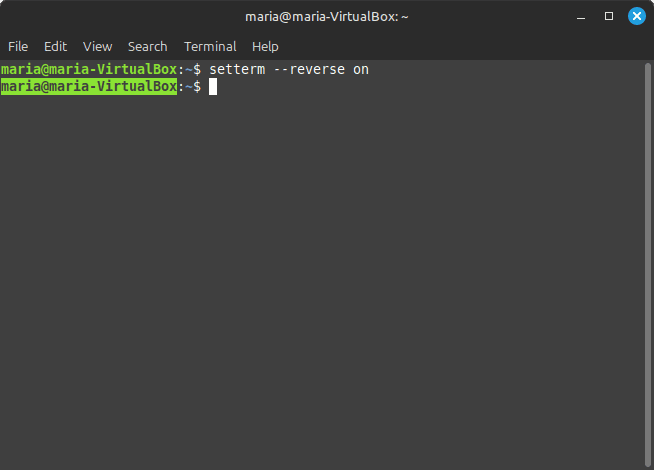
setterm --reverse on command
If I run setterm --reverse off command, the following happens to Terminal:
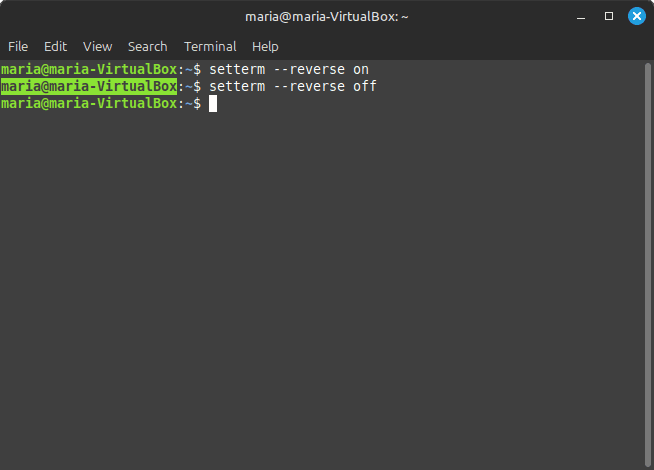
setterm --reverse off command
If I run setterm --reversescreen on command, the following happens to Terminal:
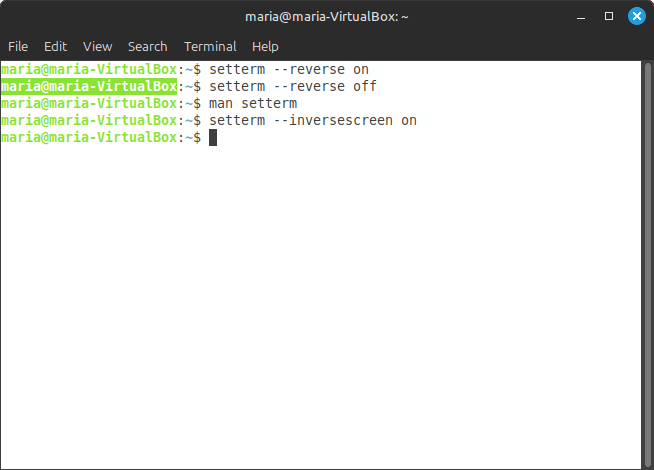
setterm --reversescreen on command
And if I run setterm --reversescreen off command, the following happens to Terminal:
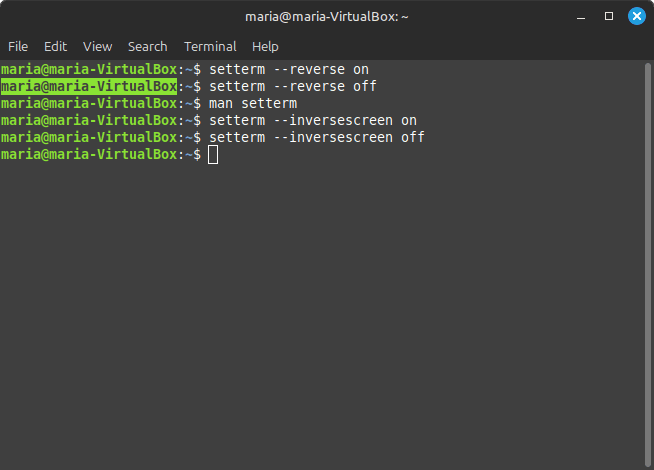
setterm --reversescreen off command
To learn more about the setterm command, run man setterm in Terminal.
su
The su command in Linux and Unix stands for switch user or substitute user. I have written an article entitled The su command in Linux and Unix (macOS), in which I go into detail about the su command. To learn more about it, please visit this article! You can also run man su in Terminal.
uclampset
The uclampset command sets or retrieves the utilization clamping attributes of an existing PID, or runs the command with the given attributes.
Utilization clamping is a new feature added in v5.3. It gives a hint to the (job) scheduler about the allowed range of utilization the task should be operating in.
If I run uclampset -p 11294 in Terminal, it returns something like the following:
kworker/0:4-cgroup destroy (11294) util_clamp: min: 0 max: 1024
kworker/0:4-cgroup is the running process/command with PID 11294, which I got by running the command ps -ax. ps (process status) is the command, and -ax refers to the -a and -x flags. When I ran ps -ax, the following was one of many running processes/commands returned in Terminal:
PID   TTY   STAT    TIME    COMMAND
11294 ?     I       0:00    [kworker/0:4-cgroup_destroy]
A STAT (STATUS) of I means Idle kernel thread. To learn more about status codes returned from the ps ax or ps aux command, please visit the what does a STAT of I mean for ps -aux? "I" does not appear on the man page on stackoverflow.com.
To "learn more" about the uclampset command, run man uclampset in Terminal.
ul
The ul command does underlining. ul reads the named files (or stdin if none are given) and translates occurrences of underscores to the sequence which indicates underlining for the terminal in use, as specified by the environment variable TERM. The terminfo database is read to determine the appropriate sequences for underlining. If the terminal is incapable of underlining, but is capable of stdout mode, then that is used instead. if the terminal can overstrike, or handles underlining automatically, ul degenerates to cat(1). If the terminal cannot underline, underlining is ignored.
If I run the following command in Terminal:
echo $'hello k\b_i\b_t\b_t\b_y\b_ world' | ul
The following is returned:
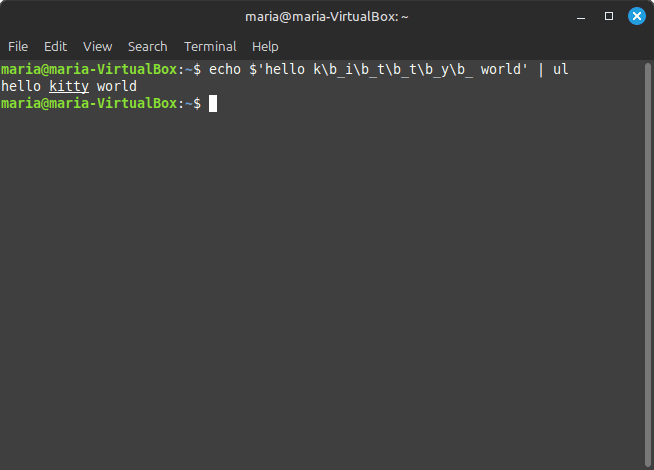
ul command creating underlined text
According to the thread How to use the ul command line utility on stackoverflow.com,
The input format requires character-backspace-underscore or character-backspace-letter to underline a character. You also get boldface with character-backspace-character.
In my case, I had to use character-backspace-underscore, and the \ escapes the b.
To learn more about the ul command, run man ul in Terminal.
utmpdump
The utmpdump command is a simple program to dump UTMP and WTMP files in raw format so they can be examined. utmpdump reads from stdin unless a filename is passed.
utmpdump can be used for investigating Linux audit logs for signs of compromise. The utmpdump command is a great tool for Linux forensics and detecting log file tampering.
If I run utmpdump /var/run/utmp > utmp.txt, something like the following is redirected to the utmp.txt file:
[2] [00000] [~~  ] [reboot  ] [~           ] [6.8.0-39-generic    ] [0.0.0.0        ] [2024-08-06T10:12:07,712082+00:00]
[1] [00053] [~~  ] [runlevel] [~           ] [6.8.0-39-generic    ] [0.0.0.0        ] [2024-08-06T10:12:13,652293+00:00]
[6] [01297] [tty1] [LOGIN   ] [tty1        ] [                    ] [0.0.0.0        ] [2024-08-06T10:12:13,750713+00:00]
[7] [01504] [:0  ] [maria   ] [tty7        ] [:0                  ] [0.0.0.0        ] [2024-08-06T10:12:39,525420+00:00]
The above shows things like the terminal used to login (tty1), the username used ('maria'), the IP address used, and timestamp of the login and logout.
To learn more about the utmpdump command and how it can be used in forensics and to detect log file tampering, please visit the article entitled Using Linux utmpdump for Forensics and Detecting Log File Tampering on sandflysecurity.com.
uuidgen
The uuidgen command creates and prints a new universally unique identifier (UUID) using the libuid(3) library. The new UUID can be considered unique among all UUIDs created on the local system, and among UUIDs created on other systems in the past and in the future.
There are three types of UUIDs which uuidgen can generate: time-based UUIDs, random-based UUIDs, and hash-based UUIDs. By default, uuidgen will generate a random-based UUID if a high-quality random number generator is present. Otherwise, it will choose a time-based UUID. It is possible to force the generation of one of these first two UUID types by using the --random or --time options.
If I simply run uuidgen in Terminal, something like the following is returned:
90b26f44-af3e-401a-b358-e9a384ea6601
The macOS version of uuidgen functions a bit differently than the Linux version. It returns UUIDs in all capital letters. Something like the following:
E83EC324-40D9-447C-848E-2FDCF7DE2913
If I run the following script in Terminal:
for i in {1..15}; do uuidgen; done
It returns something like the following:
1f9352e8-497b-4416-8e4d-7528f51ce79d
2231a5df-7545-48f2-92b9-12b9b991b830
94acd66c-befa-4fd5-ba2f-1f49a86ebbce
809d8179-04fa-47b8-bfed-9f8c763de406
eca894cb-bb9b-4921-9ba4-65f1b6e80656
abdf6b1c-f1e4-4d70-9c0b-eb544662be7f
8fcec5cd-d51e-4d8a-a41e-06dd93cb6836
0aa945e6-b17b-49d5-ae0c-514283ec6272
805f598b-d78f-40cf-91f4-b688c68ef800
0d29fb45-3139-4b18-a055-a726d8a9618b
9888ff12-70c9-4a3a-9a87-44a772f71d53
23188279-b98f-47ad-a4b8-5d1793b5464d
488cb4b8-d22f-4b10-af3a-e87603c6ec20
a73e2f73-d5f6-4bc5-8468-a89f907153f9
4f24748e-0b20-4935-a099-470552c17246
To learn more about the uuidgen command, run man uuidgen in Terminal. You can also visit the article entitled Creating UUIDs in Bash on baeldung.com.
uuidparse
The uuidparse command parses unique identifiers. It will parse unique identifier inputs from either command line arguments or stdin. The inputs are white-space separated.
If I run uuidparse 4f24748e-0b20-4935-a099-470552c17246, the following is returned in Terminal:
UUID                                    VARIANT     TYPE        TIME
4f24748e-0b20-4935-a099-470552c17246    DCE         random
By default, at least in Linux Mint 22 (in VirtualBox), only the supplied UUID, VARIANT, AND TYPE columns are filled. Not the TIME. I am still trying to figure this out! There is very little information regarding this utility.
To learn more about the uuidparse command, run man uuidparse in Terminal.
waitpid
The waitpid command waits for arbitrary processes. It is a simple command to wait for arbitrary non-child processes. It exits after all processes whose PIDs have been passed as arguments have exited.
If I run waitpid -t 3 10673 after running ps ax to get a PID, I am returned to the command prompt after 3 seconds. This means that the process whose PID was 10673 has been passed as an argument has exited. I know that is the case because if I run waitpid -t 3 10673 again, the following is returned:
waitpid: could not open pid 10673: np such process
If I run waitpid -e 10673 afterwards, the following is returned in Terminal:
waitpid: PID 10673 has exited, skipping
To learn more about waitpid, run man waitpid in Terminal.
wall
The wall command writes a message to all users. wall displays a message, or the contents of a file, or otherwise its stdin, on the terminals of all currently logged-in users. The command will wrap lines that are longer than 79 characters. Short lines are whitespace padded to have 79 cahracters. The command will always put a carriage return and new line at the end of each line.
Only the superuser can write on the terminals of users who have chosen to deny messages or are using a program which automatically denies messages.
Reading from a file is refused when the invoker is not superuser and the program is set-user-ID or set-group-ID.
See also mesg, and shutdown commands.
whereis
The whereis command locates the binary, source, and manual page files for a command.
For example, if I run whereis -b script, the following is returned:
script: /usr/bin/script
If I run whereis -m script, the following is returned:
script: /usr/share/man/man1/script.1.gz
if I run whereis -s script, the following is returned:
# nothing
The -b flag searches for binaries. The -m flag searches for manual pages. And the -s flag searches for sources only.
if I simply run whereis script, the following is returned:
script: /usr/bin/script /usr/share/man/man1/script.1.gz
whereis without options returns a combination of what is returned with the -b and -m flags.
I ran the -s flag against a number of commands, and nothing was returned. -s searches for command sources.
To learn more about the whereis command, run man whereis in Terminal.
write
The write command sends a message to another user.
Unfortunately, I cannot use the write command. When I even try to write to myself (and I am logged in), the following is returned in Terminal:
write: effective gid does not match group of /dev/pts/0
Then I ran sudo write magdala, and the following was returned:
[sudo] password for maria:
write: magdala is not logged in
And this indeed was the case. But in my case, there is another problem. The user magdala does not have sudo privileges, so she would not be able to write back. I am sure this is set up this way because of security concerns. It is best then to either write a message to another user with sudo privileges, or to broadcast as root to all users with the wall command.
Bonus
shutdown
The shutdown command powers off or reboots the machine. It is not included in the util-linux package.
The first argument may be a time string (which is usually "now"). Optionally, this may be followed by a wall message to be sent to all logged-in users before going down.
The time string may be either in the format "hh:mm" for hour/minutes specifying the time to execute the shutdown at, specified in 24h clock format. It can also be in syntax "+m" referring to the specified number of minutes m from now. "now" is an alias for "+0", i.e., for triggering an immediate shutdown. If no time argument is specified, "+1" is implied.
If I run sudo shutdown +3 "System will shut down in 3 minutes", the following is returned in Terminal:
[sudo] password forf maria:
Shutdown scheduled for Tue 2024-08-06 15:04:44 EDT, use 'shutdown -c' to cancel.
And three minutes later, the whole computer, VirtualBox AND the host machine, shut down!
To learn more about the shutdown command, run man shutdown in Terminal.
Footnotes
[^1]: The -o or --other flag changes the user's other GECOS information. This field is used to store accounting information used by other applications, and can be changed only by a superuser.
[^2]: GECOS stands for General Electric comprehensive Operating Supervisor, and was later renamed General Comprehensive Operating System. It refers to the GECOS fields, field entires in the /etc/passwd file containing personal data about the user on Unix operating systems.
[^3]: OOM (Out-of-Memory) is a condition that occurs when the computer system runs out of memory. This can happen when a program or process uses too much memory, or when the system is under heavy load.
[^4]: Out-of-Memory Killer, or OOM killer, is a Linux built-in feature that kills processes that are using too much memory. This is so that the system doesn't run out of memory and crash. However, the OOM killer should only be used as a last resort. Only if there is no other way to free up memory.
The OOM killer will kill the process that uses up the most memory, even if that process is a critical system process. To learn more about the OOM Killer, please visit the article entitled Linux OOM (Out-of-memory) Killer on medium.com.
[^5]: The OOM score helps determine which process the OOM Killer should kill a process based on a priority assessment. In other words, each process is scored by how much the system would gain from eliminating it, and the kernel kills the process of the highest score.
[^6]: The (ps) -a flag outputs the running processes of all users on the system. The (ps) -u flag shows the user/owner column in the stdout. The (ps) -x flag outputs the processes that have not been executed from Terminal.
[^7]: A file's disk size is different from a file's size. It is the actual amount of space being taken up on the disk. According to the What is the difference between “Size” and “Size on disk?” on stackoverflow,
They differ because the disk is divided into tracks and sectors, and can allocate blocks of discrete size... We know that a disk is made up of Tracks and Sectors. In Windows that means the OS allocates space for files in "clusters" or "allocation units".
The size of a cluster can vary, but typical ranges are from 512 bytes to 32K or more. For example, on my C:\ drive, the allocation unit is 4096 bytes. This means that Windows will allocate 4096 bytes for any file or portion of a file that is from 1 to 4096 bytes in length.
If I have a file that is 17KB (kilo bytes), then the Size on disk would be 20.48 KB (or 20480 bytes). The calculation would be 4096 (1 allocation unit) x 5 = 20480 bytes. It takes 5 allocation units to hold a 17KB file.
[^8]: Softirqs (software interrupt requests) are similar to interrupts, but they are generated by the kernel itself rather than hardware devices. Softirqs are used for a variety of purposes, such as network processing, task scheduling, and disk I/O. Softirqs are generally less time-critical than hardware interrupts, but they can still impact system performance.
[^9]: Interrupts are signals generated by hardware devices to indicate that they require attention from the CPU. Hardware devices can generate interrupts for a variety of reasons, including data transmission or reception, input/output operations, and other activities. When an interrupt is generated, the CPU stops what it is doing and handles the interrupt. Interrupts can have a significant impact on system performance, especially if there are a high number of interrupts occurring.
[^10]: tty stands for teletype or teletypewriter. In software Terminals, it is virtual tty, and is the main interface of a Linux operating system. Basically, TTYs are devices that enable typing (type, typewriter) from a distance (tele). In modern Linux OS, Linux uses a device file to represent a virtual TTY, which enables interaction with the OS by handling input (usually a keyboard) and output (usually a screen/window).
Linux systems can have multiple TTYs, their number is usually limited by the configuration. The default number of TTYs is commonly seven. Although, in some more recent distributions there can be many more.
[^11]: Inter-process communication (IPC) is a crucial part of any Linux system, allowing different processes to communicate and share data with each other. As a Linux user, it is essential to understand how IPC facilities work and how to interact with them using the IPCS command.
IPC is a method that allows processes to communicate and exchange data. There are different types of IPC facilities, including semaphores, message queues, shared memory, and pipes.
- Semaphores: These are used to synchronize and coordinate processes' access to shared resources.
- Message Queues: These are memory segments used by processes to store and retrieve data.
- Shared Memory: This allows processes to exchange values.
- Pipes: These enable various processes to communicate and exchange messages.
Related Resources
-
Linux OOM (Out-of-memory) Killer: by Raza, medium.com
-
Linux Memory Overcommitment and the OOM Killer: baeldung.com
-
what does echo $$, $? $# mean: The Unix and Linux Forums
-
What is the difference between “Size” and “Size on disk?”: stackoverflow
-
The Linux Filesystem Hierarchy: mariadcampbell.com
-
Linux last Command: by Kai Yuan, baeldung.com
-
Introduction to File Locking in Linux: by Kai Yuan, baeldung.com
-
Chapter�2��Describing Physical Memory: kernel.org
-
37 Memory Management in Linux: by Mary Anitha Rajam
-
prlimit and Setting the Maximum File Limit for a Running Process: by Hiks Gerganov, beldung.com
-
Save and Replay Linux Terminal Commands with Script, ScriptReplay, and ScriptLive: by TechTimeFly, medium.com