tag: command line

Coordinating Git Pushes Between macOS and Linux Mint
Maria D. Campbell
Learn how a solo developer coordinates Git pushes to remote origin from two machines.

Show Git Branch and Status in Your Bash Prompt on Linux Mint
Maria D. Campbell
Learn how to customize your Git prompt in your bare-bones Linux Mint configuration.

Sending and receiving local email in Linux Mint/VirtualBox series table of contents
Maria D. Campbell
A series covering local email in Linux Mint/VirtualBox, starting from the mail/mailx command to switching to Mutt for real attachment support.
#linux, #linux mint, #command line, #local mail, #mutt email client, #mail email client, #mailutils, #mailx email client, #series

Asymmetric encryption and decryption series table of contents
Maria D. Campbell
This is the Asymmetric encryption and decryption series table of contents. The series covers making and verifying digital signatures in Linux.
#asymmetric encryption, #command line, #digital signature, #gpg, #linux, #linux mint, #pgp, #security, #series

How to check what is being ignored in your local git repository using command line
Maria D. Campbell
Learn how to verify what is being ignored in your local Git repository using command line. This way, you never lose data that may be stored in such files.
Editing your zsh history
Maria D. Campbell
Learn how to open and edit your .zsh_history file directly in Vim — using command, insert, and visual mode — to remove duplicate commands and typos from your Zsh shell history.
#macOS, #command line, #history, #terminal history, #vim, #zsh
How a stray package-lock.json can break your Next.js Turbopack build
Maria D. Campbell
How to avoid the Turbopack multiple lockfiles warning while developing a Next.js application.

How to measure test coverage in Django
Maria D. Campbell
Coverage.py is the go-to tool for measuring how much of your Django application your tests actually exercise. Here's how to install it, run it against a real project, and interpret the results.
#command line, #terminal, #fullstack development, #macOS, #django, #python3, #tests, #coverage, #coverage.py

Setting your default browser via Command Line in macOS
Maria D. Campbell
Learn how to use the defaultbrowser Homebrew package to set your default browser from the macOS command line, and why AppleScript-based approaches stopped working in Ventura.
#applescript, #command line, #macOS, #default browser, #homebrew, #terminal

Clearing Terminal history in Linux and why it is important to do on occasion
Maria D. Campbell
Learn how to manage your bash history in Linux — from deleting individual commands to clearing .bash_history entirely — and why it matters for privacy and security.
#bash, #command line, #linux, #history, #security, #terminal history, #vim
The Mailx command line email client vs the Mutt command line email client in Linux
Maria D. Campbell
In this post, I explain why I switched from using the Mailx email client to the Mutt email client in Linux Mint.
#command line, #linux, #mutt email client, #mailx email client, #series
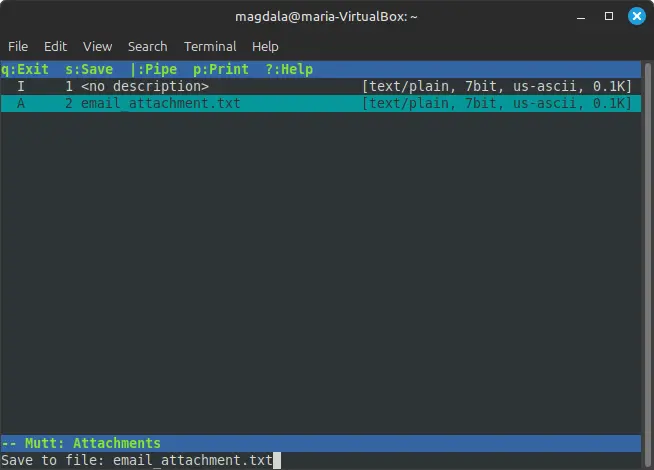
Setting up and using the Mutt email client in Linux
Maria D. Campbell
In this post, I set up and use the Mutt email client in Linux. It allows me to send and receive email attachments (and other powerful features) which I can save locally.
#command line, #linux, #linux mint, #mutt email client, #email attachment, #security, #series

Encrypting and decrypting a file with GPG in Linux
Maria D. Campbell
In this post, I show how to encrypt and decrypt a file in Linux with GPG using human-readable language.
#encryption, #decryption, #gpg, #linux, #command line, #cybersecurity

The Linux Filesystem Hierarchy
Maria D. Campbell
In this post, I walk through the Linux filesystem hierarchy, providing a bit of history and live examples.
#command line, #debian, #linux, #linux mint, #filesystem, #tree, #ls, #ld.so, #fhs

Bash auto-completion in Linux
Maria D. Campbell
Since I have been working much more using bash in Linux, I miss the Zsh auto-completion feature and wanted to implement something similar in Linux bash as well. Learn how to install and use the bash-completion package in a Linux Ubuntu distro.
#command line, #terminal, #linux, #ubuntu, #linux mint, #bash, #auto-completion, #zsh

How to send/receive local emails in Linux Mint/VirtualBox
Maria D. Campbell
In this post, I describe how to set up and use the mail command to send and receive emails on a local network in Linux Mint. I also discuss mail/mailx's limitations that made me switch to the Mutt email client. And finally, I point out the potential pitfalls I encountered when conducting research concerning this post.
#command line, #linux, #linux mint, #local mail, #postfix, #mail command, #mailx command, #mailutils, #terminal, #virtualbox

The pipe (|) and tee commands in Linux and Unix (macOS)
Maria D. Campbell
In this post, I discuss the pipe and tee commands and how they interact with commands such as cat and wc, which accept stdin. I also talk about how the history command interacts with pipe and tee, and I provide live, practical examples of how these commands work together.
#command line, #linux, #unix, #macOS, #pipe, #tee, #wc, #cat, #history

Redirect operators in Linux and Unix (macOS)
Maria D. Campbell
In this post, I describe what redirect operators are, some different types of redirect operators, and how they differ.
#command line, #linux, #macOS, #redirect operator, #stdin, #stdout

stdin stdout and stderr in Linux and Unix (macOS)
Maria D. Campbell
Learn about standard input, output, and standard error streams and how to use them in daily workflows.
#command line, #linux, #redirect operator, #stdin, #stdout, #stderr

Shell script for turning your macOS laptop's Wi-Fi off and on
Maria D. Campbell
A step-by-step walkthrough of writing a zsh script to toggle macOS Wi-Fi off and on, including the chmod permissions needed to run it.
#chmod, #command line, #file permissions, #macOS, #networksetup, #shell scripting, #wifi, #zsh

How to write protect a file in macOS
Maria D. Campbell
How to write protect a file in macOS.
#chflags, #command line, #macOS, #modify file flags, #schg, #system immutable flag, #uchg, #user immutable flag, #write protect files

Encrypting and Decrypting Files and Strings
Maria D. Campbell
In this post, I show how to encrypt and decrypt files with a Python encryption/decryption application using the Python Fernet symmetric encryption method and via Command Line using GnuPG.
#decryption, #encryption, #gnupg, #symmetric encryption, #command line, #macOS, #python3, #security
Linux/Unix Command Line Commands applicable to Cybersecurity
Maria D. Campbell
In this post, I gather together some commands with live examples which I believe to be applicable to cybersecurity. They pertain to access control, network visibility, and investigation/forensics.

Wireshark vs tcpdump (macOS)
Maria D. Campbell
First, in order to be able to compare Wireshark tot tcpdump, I had to install them.
#command line, #command line utility, #cybersecurity, #macOS, #network protocol analyzer, #network traffic analyzer, #network traffic capture, #tcpdump, #wireshark

Reinstalling Git with Homebrew to Get the Latest Version
Maria D. Campbell
Installing Git with Homebrew on macOS gives you faster, easier updates than relying on Xcode. Here's how to do it using the Git alias command.
#command line, #homebrew, #git, #git upgrade, #macOS, #macOS tahoe, #sip, #system integrity protection, #Xcode

Compressing and uncompressing directories from the command line
Maria D. Campbell
How to compress and uncompress directories from the command line and why one way may be preferable over another.
#command line, #compressing directories, #macOS, #tar, #unix